
Lead retrieval is how exhibitors collect the contact details of people who stop at their booth during a trade show or conference. In the usual setup, a rep scans the visitor's badge with a device or app licensed from the event organizer, and the organizer releases that attendee's registration record to the exhibitor during or after the show.
That's the textbook version, and at plenty of shows it's all you need. Anyone who has worked a booth for a few days knows the scan is the easy part, though. The hard part comes on the flight home, when you're scrolling an export and trying to remember which badge belonged to the person who asked about a second site.
What lead retrieval means, and the words around it
The term gets used for the whole apparatus, so it helps to separate the parts you'll meet in an exhibitor manual.
- The lead retrieval system is the organizer's platform: the registration database, the scanners or app that read badges, and the portal where exhibitors download their leads.
- A lead retrieval device, sometimes called a unit, is the handheld scanner you rent for the show and hand back when it closes.
- A lead retrieval app runs on a phone. It's either the organizer's app for that one event or an independent capture app your company owns.
- Lead retrieval services is what the organizer or its registration contractor calls the package: devices, app licenses, the portal and a service desk on the floor.
When a show has no lead retrieval program at all, which is still the case at smaller conferences and at most dinners and roadshows, the only way to get details is to collect them yourself. That's lead capture, and the difference matters more than it sounds. We come back to it below.
How lead retrieval works at a trade show
It starts weeks before the show, when attendees register. They fill in the organizer's form with their name, company, job title, email and whatever else the organizer decided to ask. Each registration gets a code, which ends up printed on the badge as a barcode, a QR code or an ID number. Some badges carry a chip instead.
At the booth, the rep scans the badge. Often the code holds little more than an attendee ID, and the scanner looks that ID up in the registration database. That's why the organizer runs the whole process: their system is the one that can turn the code into a person.
Most lead retrieval apps then let the rep add something of their own, like a rating, answers to a couple of qualifying questions, or a short note. Leads collect in an exhibitor portal, and you download them as a spreadsheet during the show or after it closes. Some systems can push leads into a CRM. Many leave that step to you.

Types of lead retrieval tools
You'll usually see four setups on the same show floor, sometimes at the same booth.
Rented handheld scanners
A dedicated device you collect from the organizer's service desk on day one and hand back on the last. If you've stood in that queue while your booth still had no power, you know the routine. They're quick. You get as many as you rented, and at a busy booth that can mean reps passing one scanner back and forth.
The organizer's app on your own phones
Many shows now license an app instead. Each rep downloads it, signs in with an event code and scans badges with the phone camera. There's nothing to return, but it's still the organizer's system: the login stops working when the show ends, and next month's event may use a different app altogether.
An independent lead capture app
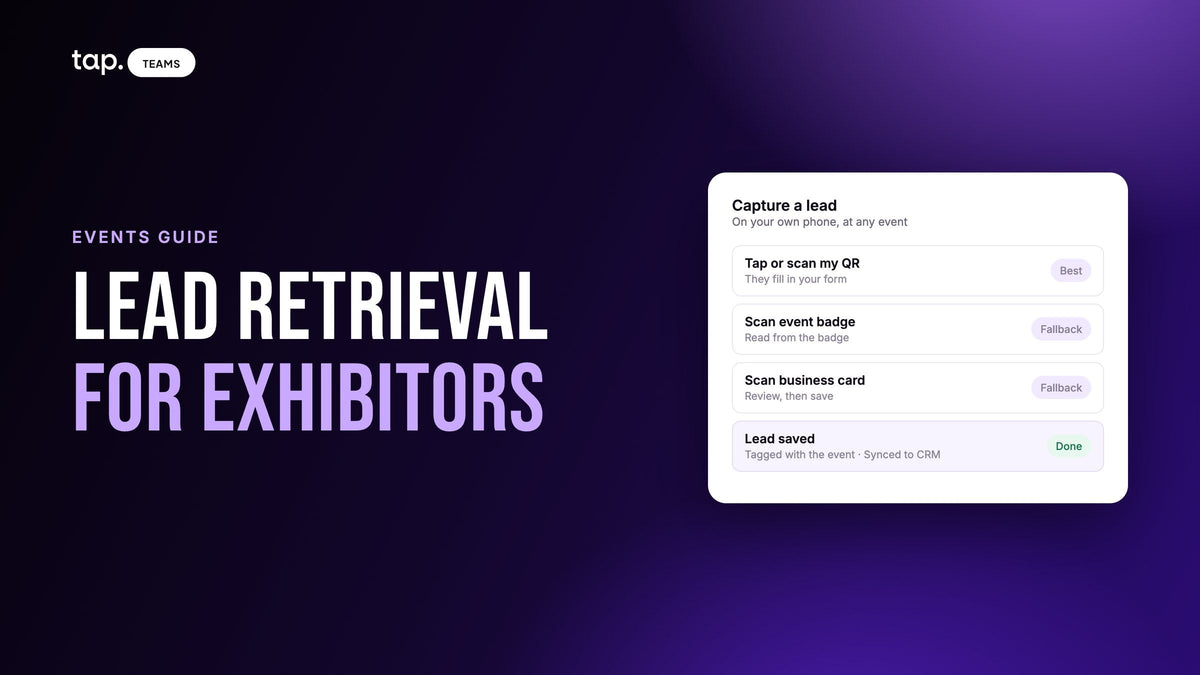
This one belongs to your company, goes to every event with your reps and doesn't touch the organizer's database. Typically the visitor taps a phone or scans a QR code and types their own details into a short form, and the rep scans a card or badge when a form isn't practical. Leads go into your CRM as they're captured.
Business cards and a notebook
Still the default at a lot of booths, and still the reason someone spends the week after the show typing. We've written about why a stack of cards feels like more progress than it is.
| Rented scanner | Organizer's app | Your own capture app | |
|---|---|---|---|
| Who controls it | The organizer | The organizer | Your team |
| Where it works | That show floor | That show floor | Any event, dinner or customer visit |
| What you capture | Registration data | Registration data, plus notes and ratings | Your own form, plus card and badge scans |
| When leads reach your CRM | After an export and import | Depends on the event's setup | As they're captured |
Lead retrieval vs lead capture
People use the two terms interchangeably. Strictly speaking, lead retrieval means pulling an attendee's record out of the organizer's registration data. Lead capture means you collect the details yourself, with your own form and your own questions, so you never wait for anyone to release them. Most exhibitors end up doing some of both.

If your reps already carry a digital business card, digital business card with lead capture built in covers what that card can collect on its own and when the organizer's scanner still earns its place beside it.
Where organizer lead retrieval falls short
Most of the limits come from the system belonging to the event instead of to your sales team.
Each show has its own login and its own export format. When you sit down next year to compare three shows, you're lining up spreadsheets with different columns.
You also get exactly what registration asked for, typed weeks earlier for the organizer's purposes. If someone registered with a personal email and skipped the phone field, that's your lead. You can't go back and add a question.
Then there's the delay. Somebody has to download the file, fix the columns, import it and assign owners. By the time that's done, the rep is on another trip and the lead has gone cold.
A scan also carries no conversation. It proves someone stopped by. It won't tell you they're unhappy with their current supplier and their contract is up in the spring. Ratings and notes fields help, but only if reps fill them in, which is hard to do mid-afternoon at a crowded booth.
And it only works on the show floor. Some of the best conversations of the week happen at the dinner or in the hotel lobby, where nobody is scanning badges. The meeting at a customer's office the morning after has no badge at all.
When the organizer's scanner is still the right call
Don't drop it on principle. If the badge code only points to the organizer's database, their system is the only one that can read it in full. For a booth that wants a record of every passer-by, like a giveaway with a long line, a badge scan is faster than any form.
At some professional events, registration is checked against credentials, and the badge record is more reliable than anything a visitor will tell you in a noisy hall.
Some organizers restrict how exhibitors may collect or use attendee data, and their scanner is the sanctioned route. Check the exhibitor manual before you decide.
And if lead retrieval already comes with your booth package, the cost argument goes away. Use it.
You don't have to pick one. A sensible setup is badge scans for quick traffic and your own capture for the conversations you'll actually follow up on.
Renting a lead scanner vs using your own app
Exhibitors usually ask this as a cost question, and the exhibitor manual answers only half of it. Rentals are priced per device, per show, and many organizers charge more after an early-order deadline. The organizer's app is usually licensed per user, per event. Both figures are in the manual, so the arithmetic for one show is easy.
The half the manual leaves out is everything after the show. A rented scanner's export still has to be cleaned, imported and assigned, and that's hours of someone's time for every event, every time. If you exhibit once a year, it's an afternoon, and the rental is fine. If your team does six shows plus a run of roadshows and customer visits, you pay the rental six times, do the import six times, and the roadshow leads never get captured at all because there was no badge to scan.
A capture app your company owns is one subscription your reps use everywhere, so its cost per event falls the more you exhibit. It also records what a badge can't: your own questions, the rep's note and the conversation. So count your events for the year before you decide. A couple of big shows with lead retrieval included in the booth package: rent. A team on the road most months: own the app, and rent a scanner only at the shows where the badge code can't be read any other way.
Whichever you choose, read the manual for the data-use rules and the export format. A rental that only releases leads after the show closes is slower than it looks on the price list.
Lead retrieval at medical congresses and pharma events
Congresses are where the organizer's system earns its keep. Registration is usually checked against professional credentials, so the badge record of a healthcare professional is more reliable than anything typed at a busy stand. Congress organizers also tend to set stricter rules than a general trade show on how exhibitors may collect and use attendee data, and some keep the sanctioned scanner as the only route to registration details.
Two things follow. Read the data section of the exhibitor manual before you decide how to capture at all, and plan your own form for the conversations that go beyond the badge. Then, if your company keeps field interactions in a validated CRM, check before the congress that the leads will land there with the fields your compliance team expects. What actually arrives in the CRM from a scan is a useful list of gaps to look for. If that CRM is Veeva Vault, our guide to Veeva CRM lead capture covers the Vault-side setup, consent questions and duplicate HCP records.
How to choose a lead retrieval app
If your team exhibits more than a couple of times a year, ask these in any demo:
- Does it work at an event with no lead retrieval program, and at a customer meeting the next day?
- Can visitors type their own details on their own phone without installing anything?
- When a form won't work, can it scan business cards, badges and QR codes, and does it show you what it read before saving?
- Can you add your own qualifying questions, and will the answers map to fields in your CRM?
- Can a rep qualify a lead in a few seconds after the conversation, with a buying role, a rating or a note?
- Can it keep the conversation itself, as notes or a recording made with the visitor's consent?
- What happens when the hall's network drops? Captures made offline should sync once the phone reconnects.
- Does each lead reach the CRM as it's captured, owned by the rep who met the person?
- Can you tag leads by event, in bulk, so "which show was worth it" becomes a filter?
- Is there a score or tier that sorts the follow-up list before anyone opens it?
- Can a manager see the whole team's leads without asking anyone to forward a spreadsheet?
Pay attention to the review-before-save step. A single misread character in an email address is a lead you can never contact, and at a dim booth with glossy cards, misreads happen.
Whatever you pick, do two things before anyone travels. Agree the event tag name, so nobody invents their own spelling. And confirm every rep's account can sync to the CRM, because a rep without access captures leads perfectly and syncs none of them.
Lead retrieval tips for exhibitors
Most of what goes wrong with lead retrieval goes wrong before the doors open or after they close, not at the scan itself. Here's what to sort out at each stage.
Before the show
- Order scanners or app licenses before the organizer's early-order deadline, and count one for every rep who works the stand at the same time.
- Pick your one or two qualifying questions and load them into whatever you're using, so every rep asks the same thing.
- Agree the event tag, and who follows up on which leads, before anyone packs.
- Run one test lead all the way through, from the scan to the CRM, on an ordinary phone.
During the show
- Capture while the visitor is still at the stand. Once they've walked off, plenty of them never get scanned.
- Add the rating or note straight away. Ten minutes later, with a queue at the booth, it won't happen.
- At the end of each day, compare the lead count with what reps remember. A gap usually means a device or a login that wasn't syncing.
After the show
- Download the organizer's export as soon as it's released, and check in the manual how long the exhibitor portal stays open.
- Get the first follow-up to your best leads within a day or two, while they still remember the conversation.
- Put what the show cost next to what came out of it, filtered by the event tag, before you book next year.
Qualifying leads at the booth
Qualification happens in the moment after the visitor walks away, or it mostly doesn't happen. The rep who spoke to them knows things no form will: whether they were only being polite, and what they asked about twice.
Custom questions help if you keep them to one or two. "Which product are you here about?" is worth asking at a busy booth. A five-question form gets abandoned halfway. Our guide to lead capture form design goes through which fields earn their place.
After that, the rep sets a buying role (decision maker, influencer, end user or gatekeeper) and writes one line in their own words. "Wants pricing for a second site, current contract ends in spring" is the line that makes the follow-up call worth taking. For longer conversations, a recording keeps what a quick note loses. Tell the other person you're recording before you start; the rules differ by country. Meeting intelligence for field sales covers what a team can do with those recordings.

After the show: follow-up and ROI
If the leads are already in the CRM, tagged and sorted, a rep can send the first follow-ups from the departure gate. If they're sitting in an export nobody has opened, they'll wait until someone finds a free afternoon, and by then the conversation is a blur on both sides.
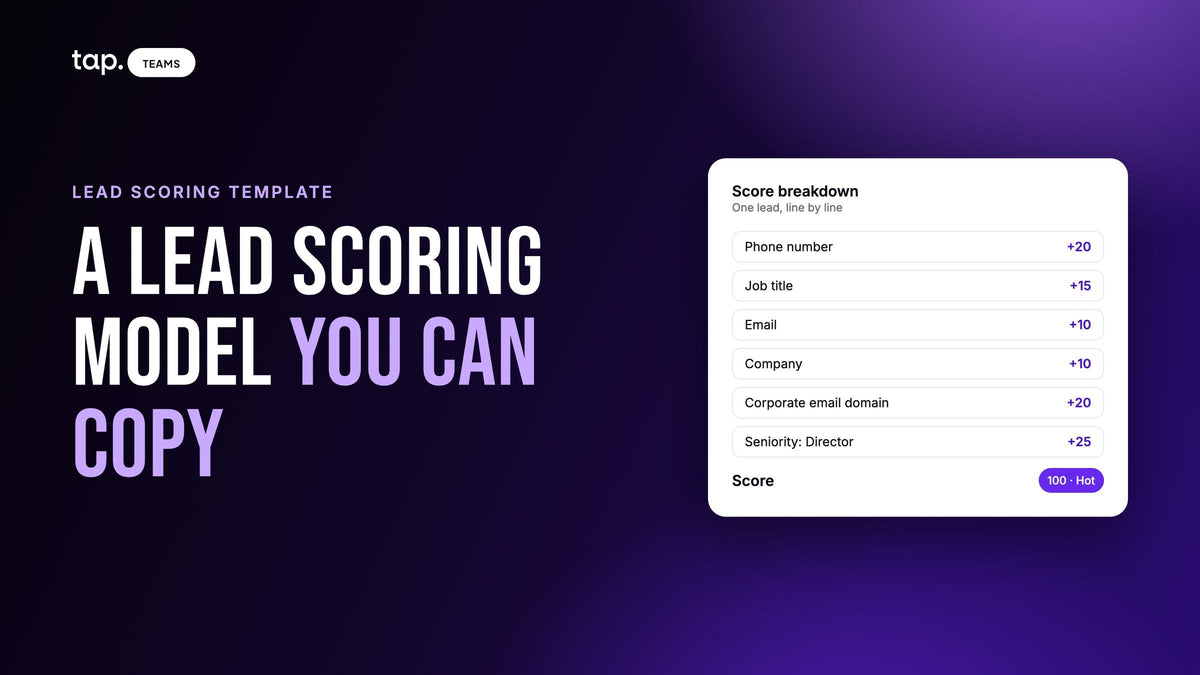
Say your team comes back with two hundred leads. Sort by score, start at the top, and read the rep's note or meeting summary before each call, because a score can't hear what was said. The lead scoring guide explains how to build a score that holds up for event leads. Leads that came in as a name and an email can be filled out with lead enrichment before anyone picks up the phone.
Measuring ROI is mostly a counting exercise once every lead carries the event tag. Count the leads from the show, then the meetings, the opportunities and what those opportunities are worth, and put that next to what the show cost all-in. It won't be exact, because deals from a show can close months later. Measured the same way every time, though, it tells you which shows to book again.
How Tap handles event lead retrieval
Tap is a lead capture app your team uses on their own phones, at any event and in any meeting. Reps share their profile by NFC tap, QR code or link. The visitor sees it in their browser with nothing to install, fills in your capture form, and the lead is created the moment they submit. The collecting leads docs walk through the flow.
When a form isn't practical, the scanner reads business cards, QR codes and event badges. For a card, it shows the rep what it read so they can check it before saving. A scanned lead scores, syncs to your CRM and takes meetings and follow-ups the same way a form lead does. The scanning docs cover getting clean scans under booth lighting.
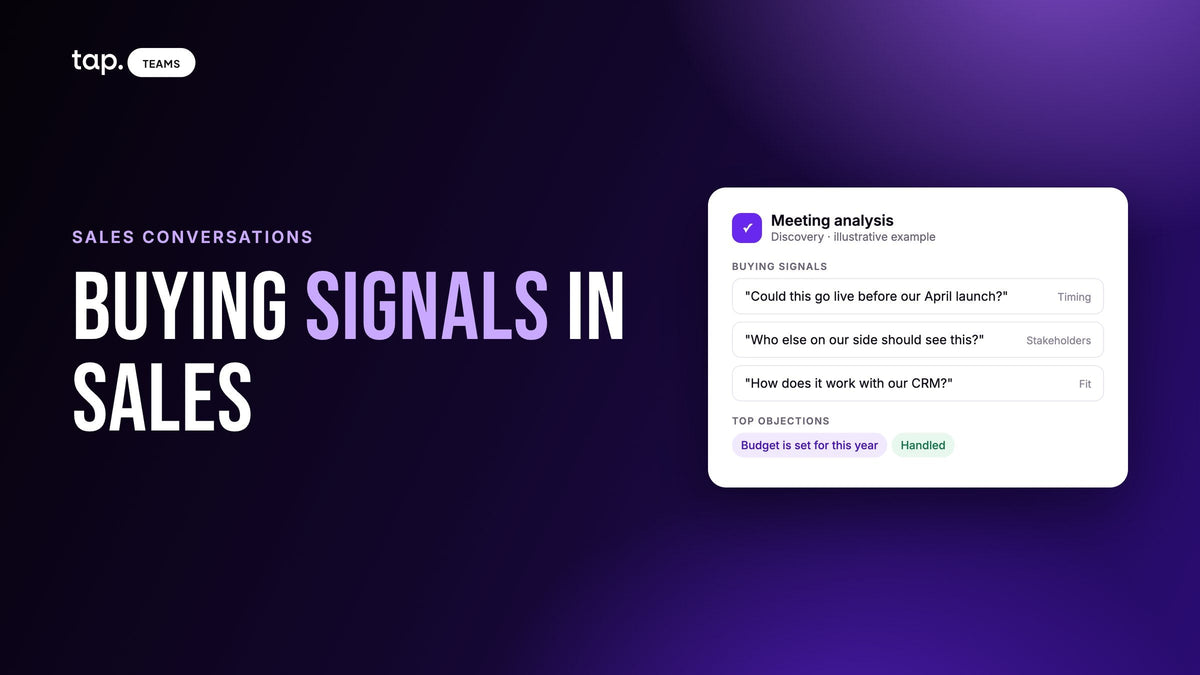
Right after a lead is saved, the app asks for their buying role, which feeds the lead score (shown in the app as Hot, Warm or Cold); reps can skip it and fill it in later. They can add notes, or record the conversation to get a summary, buying signals and objections. Tags go on one lead at a time or in bulk. Leads reach your CRM within seconds, owned by the right rep, and anything captured while the phone was offline syncs when it reconnects. Native connectors cover Salesforce, HubSpot, Zoho, Pipedrive, Veeva Vault and Odoo, with Zapier for anything else, and your capture questions map to CRM fields. The lead capture page shows the form, the scanner and the sync side by side.
If your team exhibits several times a year, see how Tap works for sales teams or book a free demo.
Related reading
- Trade show lead capture: the illusion of success created by collecting business cards
- Business card scanner to CRM: what actually arrives, and what gets lost
- GITEX Global 2026: a lead capture plan for exhibitors
- Big 5 Global 2026: a lead capture plan for exhibitors
- Veeva CRM lead capture: getting congress and field leads into Vault CRM
- Digital business card with lead capture built in: what it is and when you need more
FAQ
What is the difference between lead retrieval and lead capture?
Lead retrieval pulls an attendee's registration record from the organizer's system, usually by scanning their badge. Lead capture means collecting the details yourself, with your own form and questions, so the data is yours from the start and doesn't wait on an export.
Can I use my own phone for lead retrieval?
Yes, in two ways. Many organizers license an app that turns your phone into a badge scanner for that event. Or you can use an independent lead capture app that works at any event and sends leads to your CRM. The one limit: if a badge code only points to the organizer's database, only their system can look it up.
Does a lead retrieval app work without wifi?
Many do. They store scans on the phone and sync once it reconnects. A form the visitor fills in on their own phone still needs their phone to have a signal, so capture a test lead on the venue network before the doors open.
Do I still need the organizer's badge scanner?
Sometimes. It makes sense when only the organizer's system can read the badges, when the organizer restricts how exhibitors use attendee data, or when it already comes with your booth. You can run it alongside your own capture app.
What are the benefits of lead retrieval?
It turns a visitor into a usable record in seconds, so nobody types business cards after the show or asks people to spell their email in a noisy hall. The organizer's version gives you the details attendees gave at registration; your own capture app adds your questions and sends leads straight to the CRM.
What is a lead retrieval device?
A handheld scanner rented from the event organizer. It reads the code on an attendee's badge and looks it up in the registration database. You collect it from the service desk, hand it back when the show closes, and download the leads from the exhibitor portal. The organizer's app on your own phone does the same job without the hardware.
How much does lead retrieval cost?
It depends on the show. Organizers price scanner rentals per device and app licenses per user, per event, and both are listed in the exhibitor manual. The cost most teams miss is the time after the show, cleaning and importing the export for every event. An app your team owns spreads one subscription across every show and meeting of the year.
Which trade show leads should I follow up with first?
Start with the highest-scoring leads, using a score built from what was captured: phone number, job title, a corporate email and buying role. Then read the rep's note before each call, since a score can't tell you what was said.

Leave a comment
This site is protected by hCaptcha and the hCaptcha Privacy Policy and Terms of Service apply.