

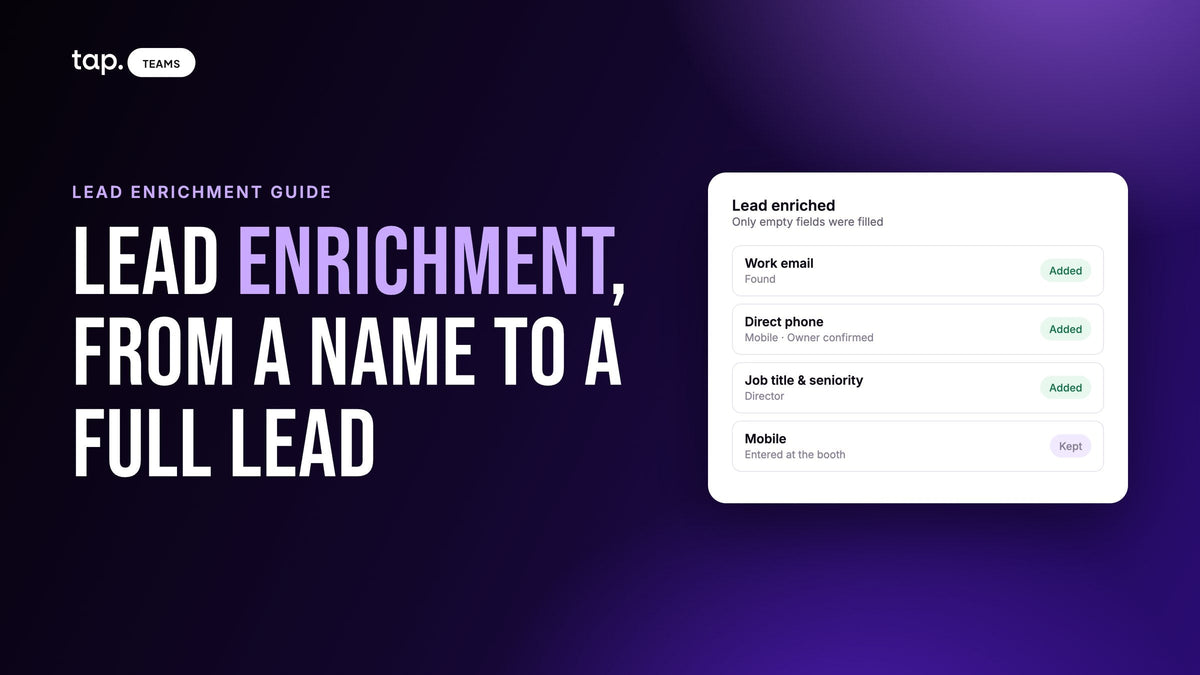
Lead enrichment is the process of filling in the missing details on a sales lead by looking the person up in outside data sources. You start with whatever you captured, sometimes just a name and a phone number, and enrichment adds their work email, a direct phone line, job title, seniority and details about their company.
Most guides assume a web lead: someone fills in a form and a tool fills in the blanks. But the leads that need enrichment most are the ones your reps meet in person, like the booth visitor who gave a first name and a mobile while others waited, or the doctor whose card shows a title from two jobs ago. That's where the gaps are widest and the usual advice runs out.
What is lead enrichment?
Every lead record has two halves: what the person told you, and what you could find out about them. Enrichment fills the second half. You hand an enrichment service a few identifiers, such as a name, a company, an email or a phone number, and it searches for a matching professional profile. If it finds one, the empty fields on your lead get filled in.
You'll also see it called B2B contact enrichment, contact data enrichment or data append. Same practice. The B2B part matters: it's about someone's working life, meaning where they work, how senior they are and how to reach them at work. Personal details like age or home address have no place in a sales record.
Data enrichment is the umbrella term for adding outside information to any record; lead enrichment points it at new leads. Lead generation is a separate job. It finds people you haven't met, while enrichment makes the people you've met more useful. That's why it fits so well after an event, when the hard part, a real conversation with a buyer, is already done.
What data does lead enrichment add?
Person data tells a rep how to reach someone and how much weight they carry. Company data tells a manager whether the account deserves the effort.
| About the person | About the company |
|---|---|
| Work email | Company name and website |
| Direct phone number | Industry |
| Job title | Company size |
| Seniority (Director, Manager and so on) | Headquarters and other offices |
| Job function and location | Logo |
| Career history, education, skills and languages |
Vendor guides add technographic, intent and behavioral data, which help when web leads leave you guessing who's serious. When your rep has already heard what the person needs, you know their intent better than a signal feed does. What's missing is an email that reaches them, a line they'll answer and a title you can trust.
Don't expect every lookup to fill every box. Some people have a thin public profile, and some markets are covered better than others. A record with the right work email and nothing else beats a full one with the wrong phone number.
How does lead enrichment work?
- You supply identifiers. A full name plus a company website or corporate email is far easier to match than a first name and a mobile.
- The tool searches its sources for someone who fits. Some check one database; others try several in turn, which you'll see called waterfall enrichment.
- If there's a confident match, the missing fields are added. If not, you should get a reason.
- The new values are written back to the CRM, where they feed routing, scoring and segmentation.
That reason matters. "No match" means the search ran and found nobody, and there's little you can do. "Not enough details" means the lead was too thin to search on, which is fixable. A lead that reads "Ahmed, hospital group" won't match anything; add the hospital's website and a job title and try again.

Real-time vs batch enrichment
Real-time enrichment runs as each lead arrives. A rep saves a lead on their phone and the lookup starts straight away, so the record is fuller by the time a manager opens the list. It's what you want when many reps capture leads every day, because nobody has to remember to do anything.
Batch enrichment runs on a list you pick: everything from last week's show, or old CRM contacts that never had a title. It's usually started by hand, so a person decides what's worth spending on. Most field teams use both.
Why leads met in person need enrichment most
Web leads are typed by someone at a desk. In-person leads come from a crowded hall or a quick chat in a hospital corridor. Start with the form. At a booth, every extra question costs you a conversation. People will give a name and a number standing up, but ask for title, department, company size and a work email as well and the person behind them in the queue walks off. Keeping the form short is right. Enrichment is how you get away with it.
Business cards carry their own gaps: a mobile and no email, a generic info@ address, a job the person left last spring. Then there's typing speed. Names get misspelled, company names get shortened to whatever the rep calls them internally, and the email field gets skipped because the visitor had to run. Nobody's being careless; that's what a busy stand looks like. Our guide to trade show lead capture covers tightening up the capture side.
Without enrichment, someone spends the week after the show searching for each half-complete lead by hand. With it, most of that is done before the team's flight lands.
The one rule: fill only empty fields
Enrichment should only fill fields that are empty. It should never overwrite what the lead or your rep entered.
The person in front of your rep is the best source of truth about themselves. If they wrote down the mobile they actually pick up and a lookup swaps it for a switchboard number, your data just got worse. If your rep fixed a job title mid-conversation, that fix should stand.

The same goes for earlier enrichment results. Once a field has a value, a later lookup should leave it alone, or records keep shifting and nobody trusts them. Ask vendors whether enrichment can ever replace an existing value. I'd walk away from any tool where the answer is "yes, by default."
How accurate is enriched data?
Enrichment is a snapshot of what the sources believed on the day you looked. People change jobs and get promoted; companies merge and rename themselves. A lead enriched a year ago can be wrong today without anyone making a mistake. So enrich close to when you'll act, check old records again before a campaign instead of trusting last year's fields, and treat what the person told your rep as final.
Phone numbers: read the type before you dial
In a lot of markets business runs on calls and messaging, so the phone number is often the most useful thing enrichment returns. Good enrichment also says what kind it is. A mobile usually reaches the person directly and often works for messaging. A landline is often a desk phone or a switchboard, so someone else may answer. A VoIP number is an internet-based line, sometimes direct and sometimes shared or forwarded. Also look for owner-confirmed numbers, verified as that person's own. A rep with two numbers for the same lead should call the confirmed mobile first.
Which leads should you enrich?
For a data vendor the answer is "all of them," so most guides skip the question. Left alone, automatic enrichment does enrich everything, including the student who wanted a free pen, and every lookup draws on the same budget. The fix is a minimum lead score. Leads above it get looked up automatically; the rest wait until a person decides they're worth it.
Say your team comes back from a three-day show with 200 leads. Some are strong: a decision maker with a corporate email who asked about pricing. Some are weak: no title, a personal email, and a note that says "not relevant." Enrich all 200 and you've paid to learn about people you were never going to call. Set a threshold and only the strong ones are enriched on arrival.
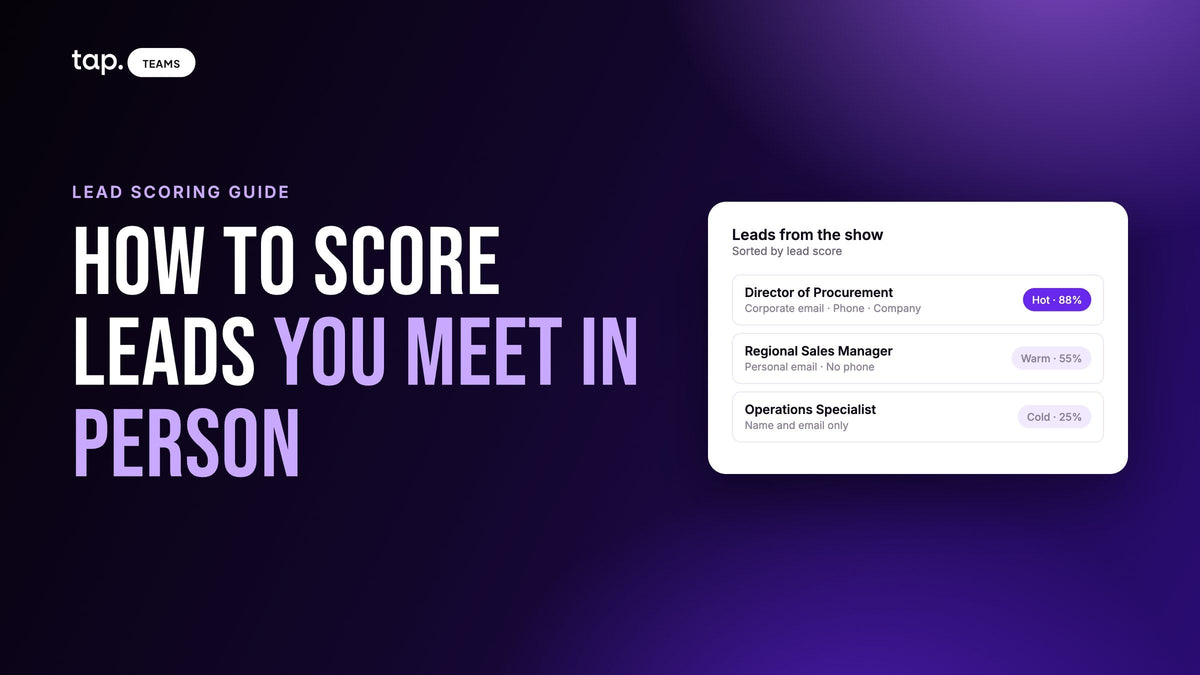
That only works if the score uses things you can see at capture time: how complete the form is, whether the email is corporate, and the person's role in the buying decision. Our lead scoring guide for event and field leads walks through building one.
There's an awkward loop here. A lead captured without a job title scores low, and enrichment is often what reveals they're a director. So keep the bar modest, and have someone scan the leads just below it after each event.
A monthly cap per rep also helps, so one busy person can't drain the shared budget. And when the budget runs out, automatic lookups should pause and pick up again later. Phone lookups usually cost more than email, so many teams enrich for email above the threshold and add phone only for the leads someone will call this week.

How enrichment is charged
The pricing model shapes what your budget buys more than the headline rate does. Pay-per-lookup charges every search whether it finds anything or not, which gets expensive with in-person leads, since some are too thin to match. Pay-for-results charges only when something is found, and that difference is biggest on the partial, messy leads field teams collect.
When you compare tools, ask: Am I charged when nothing is found? If I ask for email and phone and only the email turns up, what do I pay for? If the same lead is enriched twice, do I pay twice?
Getting enriched data into your CRM
Enrichment that reaches the CRM helps everyone who touches the account later. Most problems show up in the mapping:
- Decide where each value lands, including whether an enriched work email fills the main email field or its own.
- Create custom properties first. Seniority, job function and company size often have no standard home in a CRM.
- Match field types. Free text pushed into a dropdown is a common reason records get rejected.
- When a lead matches an existing contact, make sure blank values can't erase what's there.
- Test with one real lead. Enrich it, sync it, and check every field in the CRM.
Enrichment also changes how you read the meeting. If the person your rep met turns out to run the department, the objection they raised means something different. Our guide to meeting intelligence for field sales covers that side.
Is lead enrichment legal? Privacy and compliance
Enrichment means processing personal data about people who didn't give it to you directly, so data protection law applies. This isn't legal advice, and rules differ by country.
Know which laws cover your leads. Europe's GDPR is the best known, and several countries in the Gulf and the wider region now have their own personal data protection laws. You also need a lawful basis, and a contact who handed your rep their details at a booth is an easier case than a bought cold list. Ask your own counsel which basis you rely on.
The rest is habit. Only enrich fields someone will use. Ask your provider where its data comes from and how it handles opt-outs. When someone asks to be removed, remove them everywhere, including the enriched copy in your CRM.
Lead enrichment use cases
For teams that sell in person, the payoff is mostly post-event follow-up: the rep reaches the right person on the right number while the conversation is fresh. After that come routing by territory, industry or company size, better lead scores, first messages written for the person's actual role, and event contacts in the CRM that are more than a first name.
How to choose a lead enrichment tool
Most comparisons are written for web traffic and outbound lists. For leads from events and field visits, ask:
- Does it only fill empty fields, never overwriting the lead, the rep or an earlier result?
- Are you charged only for what's found, including partial results and failed lookups?
- Are already-enriched leads skipped instead of charged again?
- Can you choose email only, or email and phone?
- Does phone data come with its type and whether it's confirmed as the person's own?
- Can automatic enrichment be limited to leads above a minimum score, and capped per rep?
- Does it tell you why a lookup failed?
- Does enriched data reach your CRM fields, and does it feed your lead score?
- Do spend settings sit with an admin?
Then test it on a sample from your last event, messy leads included, and check the results by hand. A tool that shines on clean web leads can struggle with a half name and a mobile number.
How Tap handles lead enrichment
Tap builds enrichment into the lead list, so it runs on leads your team already captured at events and on field visits. The detail is in Tap's enrichment docs. In short:
- Choose "Work email" (with company details) or "Work email and phone", which costs more. The cost per lead and your balance afterwards show before you confirm.
- Credits are charged only for what's found. Lookups that find nothing, fail or time out cost nothing, and already-enriched leads are skipped.
- It only fills empty fields, and never overwrites anything your team, the lead or an earlier enrichment entered.
- The Enrichment column separates No match from Not enough details, so you know when to add a job title or company website and retry.
- Phone numbers are marked Mobile, Landline or VoIP, flagged "Owner confirmed" when verified, and show a pickup rate where available.
- The full-team admin can enrich new leads automatically, set "Only leads scoring at least", and cap each member's monthly spend. When credits run out, automatic lookups wait and restart once more are added.
- Enriched values are available in field mapping for your CRM, and when no buying role is set, enriched seniority fills the lead score's seniority slot, worth up to 25 points.
See how it fits your team on the Tap Teams page, or book a free demo.
FAQ
What is lead enrichment in simple terms?
Looking a lead up to fill in what's missing. From a name, company, email or phone number, enrichment adds work email, direct phone, job title, seniority and company details, so a rep knows who they're calling.
What is the difference between lead enrichment and data enrichment?
Data enrichment adds outside information to any record, old or new. Lead enrichment applies it to new sales leads, usually B2B contacts, to get them ready for follow-up.
What is the difference between lead enrichment and lead scoring?
Enrichment adds information to a lead. Scoring turns what you know into a number that says who to call first. Enrichment often finds the seniority that moves a lead up the list, and a minimum score is a sensible way to choose which leads to enrich automatically.
How soon should you enrich leads after an event?
Before the follow-up calls start. If enrichment runs automatically as leads are captured, reps have full records on the way home. Leads below your threshold can wait for a manager, but not for weeks.
Is lead enrichment legal under GDPR?
It involves processing personal data, so it falls under GDPR and the newer data protection laws across the Gulf. It's widely used in B2B sales, but you need a lawful basis and a way to honor removal requests. Check your markets' rules with your own counsel.

Leave a comment
This site is protected by hCaptcha and the hCaptcha Privacy Policy and Terms of Service apply.