
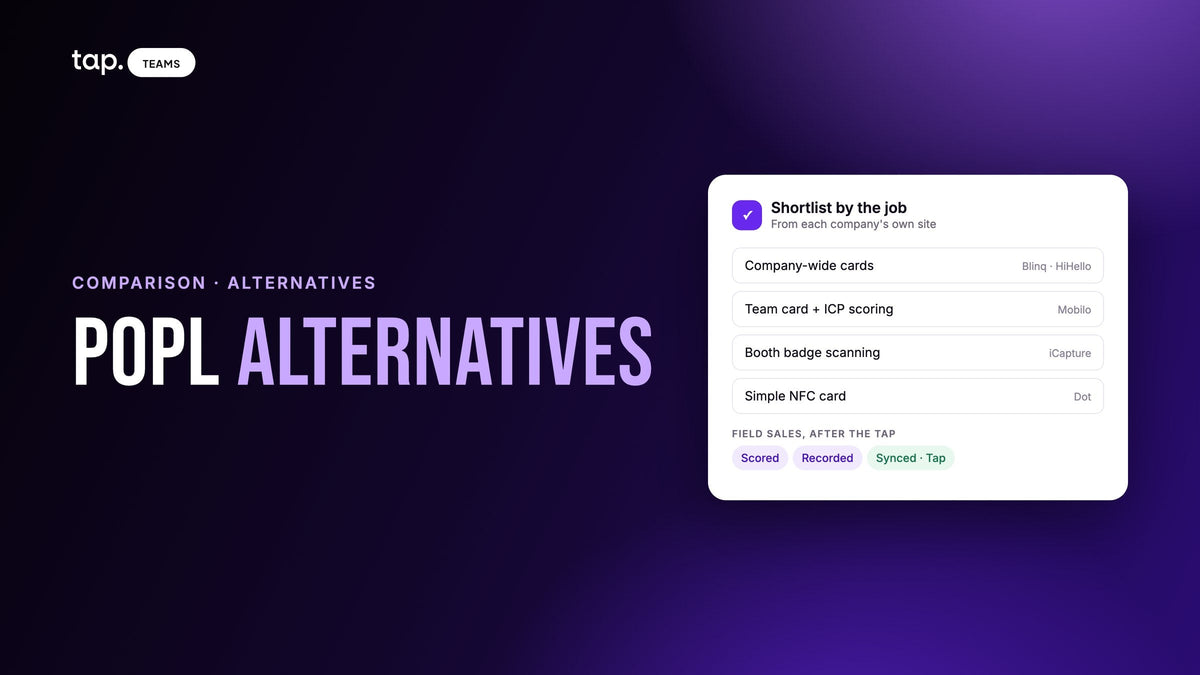
The main Popl alternatives are Blinq, HiHello, Mobilo, iCapture, Dot and Tap. Blinq and HiHello suit company-wide card rollouts with SSO. Mobilo adds lead scoring to a team card. iCapture is a trade show capture app. Dot is a one-off NFC card. Tap fits field sales teams that need each lead scored, recorded and synced.
Which one is right depends on the part of Popl you actually use. Some teams bought Popl for the card and never touched the badge scanner. Others run twenty trade shows a year on it and couldn't care less about the card. This guide sorts the options by that difference, describes each tool using only its own website (checked on 13 October 2026), and says plainly where each one beats the others, Tap included. If you only want Popl and Tap side by side, read Popl vs Tap instead.
What Popl is today
Popl started as an NFC business card. Its homepage now calls it "your AI GTM platform for in-person events," and the product list reflects that: Event Lead Capture, Prospecting, AI Voice Recording and Digital Business Cards. The center of gravity is a universal badge scanner that Popl says works at any event, even when the organizer has its own scanning hardware or app. Around it sit list enrichment before the show, Event Flows with lead qualifiers that reps answer on the floor, calendar booking, ROI reporting, marketing attribution, and an AI assistant called Ask Popl. It syncs natively to Salesforce, HubSpot, Microsoft Dynamics 365, Pipedrive, Zoho, Marketo and Pardot. There's still a simple card app for individuals.
That's a lot of product, and it explains why people go looking. Most people searching aren't unhappy with Popl as a whole. One part of it doesn't fit their team. A sales manager who wanted a branded card for forty reps may find an event marketing platform heavier than the job needs. An events team that lives on badge scans may want a capture app it can roll out to every rep without a card attached. A field sales team that sells in clinics and on job sites, not at booths, may want something built around the meeting instead of the exhibition hall. Those are three different searches, and they lead to different tools.
How to choose a Popl alternative
Before comparing feature lists, work out which of three layers you're shopping for. Most of the confusion in "Popl alternatives" lists comes from mixing them up.
- Contact exchange. You hand over your details by NFC tap, QR code or link, and the other person saves them. Almost every tool on this list does this well. If this is all you need, choose on hardware, design and how many people need a card.
- Lead capture. You collect the other person's details: a form they fill in, a badge or business card you scan, answers to a few qualifying questions. This is where event teams spend their time, and where offline scanning and badge support matter.
- What happens after the tap or scan. The lead gets ranked, missing fields get filled, the conversation gets recorded and summarized, and the record lands in the CRM under the right owner. This is the layer field sales managers care about, because it decides whether anyone calls the lead back.
Then check the things that separate tools within a layer:
- CRM depth. Is your CRM supported natively, or only through Zapier? Does the lead arrive as a Lead or a Contact? Who becomes the owner? What happens when the person already exists?
- Team admin. Templates and brand lock, sub-teams, and whether IT needs SAML SSO, SCIM or HR system provisioning.
- Events versus field visits. Badge scanning and per-show reporting matter at trade shows. At a clinic or a site visit there is no badge, and what matters is the conversation and the follow-up.

The Popl alternatives, one by one
Each tool below gets the same three questions: what it is, where it fits, and what to check before you sign. Everything comes from the company's own site. Where a site doesn't mention something, we say so rather than assume it's missing.
1. Blinq
Blinq calls itself "the AI contacts platform for the real world." It's a digital business card that grew into event capture: its scanner reads a badge, a paper card, a QR code or a LinkedIn profile, even offline. Admins preset qualifying questions and tags such as hot, warm and cold. Its AI Notetaker records in-person conversations on a phone, an Apple Watch, a Wear OS watch or a Bluetooth mic and links a transcript and summary to the contact. Blinq says it's free for everyone, and the free tier covers the card, virtual backgrounds and email signatures.
Blinq fits a company that wants one card for every employee and has an IT team with opinions. Its enterprise page documents SAML SSO with Entra ID and Okta, SCIM provisioning, brand locked at the template level, and email signatures pushed to Google Workspace and Outlook with nothing for employees to install. For a company-wide rollout, that's a stronger identity story than Tap's, and Blinq's event campaigns (budget, cost per lead, pipeline per show) suit a marketing team that reports by event.
What to check: Blinq lists native sync with HubSpot, Salesforce, Microsoft Dynamics, GoHighLevel, Pipedrive, Zoho and monday.com, and its FAQ says sync is one way, deduplicated by email. An automatic lead score and per-meeting analysis such as talk ratio or objections aren't listed on its site. Our Tap vs Blinq comparison goes further.
2. HiHello
HiHello describes itself as "the professional presence and lead capture platform." In practice it's the brand side of a company's identity: digital cards, email signatures generated from those cards, virtual backgrounds for every employee, and a real-time company directory, all managed in one place. It also scans paper cards, event badges and QR codes, and every card can carry a custom lead form.
HiHello fits HR, marketing or IT teams who want every employee's card, signature and background to stay on brand automatically. Its enterprise page lists SSO with OAuth 2.0 and SAML/SCIM, plus connections to Okta, Workday, Google Workspace and Entra ID for provisioning. If your rollout starts in the HR system, HiHello has documented that path more fully than most tools here. Individuals can use a free personal version, and teams start on a free trial.
What to check: HiHello names Salesforce, Microsoft Dynamics 365, HubSpot and Marketo as CRM and marketing integrations, with contacts and tags syncing as they're created. Offline scanning, lead scoring and meeting recording aren't mentioned on the pages we read, so if your reps work trade show floors with bad signal, test that first.
3. Mobilo
Mobilo sells a "digital business card for teams," and it's the card on this list that leans hardest into the after-the-tap layer. Its One-Tap Lead Gen Mode captures a contact plus answers to custom questions such as role, budget or timeline, and pushes those answers to CRM fields. Leads are enriched with company size, title and industry right after capture, then scored against an ideal customer profile you build from role, region, tech stack and revenue. Data captures locally when signal is weak. There's a free digital card for the phone's wallet or home-screen widget, and physical cards in several materials.
Mobilo fits a sales team that wants a team card and fit-based lead scoring in one product, routed into Salesforce, HubSpot or Microsoft Dynamics. Admins can lock profile fields, reassign cards and set branding rules, and Mobilo lists SAML SSO, HRIS provisioning, role-based permissions and audit logs. If your scoring model is "does this company look like our best customers," Mobilo's ICP approach is closer to that than a fixed points model.
What to check: Mobilo names Salesforce, HubSpot, Pipedrive and Dynamics, plus Zapier and webhooks, with field mapping by rep and event. Its events page doesn't mention recording or analyzing conversations, so the meeting itself stays outside the product.
4. iCapture
iCapture is a trade show lead capture app, now part of Cvent (icapture.com redirects to a Cvent iCapture page). Its own description is "a single app that every rep uses to scan, qualify, and route booth leads." Reps capture by badge scan, business card, photo or manual entry, on their own phone or tablet with no rental hardware, and offline. Where it can, iCapture pulls the official registration data behind the badge instead of reading it off the plastic.
iCapture fits an event or field marketing team whose whole job is the booth. Qualification questions are collected once on the floor and routing rules decide what happens next, including individual, round-robin or multi-host assignment and meeting booking through Calendly or HubSpot. Leads go to Salesforce, HubSpot, Marketo and Eloqua, and reporting breaks out data by show so you can see which events created pipeline. If you scan thousands of badges a year and report to marketing, iCapture is built for exactly that, and it's a better fit than a card-first tool.
What to check: iCapture's page doesn't mention digital business cards or recording conversations, so it replaces Popl's event layer only. If your team also uses Popl's cards, you'd need a second tool.
5. Dot
Dot is an NFC device: a card, a metal card, a sticker for the phone case, a thin sticker for under it, or a wristband. Tap it to a phone, or scan its QR code, and a dot.Profile opens in the other person's browser. Dot's homepage puts it simply: only one person needs a dot, and no app is required. Its FAQ says there's no monthly fee to use a device, with optional subscription upgrades. With dot.Exchange switched on, the visitor sends back a contact card with name and email (phone and a note optional).
Dot fits individuals and small teams who want a good-looking card and no software to manage. Its dot.Teams plans add profile templates by department, and the Growth plan adds native Salesforce and HubSpot sync, Zapier, an AI business card scanner, white-label profiles and team networking insights. For a founder or a small agency, that's often all you need, and it's simpler than anything else on this list.
What to check: badge scanning, lead scoring, enrichment and meeting recording aren't listed on Dot's site. Our Dot vs Tap comparison covers what a Dot card does and doesn't do.
6. Tap
Tap is our product, so weigh this section accordingly. Its docs describe it as a lead capture platform for teams who meet people in person: conferences, trade shows, field sales calls and events. The card or QR code starts the exchange; the visitor fills in your form on their own phone, so nothing has to be retyped. Reps can also scan business cards, QR codes and event badges, with a review step before saving. Every lead gets a quality score out of 100, enrichment fills only the fields that are empty, and reps can record the meeting that follows.
Tap fits field sales teams who sell face to face all year, in clinics, offices and on job sites as well as at shows, and whose managers need to know what happened in meetings they didn't attend. Of the tools here, it's the one whose site lists native Veeva Vault and Odoo connectors, which matters for pharma teams and for companies that run on Odoo.
What to check: Tap's docs don't cover SSO or SCIM, and it has no pre-event list enrichment or per-show budget model. If those are hard requirements, Blinq, HiHello, Mobilo or iCapture will serve you better. Team features such as departments, templates, insights and CRM sync need a team plan.
Popl alternatives at a glance
| Tool | Fits best | Capture methods | CRM approach | Team admin |
|---|---|---|---|---|
| Popl | Event marketing teams; badge volume and event ROI | Badge, card and QR scanning; lead forms; qualifiers per Event Flow | Native Salesforce, HubSpot, Dynamics 365, Pipedrive, Zoho, Marketo, Pardot | Subteams, templates, Okta and Azure SAML |
| Blinq | Company-wide card rollouts with IT involved; event campaigns | Badge, card, QR and LinkedIn scanning, offline; preset qualifiers and tags | Native HubSpot, Salesforce, Dynamics, GoHighLevel, Pipedrive, Zoho, monday.com; one-way, deduped by email | SAML SSO, SCIM, template brand lock, signatures to Google Workspace and Outlook |
| HiHello | Brand consistency across cards, signatures and backgrounds | Card, badge and QR scanning; custom form on every card | Salesforce, Dynamics 365, HubSpot, Marketo; contacts and tags sync on creation | SSO (OAuth 2.0, SAML/SCIM), HRIS provisioning, company directory |
| Mobilo | Sales teams wanting a team card plus ICP-based scoring | Lead gen mode with custom questions; AI card scanning; captures with weak signal | Salesforce, HubSpot, Pipedrive, Dynamics; Zapier, webhooks; field mapping by rep and event | Locked fields, SAML SSO, HRIS provisioning, roles, audit logs |
| iCapture | Booth-focused event and field marketing teams | Badge scans, business cards, photos, manual entry; offline | Salesforce, HubSpot, Marketo, Eloqua; routing rules on qualifier answers | Rep routing (individual, round-robin, multi-host) |
| Dot | Individuals and small teams wanting a simple NFC card | NFC and QR; dot.Exchange form; AI card scanner on Growth | Native Salesforce and HubSpot on Growth; Zapier | Profile templates by department, locked profiles |
| Tap | Field sales teams selling in person all year | Visitor's own form; card, QR and badge scanning with review; offline QR | Native Salesforce, HubSpot, Zoho, Pipedrive, Veeva Vault, Odoo; Zapier; owner matched by email | Templates, departments that control fields and CRM access, sub-team admins |
The table only uses what each company publishes. A blank on someone's site isn't proof the feature doesn't exist, so ask in the demo.

Which Popl alternative should you pick?
If you mostly used Popl's card, the decision is about rollout size. One person or a small team: Dot is the simplest thing that works. A whole company with IT in the room: Blinq or HiHello, and pick between them on whether email signatures and directory sync matter more than event capture.
If you mostly used Popl at trade shows, look at iCapture first, then Blinq. iCapture is the most booth-focused tool here; Blinq gives you event capture and a company card in one product. Our guide to event lead retrieval covers what to test at a real show.
If what you want is better leads after the event, the question changes from "which card" to "what happens to the lead." Mobilo scores by fit to your ideal customer. Tap scores from the captured data and the rep's buying-role answer, then adds the recorded conversation. I'd run the same real lead through both and see which record your sales manager would rather open on Monday.
How Tap handles this
Tap is built for the third layer, the part that starts once the card is tapped or the badge is scanned. The visitor types their details into your lead capture form on their own phone, or the rep scans a card or badge and checks what was read. Every lead gets a quality score out of 100 from published rules, so the list sorts itself on the way home. Enrichment fills empty fields only, and a lookup that finds nothing costs nothing.
When there's a meeting, the rep records it with the other person's consent. Tap returns a summary, buying signals, objections, talk ratio and action items, described in the meetings docs. The lead then syncs to Salesforce, HubSpot, Zoho, Pipedrive, Veeva Vault or Odoo, owned by the CRM user whose email matches the rep, with the meeting summary added as a task. Existing records are merged, not overwritten with blanks, and Slack can post hot leads to a channel. Managers see the objections and quiet accounts across the whole team in Team Insights. If your reps work from scanned cards, our piece on what a business card scanner actually sends to the CRM is worth a read too.
If that sounds like your team, see how Tap's lead capture works, check the CRM integrations, or book a 30-minute demo and bring a meeting type your reps run every week.
FAQ
What is better than Popl?
It depends on what you use Popl for. For a company-wide card with SSO, Blinq or HiHello. For booth lead capture, iCapture. For a team card with fit-based lead scoring, Mobilo. For a simple personal NFC card, Dot. For field sales teams who need each lead scored, each meeting recorded and analyzed, and both synced to the CRM under the rep, Tap. None of them is better at everything Popl does.
Popl vs Dot vs Linq: which is better?
Popl and Dot sit at opposite ends. Dot is an NFC device with a free browser profile, a simple contact-exchange form, and Salesforce and HubSpot sync on its Growth team plan. Popl is an event lead capture platform with badge scanning, enrichment, recording and seven native CRM and marketing integrations. For one person, Dot is simpler; for an events team, Popl does far more. We haven't covered Linq here, because we couldn't confirm its current card features from its own site when we checked.
Popl vs iCapture: what's the difference?
Both capture leads at trade shows. iCapture, now part of Cvent, is a booth app: badge, card, photo or manual capture, qualification questions, routing rules, and sync to Salesforce, HubSpot, Marketo and Eloqua. Popl adds digital business cards, pre-event list enrichment, AI voice recording and Ask Popl. If you only need the booth, iCapture is the more focused choice. If you also want cards for your team, Popl covers both.
Is there a free Popl alternative?
Yes, for the card itself. Blinq says it's free for everyone, HiHello has a free personal version, and Mobilo offers a free digital card for your phone. Dot charges once for the device, with no monthly fee to use it. Tap has free plan features on every account; team features such as CRM sync need a team plan.

Leave a comment
This site is protected by hCaptcha and the hCaptcha Privacy Policy and Terms of Service apply.