
A Dot card is an NFC business card sold by dot.cards. Tap it on someone's phone, or let them scan its QR code, and your dot.Profile opens in their browser so they can save your contact. Neither of you needs an app. Dot also sells the same chip as a metal card, phone stickers, a wristband and a counter display.
Below: how Dot's products work, what its plans include, and how Dot compares with Tap for a sales team that meets buyers in person. Everything said about Dot comes from Dot's own store, plan pages and help center, checked on 9 October 2026. Everything said about Tap comes from Tap's documentation. Where Dot's site says nothing about a feature, we say so instead of guessing.
What is a Dot card, and how does it work?
Dot calls its hardware dot.devices. Each one is a small NFC chip linked to a profile you build online, the dot.Profile. When you tap the device against the back of another phone, a notification pops up with a link to your profile. They open it in their browser, look at your details, and press Download to Contact to save you. They don't need a dot, an app or an account.
Every device also carries a QR code, so a phone without NFC can still reach your profile with its camera. Dot lists both iPhone and Android as compatible. You can edit your profile as often as you like, link several devices to one profile or give each its own, and switch off a lost device from your account.
The Dot product range
All dot.devices do the same job. They differ in where you carry them:
- dot.card: a credit-card-sized card with the QR code on the back.
- dot.metal: the card in stainless steel.
- dot.classic: a domed sticker for the outside of a phone case, or any surface you want.
- dot.thin: a flat, flexible sticker made to sit under a phone case.
- dot.band: a silicone wristband with a QR code on the strap, for hands-free sharing.
- dot.display: a stand for counters, desks, events and storefronts, so visitors can tap or scan to save your contact or leave a review.
Dot's FAQ says the card, classic, metal and band are waterproof, and the thin is water-resistant. Teams can order custom devices with their own logo, and Dot offers a free design mockup before you order. See the difference between the dot.devices on Dot's help center.
dot.Profile, dot.Profile+ and dot.Teams
Dot's FAQ says a one-time device purchase includes free lifetime access to the dot.Profile, with no monthly fee to use the device. The free profile holds your contact details and links (social, payment, music and productivity tools), color themes, a QR code, Apple and Android Wallet passes, basic contact management and seven days of insights.
It also includes two-way exchange. With dot.Exchange switched on, a visitor can fill in a short contact card on your profile (name and email, plus an optional phone number and note) and it lands in your Dot contact book. Quick Capture Mode prompts them to do it without pressing a button, and you can set follow-up reminders on each contact.
dot.Profile+ is an optional subscription that adds an AI business card scanner, a map of where you met contacts, CSV export of your contacts, your company logo in place of Dot's branding, custom QR styles and longer-term analytics.
For companies, dot.Teams comes in two plans, Essential and Growth, and both include devices for every member. Admins get profile templates, profiles they can lock fully or partly, bulk profile creation and device controls. The Growth plan adds native Salesforce and HubSpot integration, Zapier, the card scanner, white-label profiles and team networking insights. Details are on Dot's teams page.
Are Dot cards worth it?
For one person who wants a good-looking way to share contact details, Dot's model is easy to like. You buy a device, the basic profile comes with it, and nothing on Dot's site says you have to subscribe to keep sharing. The range of form factors is wider than most, and the wristband is the one product here that suits people whose hands are busy: a band manager at a merch table, a trainer, a host at an event.
For a sales team, sharing your details is the easy half. The harder half is learning who the other person is, whether they're worth a call, and getting the conversation into the CRM. That's where Dot and Tap part ways.

Tap vs Dot at a glance
| Feature | Tap | Dot |
|---|---|---|
| Built for | Teams who meet people in person: conferences, trade shows, field sales calls | Individuals and teams who want an NFC card or wearable that shares a profile |
| Physical products | Cards, tags and stickers you design in the app, Arabic and Latin fonts | Card, metal card, two phone stickers, wristband, counter display; custom designs |
| Sharing | NFC, QR, link, AirDrop, WhatsApp, Apple and Google Wallet; no app for the visitor | NFC and QR on every device, username link, Apple and Android Wallet; no app for the visitor |
| Collecting the other person's details | Your own form on their phone: built-in fields that map to the CRM, plus custom fields | dot.Exchange contact card: name and email, optional phone and note |
| Scanning | Business cards, QR codes, event badges, with a review step before saving | AI paper business card scanner on dot.Profile+ and dot.Teams Growth |
| Working offline | Offline QR sharing; captures queue and sync on reconnect | Not listed on their site |
| Lead scoring | Automatic score out of 100 from published rules; Hot, Warm, Cold | Not listed on their site |
| Enrichment | Work email, direct phone, title, seniority, company; fills empty fields only | Not listed on their site |
| Meeting recording and analysis | Summary, buying signals, objections, sentiment, talk time against a target | Not listed on their site |
| Native CRMs | Salesforce, HubSpot, Zoho CRM, Pipedrive, Veeva Vault, Odoo; Zapier; Slack alerts | Salesforce and HubSpot on dot.Teams Growth; Zapier; CSV export on dot.Profile+ |
| Team admin | Templates; departments that control fields, link types and CRM access | Templates by team or department, locked or partly editable profiles, device controls |
| App languages | English and Arabic | Not listed on their site |
Where Dot is the better choice
I'd send you to Dot in these cases, and I'd rather say so than pretend otherwise.
You want something to wear or stick on your phone. Tap makes cards, tags and stickers, but Dot's range is broader: a steel card, a sticker made to sit under your phone case, a waterproof wristband and a counter display. If the object itself matters to you, Dot has more of them.
You're one person and want to pay once. Dot's FAQ says a device purchase comes with a free profile for life and no monthly fee to use it. Tap has free features on every account too, but its team features (departments, templates, insights, CRM sync) need a team plan.
You run a shop, a studio or a front desk. dot.display is built for counters and storefronts, where visitors tap to save your contact or leave a review without a conversation at all. Tap is built around a rep in the conversation.
You share music, payment or creator links. Dot's profile has dedicated link groups for music platforms and payment apps, plus a direct mode that skips the profile and opens your first link.
Where Tap is the better choice
Tap fits when the contact is the start of a sale and the team needs to know what happened next. It's a lead capture platform for teams who meet people in person, and the card is how the conversation starts. See how Tap captures leads for the full flow.
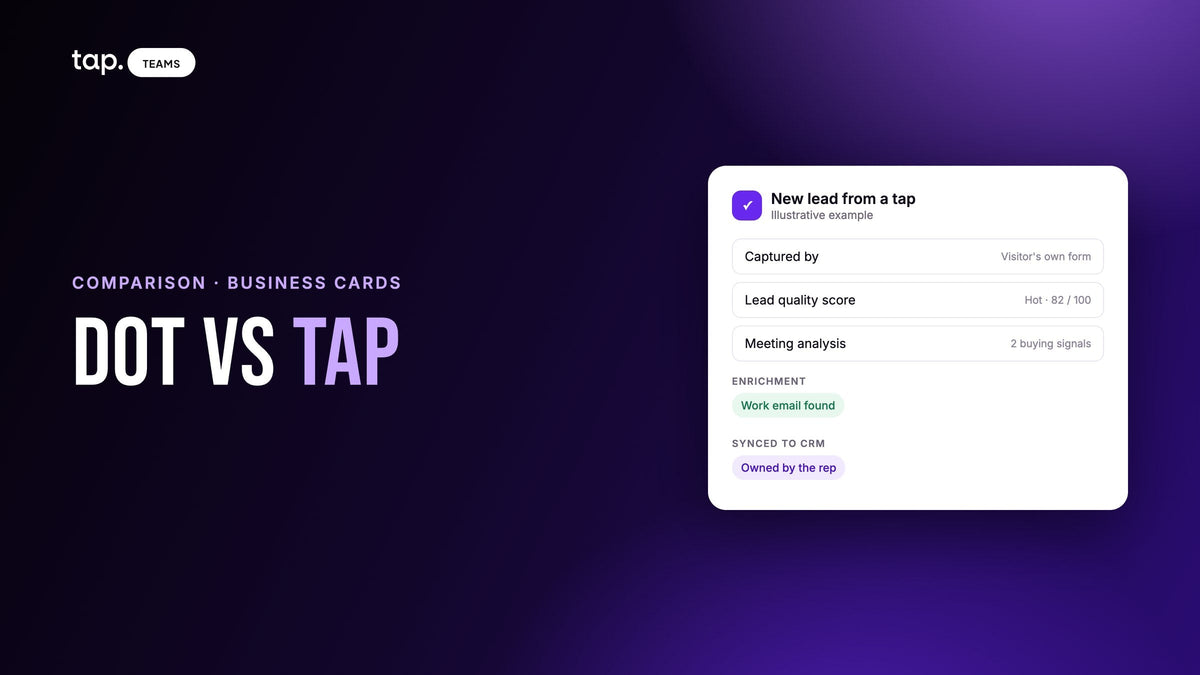
You want the visitor to type their own details, on your form. When someone taps a rep's Tap card, they fill in your capture form on their own phone. Built-in fields such as job title and company map to standard CRM fields on their own, custom fields cover anything else you need to qualify, and a template can put every rep on the same form.
Not everyone will tap. The Tap scanner reads business cards, QR codes and event badges, and shows you what it read before saving. Captures made with no signal queue up and sync when the phone reconnects, and there's a QR share screen that works with no connection at all.
You want leads ranked without asking reps to rank them. Every Tap lead gets a quality score out of 100 from published rules: which fields were filled, whether the email is on a company domain, and seniority, taken from the buying role the rep picked, then enrichment, then the job title. Picture a team back from a three-day show with two hundred leads: the score sorts the list on the way home. If a lead came in thin, enrichment can fill in a work email, direct phone, title and company, and it never overwrites what the rep or visitor typed.
You want to know how the meeting went. Reps can record a conversation against the lead, after telling the other person they're recording. Tap returns a summary, buying signals, objections, sentiment and the rep's share of the talking against a target for that meeting type, and Team Insights rolls up the objections coming up across every rep. Dot's plan pages list notes on a contact; they don't describe recording or analysis.
Your CRM isn't Salesforce or HubSpot, or your team sells in Arabic. Tap connects natively to Salesforce, HubSpot, Zoho CRM, Pipedrive, Veeva Vault and Odoo, with Zapier for the rest and Slack for hot-lead alerts. The app runs in English and Arabic, and the card designer has Arabic fonts.
What happens to a contact after the tap
With Dot, the visitor saves your contact. If you've turned on dot.Exchange, they can send theirs back, and it lands in your Dot contact book with reminders and email notifications. On the dot.Teams Growth plan, contacts sync to Salesforce or HubSpot, or anywhere else through Zapier.
With Tap, the visitor's answers create a scored lead, and a recorded meeting attaches to the same lead. On sync, the person arrives as a Lead in Salesforce and Zoho, a Person plus a Lead in Pipedrive, or a Contact in HubSpot and Veeva Vault, owned by the rep who captured them, with the meeting summary and action items on the record. We cover the CRM side in more depth in our guide to digital business cards with CRM integration.

Team admin
Both products keep a team's profiles on brand with templates. Dot's admins can lock profiles fully or allow some edits, create profiles in bulk and control members' devices. Tap's templates fix layout, branding and links, and can carry the capture form too. Departments hold the permissions: which profile fields members can edit, which link types they can add, and which CRMs they can sync to. CRM access is denied until an admin grants it, which helps when regions run separate CRM instances. Reps can also design and order their own branded Tap cards from the app, and a lost card can be deactivated from the app, as the products guide explains.
Dot card alternatives: how to choose
People looking for a Dot alternative usually want either a different card or real lead capture. Run through this list with your own team in mind:
- Do you mostly need a stylish card or wearable for yourself? Dot.
- Do you want to buy a device once and not think about a plan? Dot.
- Are you capturing contacts at a counter or shop rather than in a meeting? Dot's display.
- Do reps meet buyers at events, clinics or site visits and need leads in the CRM the same day? Tap.
- Do you want leads scored and enriched without asking reps to do it? Tap.
- Do managers need to know what was said in meetings they didn't attend? Tap.
- Is your CRM Zoho, Pipedrive, Veeva Vault or Odoo, or does your team work in Arabic? Tap.
If you're weighing other tools for a sales team, our Tap vs Blinq comparison uses the same approach. If your answers land on Tap's side, see Tap's lead capture, or book a 30-minute demo and bring the kind of meeting your reps run every week.
FAQ
What is a Dot card?
A Dot card is an NFC business card from dot.cards. Tapping it on a phone, or scanning its QR code, opens your dot.Profile in the other person's browser, where they can save your contact. Neither of you needs an app. Dot sells the same function as a metal card, phone stickers, a wristband and a counter display.
Are Dot cards worth it?
For individuals who want a well-made card or wearable, they can be: Dot's FAQ says the device purchase includes a free profile for life with no monthly fee to use it. For sales teams, check whether you need lead scoring, enrichment, badge scanning, offline capture or meeting analysis, which Dot's site doesn't list.
Do you need an app or a subscription to use Dot?
No app, on either side. Dot's FAQ says there's no monthly fee to use a device, and dot.Profile+ is an optional paid upgrade that adds a card scanner, contact map, CSV export and more. Team plans are separate. Check Dot's site for current terms.
Does Dot integrate with a CRM?
Dot's teams page lists native Salesforce and HubSpot integration and Zapier on the dot.Teams Growth plan, and dot.Profile+ exports contacts as CSV. Tap connects natively to Salesforce, HubSpot, Zoho CRM, Pipedrive, Veeva Vault and Odoo, plus Zapier.
What's a good Dot card alternative for teams?
For sales teams that meet buyers in person, Tap is built for that: visitors fill in your form on their own phone, every lead is scored, meetings are recorded and analyzed, and everything syncs to the CRM under the right rep. For a team that only needs matching cards, Dot's own team plans may be enough.

Leave a comment
This site is protected by hCaptcha and the hCaptcha Privacy Policy and Terms of Service apply.