
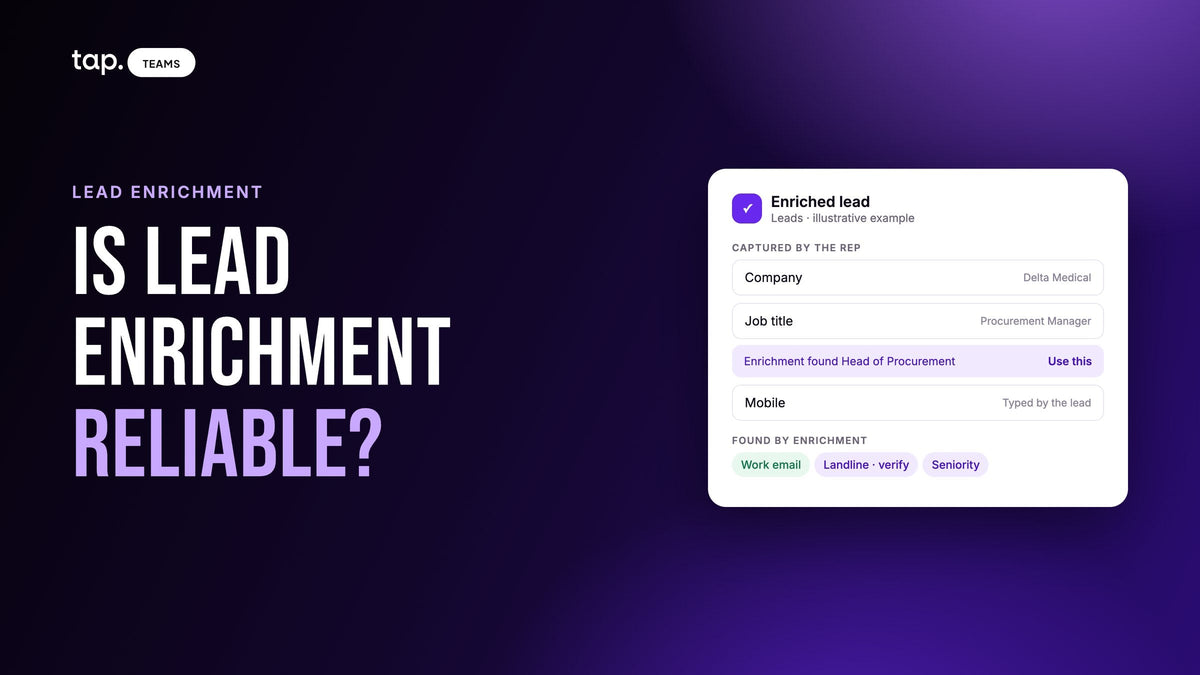
Lead enrichment is reliable enough to act on, but not to trust blindly. Results go wrong when people change jobs, give a personal email, or get captured with a typo, and some lookups find nobody at all. Check each result against what the person told your rep, verify phones and titles before calling, and spot-check every event batch.
Most writing on enrichment accuracy comes from data vendors and is about bulk lists: bounce rates, match rates, decay curves. For leads your team met in person you have something those lists don't, which is a rep who heard the person say where they work and what they do. That's a second source, and it's the fastest way to catch a bad result. If you're new to the topic, start with our lead enrichment guide; this piece assumes you're already enriching and want to know how far to believe it.
Two ways enrichment lets you down
An empty result is annoying but honest. The lookup says it found nobody, you know where you stand, and the rep works from what they captured.
A wrong result is worse, because it looks exactly like a right one. A work email at a company the person left last spring. A direct line that turns out to be reception. A title from someone with the same name in another city. The record looks complete, so nobody checks it, and the follow-up goes to the wrong place or opens with the wrong assumption. Most of what follows is about catching the second kind.
Why enriched data comes back wrong or missing
The person changed jobs
Enrichment is a snapshot of what its sources believed on the day it looked. Profiles and databases lag behind real moves, so a promotion or a new employer can take a while to show up. It cuts the other way too: the business card your rep scanned may be the one that's out of date. When the found title and the card's title disagree, either could be the stale one. That's why a disagreement is a reason to check rather than a reason to pick a side automatically.
The lead gave a personal email
At a booth, plenty of people type the address they use every day, which is often personal. A personal address says nothing about where they work, so the lookup has to lean on the name and whatever company field was captured. With a common name and no company, it may find nobody, or worse, find the wrong person. Our piece on short forms and enrichment covers which fields to keep so the lookup has something to match on.
Typos in what was captured
Enrichment can only search on what it was given. A surname spelled the way it sounded, a company typed as an abbreviation, a mobile with two digits swapped: each one either breaks the match or steers it toward someone else. Scanned cards add their own errors. Glossy or heavily designed cards get misread, and an email misread by a single character points at a different person or at nobody. A wrong input doesn't fix itself on a second try, either. You have to correct the input and look again.
Shared and generic numbers
Some phone numbers that come back belong to a company rather than a person: a switchboard, a sales line, a number that forwards to whoever is on shift. They're real numbers, so they pass any format check, but calling one means explaining yourself to a receptionist. The same goes for addresses like info@ or sales@ that sometimes end up on a lead. Phone type helps here, and our pillar explains how to read mobile, landline and VoIP results.
Thin public footprints
Enrichment works best on people who work at established companies and keep a professional profile up to date. Owners of small family businesses, people at government bodies, and sole traders often leave little to find. Coverage also varies by country, so a team selling across several markets should expect more empty results in some than in others. Your process can't fix that; the rep's own capture is what fills the gap.
How to judge an enriched result before you act on it
You don't need to verify every field on every lead. Check the fields you're about to use, on the leads you're about to call, against what you already know. This table is the order I'd check them in.
| Field | Check it against | Red flag |
|---|---|---|
| Company | What the rep wrote down or the person typed | A different company, unless the rep's note mentions a move |
| Work email | The company's own website domain | A domain that doesn't match the company, or a generic inbox |
| Job title and seniority | What the person said they do | A big jump up or down from the conversation, or a title from an unrelated field |
| Phone | The number type and whether it's confirmed as theirs | A landline or shared number when they gave you a mobile, or the same number on several leads |
| Location | Where the event was and where they said they're based | A city that fits neither, which often means the lookup matched someone else with the same name |
Company comes first because it's the field most likely to expose a wrong match. If the company is right, the rest is usually the same person, and you're only checking for staleness. If the company is wrong and nothing in the rep's note explains it, treat the whole result as suspect.

Spot-check a batch after an event
Once a show's leads are enriched, a short check the next morning tells you whether you can trust the batch. Say your team came back with 150 leads. You don't open all of them.
- Filter to the event and look at the results as a whole. How many found nobody, how many had too little to search on, how many matched? If lots of leads came back as too thin to search, look at capture first: the form or the scanning habit probably dropped the company.
- Open a handful of matched leads from each rep, including at least one you'd call first. Compare the found company and title with the rep's note.
- Look for the same phone number on more than one lead. That's almost always a switchboard, and every lead carrying it needs a different number.
- Ask each rep to flag anything that contradicts what they heard. They'll spot a wrong title on their own leads in seconds.
- Write down the pattern. If most errors trace back to scans, tighten the review step. If they trace back to personal emails with no company, change the form.
Do this for the first two or three events with a new setup. After that you'll know where your errors come from, and you can check only the leads you're about to call. Our guide to automatic lead enrichment has a similar first-event check for the settings themselves.
When enriched data conflicts with what the rep heard
The rep met the person, so their version starts ahead. They heard the company name from the person's own mouth and often watched them type their own mobile number. A database has never met anyone.
But the rep isn't always right. They might have misheard a company name over booth noise, copied the title off an old card, or written down the job the person was talking about leaving. So a conflict is a question to answer, and the answer depends on which field disagrees.
- If the title differs and the company matches, it's usually a promotion or a role change. Ask the rep what the person actually said, then accept the newer one.
- If the company differs, either the person moved or the lookup matched someone else. Check location and email domain. If those point at a different person, ignore the result.
- If the phone differs, keep the number they gave you as the main one. People hand out the number they answer. Keep the found one as a second option.
- If they gave a personal email and a work email comes back, keep both. Use the work address for anything that needs to reach their company, and don't delete the one they chose to give you.

Whatever you decide, make the decision once, on the lead, before it syncs. A conflict that reaches the CRM unresolved tends to stay there.
Keep bad data out of the CRM
The CRM is where a wrong value does the most damage, because it spreads into sequences, reports and the next rep's call notes. A few rules keep it out.
Enrichment should fill empty fields only. If a lookup can replace a mobile the person typed with a switchboard number, it will eventually. The same applies to earlier lookups: once a field has a value, a later run shouldn't quietly change it.
Know what your CRM's merge does. Most merges protect existing data from being erased by a blank, but they don't protect it from a wrong value. If a lead arrives with a mistyped company, that typo can replace a correct value already in the CRM. Fixing the lead before it syncs is far cheaper than cleaning the CRM after.
Map enriched values on purpose. Decide which CRM field each one lands in, and consider sending an enriched phone to its own field instead of the main mobile field, so a rep can see which number came from the person. Our guide to CRM field mapping covers how to set this up without breaking sync, and syncing one real test lead before an event catches most mistakes.
When a result is wrong because the input was wrong, fix the input and run the lookup again. Accepting a bad result because it filled the field is how a CRM ends up confidently wrong.
So, is lead enrichment reliable for event leads?
Reliable enough that skipping it costs more than checking it. A booth lead is often a name and a number, and enrichment is what turns that into someone a rep can reach at work. But you'll see vendors quote accuracy percentages measured on their own data, and none of those tell you how it'll do on your leads, in your markets, captured your way.
The honest measure is your own. After each event, count how many leads matched and how many of those the reps corrected. That pair tells you more than any published figure. If corrections cluster on one field, that's the field to verify before calling. And when a lead turns out to be hot, a quick check of their profile before the call is worth it whatever the numbers say. Our post on hot, warm and cold leads covers which ones deserve that attention first.
How Tap handles this
Tap lead enrichment only fills empty fields. It never overwrites what your team or the lead entered, including a value an earlier lookup filled in. When it finds something that genuinely differs from what someone typed, it shows it underneath with "Use this," and one click accepts it. The rep's version leads, because they met the person, but the found value is there when it's better or when it's a sign the person changed jobs.
Phone numbers come back marked Mobile, Landline or VoIP, with Owner confirmed when the number is verified as theirs and a pickup rate where one is available. Each lead's Enrichment column says what happened: No match when nobody was found, Not enough details when there was too little to search on, and Something went wrong when the lookup failed. No match and Something went wrong don't use credits; you're charged only for what's found, and leads already enriched are skipped. Tap won't look up the same field again for three months, so if the details were wrong rather than missing, fix them with Edit details, which forces a fresh lookup. The enrichment docs list every status.
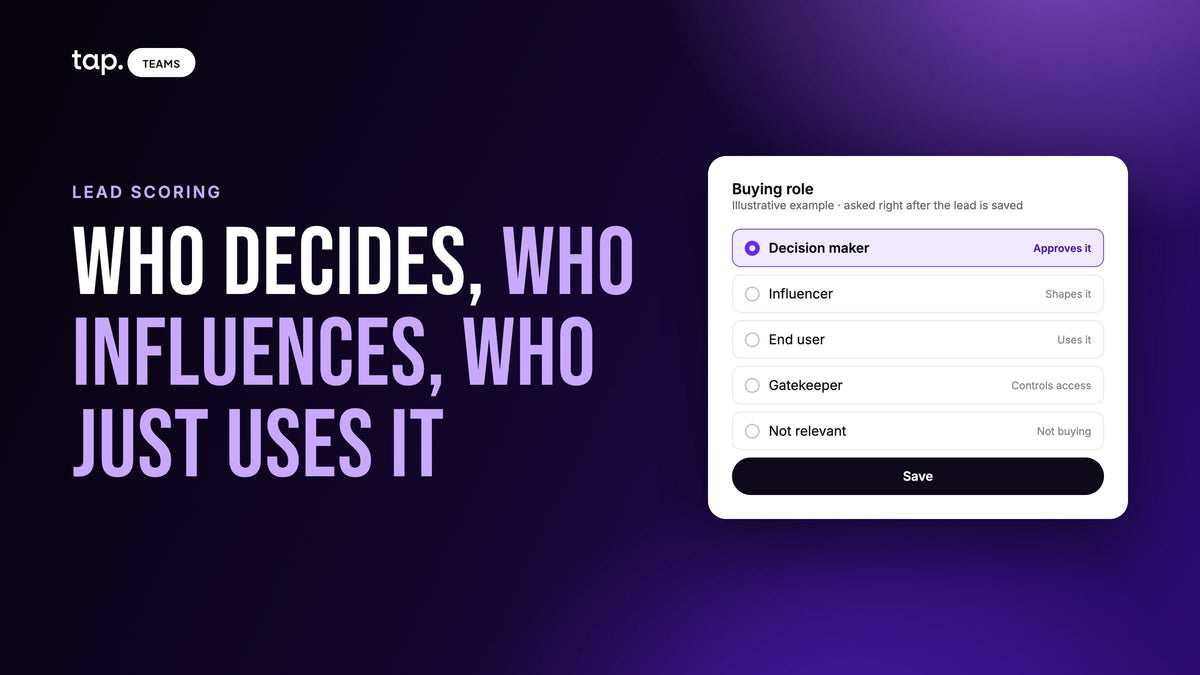
Scanned cards show what was read before saving, so the rep can catch a misread email on the spot (scanning docs). Enriched seniority feeds the lead score when no buying role has been set, and enriched values are available in field mapping, so you choose which CRM fields they reach.
See how it works on the lead enrichment page, or book a 30-minute demo and check it against leads from your last event.
FAQ
Is lead enrichment reliable?
For most leads, yes, as long as you treat results as likely rather than certain. It's weakest on people who changed jobs recently, leads captured with a personal email and no company, inputs with typos, and people with little public presence. Check the fields you're about to use, starting with company.
Is event lead enrichment reliable?
It can be more reliable than enriching a bought list, because someone on your team met the person and can confirm the company and role. It's less reliable when booth capture was rushed: misread scans, phonetic spellings and personal emails all cause misses or wrong matches. Spot-check each batch the morning after.
What should I do when enriched data is wrong?
If the input was wrong, such as a misspelled company or a misread email, correct it and run the lookup again. If the input was right and the result points at someone else, ignore the result and keep what the rep captured. Either way, fix it before the lead syncs to your CRM.
What's the best option for lead enrichment after an event?
Enrich the leads you'll follow up as soon as the rep's notes are in, using a tool that fills empty fields only, shows conflicting values instead of applying them, and charges only for what it finds. Then spot-check the batch against the reps' notes before anyone calls.
How often should enriched data be refreshed?
Enrich close to when you'll act, and look again before reusing old records in a new campaign. People change jobs, so a lead enriched months ago may be out of date without anyone making a mistake. Leads you're actively working will usually tell you themselves.

Leave a comment
This site is protected by hCaptcha and the hCaptcha Privacy Policy and Terms of Service apply.