
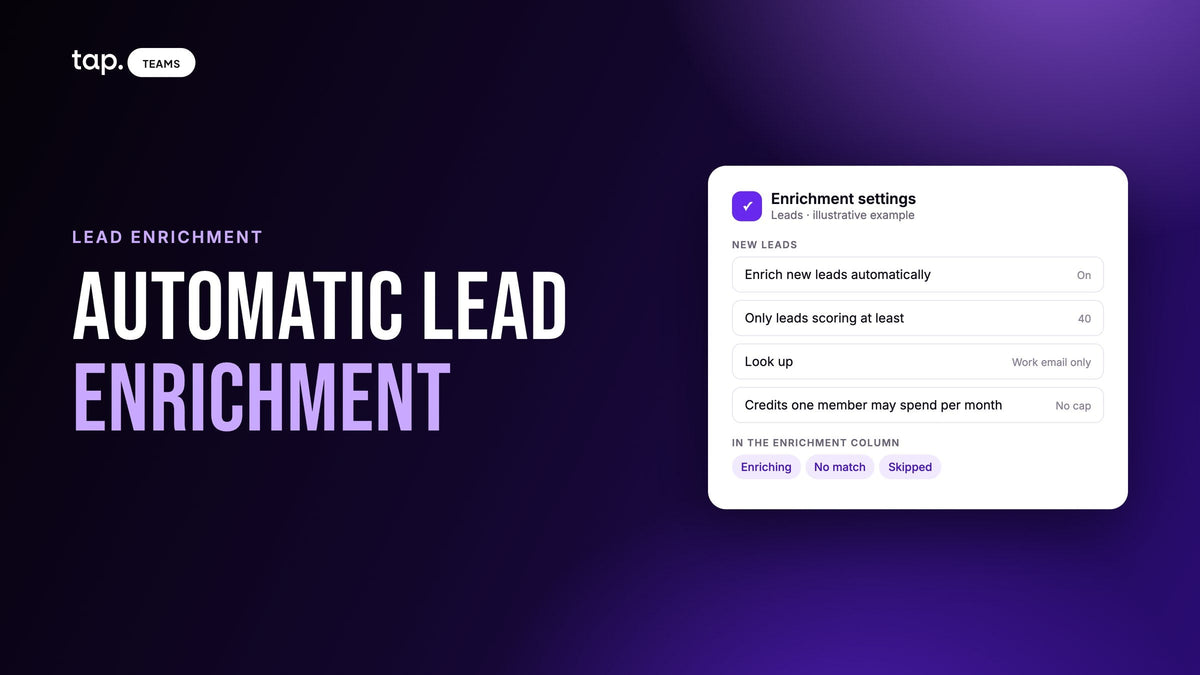
Automatic lead enrichment looks up each new lead as soon as it's captured or created in your CRM, and fills in the missing work email, phone, job title and company details without anyone pressing a button. Done well, it runs only on leads above a minimum score, within a spending cap, and only ever fills empty fields.
If you're new to enrichment itself, start with our lead enrichment guide, which covers what it finds and how to choose a tool. This one is about the automatic part: what sets a lookup off, which leads deserve one, and what breaks when nobody's watching.
What automatic lead enrichment is
There are three ways a lead gets enriched, and most teams end up using all of them:
- On demand. A rep or manager opens a lead, or selects a group of leads, and asks for a lookup. A person decides every time.
- Batch. Someone runs enrichment over a list: last week's show, or old CRM records that never had a title. Still a human decision, made once for many leads.
- Automatic. A rule decides. When a lead arrives and meets the conditions you set, the lookup runs by itself.
The appeal is timing. A manual lookup happens when someone remembers, which after a three-day event is often the following week. An automatic one happens while the rep is still at the booth. The risk is that a rule has no judgment: told to "enrich every new lead," it looks up the student who wanted a free pen as carefully as the buyer who asked for a quote, and both draw on the same budget.
The triggers teams use
Every automatic setup starts with a trigger: the event that tells the system a lead is ready to be looked up. These are the common ones.
| Trigger | Fires when | Good for | Watch out for |
|---|---|---|---|
| On capture | A rep saves a lead in the capture app, or a form is submitted | Event and field teams who want full records before the follow-up starts | The lead may be too thin to match yet, and nobody has qualified it |
| On CRM create | A new lead or contact record appears in the CRM | Teams whose leads come from many sources and meet in the CRM | Duplicates and imports also count as "new," so old lists can trigger lookups |
| On score threshold | A lead reaches a minimum quality score | Spending only on leads someone will call | A lead that's missing a job title scores low, even if they run the department |
| Scheduled sweep | A job runs every hour, night or week over unenriched records | Catching leads the other triggers missed, and re-checking old records | Delay, and sweeping records nobody asked to be looked up |
The setup I'd pick combines two of these: a capture or create trigger with a score condition on it. The lead is checked the moment it arrives and looked up only if it clears the bar. Everything below the bar can still be enriched by hand later.

Why you shouldn't enrich every lead automatically
Advice from companies that sell lookups tends to default to "enrich everything." For a team that captures leads in person, it's expensive advice. A busy booth produces a lot of leads that were never going to become customers: students, competitors, other exhibitors, someone collecting brochures for a colleague. Automatic enrichment with no conditions pays to learn about all of them. Three settings fix most of this.
Which leads: set a minimum score
A minimum lead score is the simplest way to say "only these." It works when the score uses things you can see at capture time: how complete the record is, whether the email is on a company domain, and the person's role in the purchase. Our lead scoring guide covers how to build one.
Keep the bar modest. A score that rewards a job title marks down a lead whose title nobody typed, and enrichment is often what would have found it. Set the threshold high and you skip some of your best leads for the very reason they need enriching. Pick a bar that keeps out the obvious no's, and have a manager skim the leads just under it after each event.
How much: cap what each rep can spend
Enrichment budgets are usually shared across the company. Without a per-person cap, one rep at a crowded show can spend what the whole team needed for the month. A monthly cap per rep keeps the pool fair. When a rep hits it, their automatic lookups should stop and say so.
What to find: choose the fields
A work email is enough to start a follow-up. A direct phone number usually costs more to find and is only worth it for leads someone will call this week. So look up email automatically above the threshold, and add phone by hand for the short list your reps plan to ring.
Say a team of four comes back from a two-day show with 120 leads, and the minimum score sits at the bottom of the Warm band. Perhaps half clear it and get a work email looked up on the spot. The rest wait until a manager skims them, rescues the few that scored low only because the title was blank, and enriches those by hand.

Leads you meet in person need a different setup
Most guides on this topic assume a web form: someone types a work email into a demo request, and enrichment fills in the company from the email's domain. Leads from a booth or a field visit don't look like that.
A booth lead often arrives as a first name and a mobile number, typed by a rep while three other people waited. The email, if there is one, is often a personal address. Domain-based enrichment has nothing to work with. You need a lookup that can start from a name and a phone number, and a tool that tells you when a lead was too thin to search on, so a rep can add a company website and try again.
The rep also knows something no data source does: whether the conversation was real. That's the strongest argument for putting the rep's judgment into the score before enrichment runs. If your capture app asks the rep for the person's buying role straight after saving the lead, a "decision maker" answer can lift the score over the bar and a "not relevant" answer can keep a lead out. Find out when your tool checks the threshold. If it checks the moment the lead is saved, the rep's answer may arrive too late to count.
And what the rep typed should win over what a database says. The mobile the person wrote down is the one they pick up; a lookup that swaps it for a switchboard number makes every lead worse.
What can go wrong with automatic enrichment
Manual enrichment fails one lead at a time, in front of someone. Automatic enrichment fails quietly and in bulk, so design these out before you switch it on.
| Problem | What it looks like | What prevents it |
|---|---|---|
| Overwriting rep-entered data | A rep's corrected job title or mobile number is replaced by an older value from a database | A tool that only fills empty fields, and shows a different answer as a suggestion instead of applying it |
| Paying for junk leads | The budget runs out mid-month and most of it went on leads nobody called | A minimum score, a per-rep cap, and email-only lookups by default |
| Stale data | A title that was right last year, a person who has since changed jobs | Enrich close to when you'll act, and re-check old records before a campaign |
| Duplicates | The same person is looked up twice, or the CRM gets a second record | Match on email before creating, and a tool that skips leads it has already looked up |
| Thin leads that can't match | A pile of failed lookups from leads with only a first name | Separate "no match" from "not enough details," and fix the second kind |
| Silent failures | Enriched values never reach the CRM because a field wasn't mapped | Create CRM fields first, map them, and test with one real lead |
Privacy deserves its own line. Automatic enrichment processes personal data about people without anyone deciding each time. Check which data protection laws cover your leads (GDPR in Europe, and the newer personal data laws across the Gulf and Egypt), and make sure you have a lawful basis. A person who gave your rep their details at a booth is an easier case than a bought list. Look up only the fields someone will use, and when a person asks to be removed, remove the enriched copy in your CRM too. This isn't legal advice; ask your own counsel.
How to set up automatic lead enrichment, step by step
Whatever tool you use, the order below avoids most of the problems above.
- Decide which fields you need. Work email and company details for leads worth following up, direct phone only for the ones someone will call.
- Get your lead score working first. Check that it uses data you have at capture, that reps answer the buying-role question, and that a lead from a corporate email outranks one from a free email.
- Set the minimum score. Start low. You can raise it after one event once you see what clears it.
- Set a monthly cap per rep. Over the cap, leads should be skipped and marked so a manager can enrich them by hand. When the whole budget runs out, lookups should pause and resume once it's topped up.
- Confirm the tool only fills empty fields, including fields an earlier lookup filled. If it can overwrite, find the setting that stops it, or choose another tool.
- Map enriched values to CRM fields. Create any custom properties (seniority, company size, job function) in the CRM first, match field types, and see our field mapping guide for the checklist.
- Test with one real lead. Capture it, let it enrich, open it in the CRM, and check every field.
- Switch it on before the event starts. Leads captured before you switch it on need a batch run.
Check it after the first event
The morning after the first event, look at the leads just below the threshold. If many are people your reps were excited about, the bar is too high or nobody is setting the buying role. Look at spend per rep: someone who hit the cap on day one either has too low a cap or is capturing leads nobody will call. A lot of "not enough details" results means the capture form is too thin, and adding a job title field fixes more than any enrichment setting. Then open a few records in the CRM, field by field.
Change one setting at a time, or you won't know which change helped.
How Tap handles this
Tap's lead enrichment runs on leads your team captures at events and on field visits. In Leads → ··· → Enrichment settings, the full-team admin sets four things for the whole company:
- Enrich new leads automatically, which turns automatic lookups on as new leads arrive.
- Only leads scoring at least, which skips leads below a quality score so credits go on the leads worth calling.
- Look up, either work email only or work email and phone.
- Credits one member may spend per month, a cap per member. Leave it at No cap to share the whole pool.

Enrichment only fills empty fields. It never overwrites anything your team or the lead entered, including a value an earlier enrichment filled in, and when it finds something different from what a rep typed, it offers it underneath with a "Use this" option. You're charged only for what's found, already-enriched leads are skipped, and a field that's been asked for isn't looked up again for three months. If a member reaches their monthly limit, the lead shows Skipped. If the company runs out of credits, automatic lookups wait and start again once credits are added. Leads enriched automatically don't send anyone a notification.
Enriched values are available in field mapping for your CRM, and the enrichment docs have the full detail. Read more on the lead enrichment page, or book a demo and set the threshold against leads from your own last event.
Related reading
- Lead form length: ask less and let enrichment fill the rest
- Lead enrichment: what it is, how it works, and how to use it on event leads
- Hot, warm and cold leads: what each means and what to do
- Is lead enrichment reliable? How to check enriched data on event leads
FAQ
What is automatic lead enrichment?
It's enrichment that runs by rule instead of by request. When a new lead is captured or created in your CRM and meets the conditions you set, a lookup fills in its missing work email, phone number, job title and company details without anyone starting it.
How do I enrich leads automatically in my CRM?
Use an enrichment tool with a native CRM connection, or an automation platform that triggers on new records, calls an enrichment service and writes the results back. Either way, create and map the CRM fields first, add a score condition and a spending cap, and test with one real lead.
Should every lead be enriched automatically?
Usually not. Leads from events include many people you'll never call, and each lookup draws on the same budget. Set a minimum lead score so only leads worth following up are enriched on arrival, and enrich the rest by hand when someone decides they're worth it.
Will automatic enrichment overwrite data my reps entered?
It depends on the tool, and it's the first thing to check. A good one fills only empty fields and leaves anything a rep or the lead typed alone. If it finds a different value, it should offer it as a suggestion. Avoid tools that replace existing values by default.
What are some easy ways to get more info on my leads?
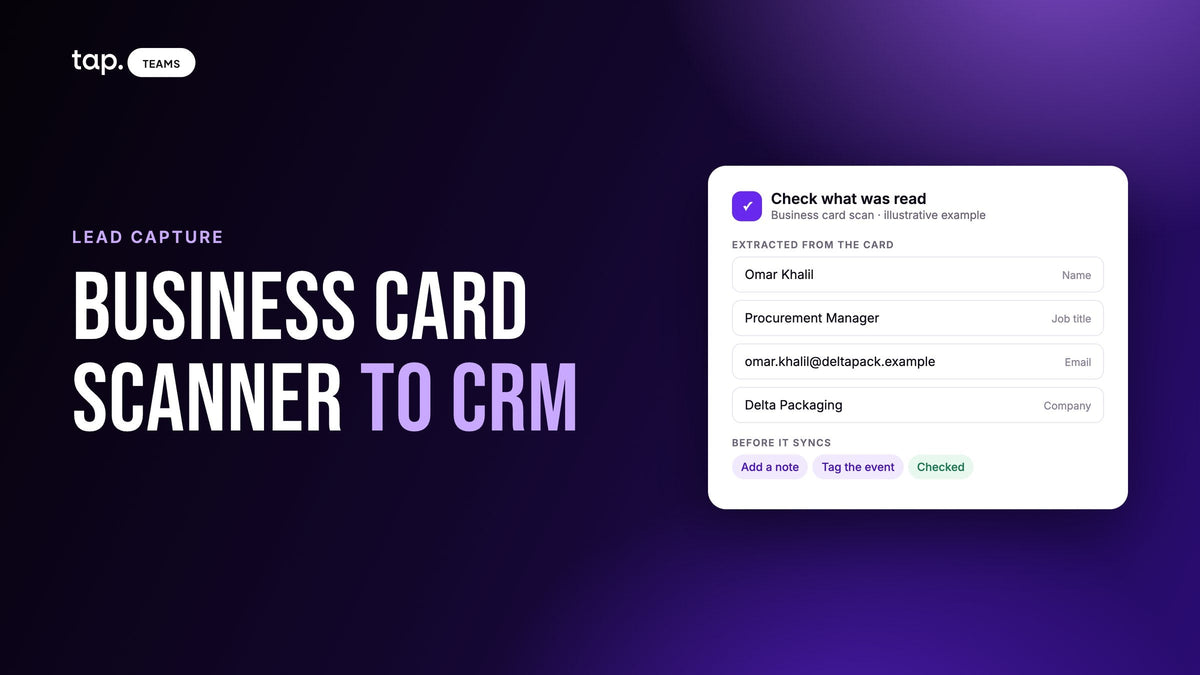
Ask for job title and company at capture, and let people type their own details into your form instead of reading them off a scanned business card. Have reps add a short note and the buying role straight after the conversation. Then let automatic enrichment, above a minimum score, fill in whatever is still missing.


Leave a comment
This site is protected by hCaptcha and the hCaptcha Privacy Policy and Terms of Service apply.