
To find a lead's work email and direct phone, start with what you already have: ask the person, then check their business card, badge or email signature. Next, confirm the company's web domain, work out its email format and verify the address before you send. When that runs dry, an enrichment lookup on name and company usually fills the gap.
Most guides on this assume cold prospecting from a list. Field reps start from a better place. You met the person at a stand or across a desk, so you have a name, a company, maybe a card, and often the personal mobile they read out while you saved it. That changes the order you should work in. If enrichment is new to you, our lead enrichment guide covers the basics. This piece is about one job: getting from "Karim from that logistics firm" to an inbox and a phone line that reach him at work.
Start with what the meeting left behind
Before you search for anything, look at what you came away with. Any of these can hold a work email or a direct number, and none of them costs anything.
- The business card. Plenty of cards list a direct line or an extension next to the main number. If you scanned it, look at the original too, since a scanner can misread a digit (our piece on business card scanners and the CRM covers what tends to get lost).
- The event badge. Many badges carry a code with the details the person registered with, and people usually register with their work details.
- The rep's note. "Runs procurement for the Alexandria warehouses, wants a call after month-end" gives you the company and the role, and every later step needs both.
- Earlier emails. If the person has ever written to anyone on your team, their signature probably has the direct line.
- Their professional profile, which confirms the current employer and title and occasionally lists a work email.
Just ask
The surest way to get a work email and a direct line is to ask for them. "What's the best email for the proposal?" and "Is there a number that gets you during the day?" are ordinary questions at the end of a conversation.
Ask for the number they actually answer. Lots of people who work in the field live on their mobile, and if that's what they give you, it's the right number, even if a database wouldn't call it a direct dial.
Better still, let them type it. If your team captures leads with a form the person fills in on their own phone, there's no misheard address to fix later.
If you missed the moment, ask in your first follow-up. A short message on the channel they gave you ("Good to meet you at the stand yesterday. What's the best work email for the spec sheet?") tends to get answered, because they remember you. And the reply usually arrives with a signature, which often has the direct line in it.

How to find someone's work email
Confirm the company and its domain
A work email sits on the company's domain, so the first job is getting the domain right. Go to the company's own website and take the domain from there, not from a directory listing. A few things trip people up:
- Group companies, where the person works for a subsidiary that has its own domain, or uses the parent's.
- Regional setups, where the same company uses a .com address in one country and a country domain in another.
- Rebrands and acquisitions. The website moves to the new name while staff keep the old addresses for a while, or the other way round.
- A website domain that differs from the email domain. Look for one real address on the contact page or a press release before assuming they match.
Work out the company's email format
Most companies use one format for everyone. Find one real address at the same company (a press contact on a news release, the careers page, a speaker page, an old thread in your CRM) and you've usually found the format for all of them. Then apply the format to your lead's name.
| Format | Example for Sara Haddad at example.com |
|---|---|
| first.last | sara.haddad@example.com |
| first initial + last | shaddad@example.com |
| first only | sara@example.com |
| first + last initial | sarah@example.com (easy to confuse with a first name, so check) |
| firstlast | sarahaddad@example.com |
| last.first | haddad.sara@example.com |
Names cause their own trouble. Compound surnames, an "Al" or "El" that one company keeps and another drops, Arabic names transliterated three different ways, people who go by a middle name: each one breaks a simple pattern. If the rep heard the name rather than read it, check the spelling on the card or the profile before you build an address from it.
A search engine can back up a guess: search the full address in quotes, or the person's name with the company domain. Old pages keep old addresses, though, so verify whatever you find.

Verify the address before you send
A guessed address stays a guess until something confirms it. An email verification check asks the receiving server whether the domain takes mail and whether that particular mailbox exists, without sending anything. In practice you get one of three answers.
- The mailbox exists. Send.
- The mailbox doesn't exist. The format or the spelling is wrong, so go back a step.
- The server accepts everything. Some companies set up a "catch-all" that takes mail for any address at the domain, so a check can't tell a real mailbox from an invented one. Treat it as unconfirmed and look for a second source before you rely on it.
What you shouldn't do is send the same email to five versions of someone's address and see which one doesn't bounce. Bounces damage your sending reputation, and it's a poor second impression for someone you met last week.
How to find a direct phone number
A direct line rings the person instead of reception. For a business contact you'll usually come across three kinds of number: the main line or switchboard, a direct line or extension at the office, and a mobile. For someone you met in person, the mobile they gave you is often the best of the three.
When you need a direct line, these are the usual places it turns up:
- The business card, as a separate direct line or an extension after the main number.
- Email signatures. Read the reply to your first email right to the bottom.
- Out-of-office replies, which often list a mobile or a colleague's direct number.
- The main line. Give the person's name, say where you met, and ask for the extension for next time.
- An enrichment lookup, covered below.
Before you dial a number you found, as opposed to one you were given, check what kind of number it is and whether anything says it belongs to that person. If the same number appears on several leads from one company, it's a switchboard, whatever it's labelled. Our pillar has a section on reading phone types before you dial.
If the person gave you a mobile, keep it as the main number. A found direct line is a useful second option for when they're at their desk, but the number they chose to hand over is the one they expect you to use.
Use enrichment when the manual trail runs out
Doing this by hand is fine for one hot lead. It's no way to handle the stack of cards your team brought back from a three-day show. Lead enrichment runs the same search for you: it takes what you captured and returns what it can find, which usually means a work email, direct phone numbers, the current title and details about the company.
How good the result is depends on what you feed it. Roughly from best to worst:
- A link to the person's professional profile. It points at one specific person, so there's little room for a wrong match.
- Full name plus the company website. The domain pins down the company and the name finds the person inside it.
- Full name plus the company name. Workable, though a common name at a big company can match the wrong person.
- A name with only a personal email or mobile. The weakest input, and the one most likely to come back empty.
Two habits stop enrichment from making things worse. The lookup should fill empty fields only, so the mobile the person typed never gets replaced by a switchboard some database attached to their name. And someone should check the result against what the rep heard before acting on it. Our piece on whether lead enrichment is reliable shows how to do that quickly, and if you'd rather not run lookups by hand, automatic lead enrichment explains how to enrich only the leads worth calling.
What to do when nothing is found
Sometimes there's nothing out there. Owners of small family firms, people in government and anyone who keeps a low profile often have no work email or direct line published anywhere. That's normal, and it isn't a reason to buy a list or guess harder.
Use what they gave you. A personal mobile or personal email is a perfectly good way to follow up with someone you met, as long as you stick to what you talked about, and that first message is the natural place to ask for their work details. You can also message them on the professional network where you connected, call the main line and ask for them by name, or go through whoever introduced you.
If a lookup came back empty because the company was misspelled or the name was misheard, correct the input and try again. Running the same wrong details a second time just gets you the same empty result.
If none of that works, note that the lead is reachable by mobile only and move on. A lead you can reach one way is still a lead.
Consent and privacy basics
This isn't legal advice. The rules differ by country, and whether you can use a work email you found, rather than one you were given, depends on where you and the lead are and on your basis for contacting them. That's a question for your own advisors. A few habits help either way.
Remember why they gave you their details. Someone who hands you a card at a stand expects a follow-up about what you discussed. They didn't agree to join a newsletter. Saying out loud what happens next ("I'll send the spec sheet and someone will call you next week") takes a few seconds and sets the right expectation.
Be more careful with details you found than with details you were given, especially anything personal. Collect only what you'll use. When someone opts out, stop on every channel and in every system their details reached, and be ready to find and delete everything you hold on them if they ask. Our lead enrichment guide has a short section on enrichment and GDPR.
How Tap handles this
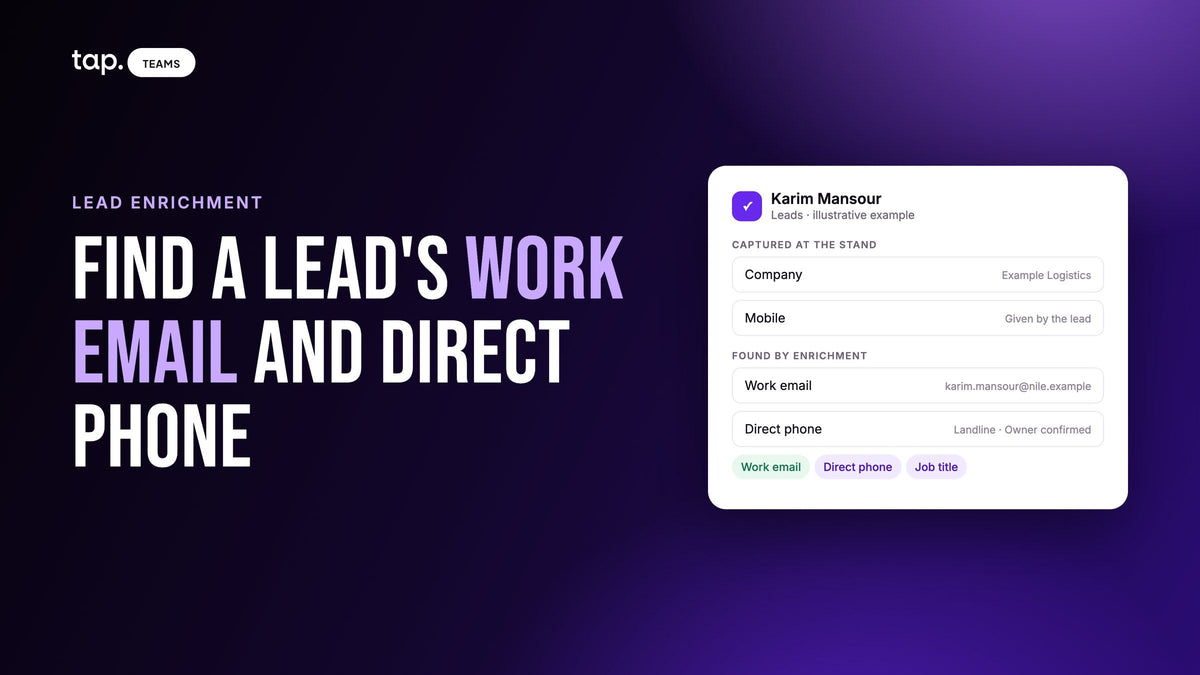
Tap lead enrichment fills in a lead's work email, direct phone numbers, job title and seniority, and company details, and you pay only for what's found. You choose what to look up: Work email, which includes the company details, or Work email and phone, which adds a direct phone number. To add a phone later, open the lead and choose Enrich phone; if no number is found, no credits are used.
Enrichment only fills empty fields, so it never overwrites the mobile a lead typed or the email a rep entered. When it finds something that genuinely differs, it shows it underneath with "Use this," and one click accepts it. Phone numbers come back marked Mobile, Landline or VoIP, with Owner confirmed when the number is verified as theirs, so the rep knows what kind of number they're about to dial.
For someone your team met but never captured, Create a lead offers Find by name, for when you have a name and a company and nothing else, and Create from LinkedIn, the most accurate route when you have their profile URL. Find by name uses credits only if the person is found, and Create from LinkedIn only if their work email is found. A lookup that says Not enough details needs a job title or the company website, added with Edit details. If the details were wrong rather than missing, fixing them with Edit details forces a fresh lookup. The enrichment docs list every status, and managing leads covers the ways to create a lead.
When someone offers a rep a card, the rep can take it and share their Tap profile back, so the person fills in the form themselves and there are no reading errors to fix. For erasure requests, the GDPR mode page walks through finding and deleting a person's records in Tap. Records already synced to your CRM stay there, so delete them in the CRM as well.
See it on the lead enrichment page, or book a 30-minute demo and try it on leads from your last event.
FAQ
How do I find someone's work email?
Ask them first, or check their card, badge or email signature. Otherwise find their company's domain on its website, look for one published address to learn the email format, apply it to their name and verify the result before sending. If that fails, run an enrichment lookup on their name and company.
How can I find a lead's direct phone number?
Check their business card and email signature, including out-of-office replies, or call the main line and ask for their extension. An enrichment lookup can return direct numbers too. If they gave you a mobile, keep that as the main number.
How do I find a work email with only a name and a company?
Take the domain from the company's website, find one real address to learn the format, build the address from the person's name and verify it. An enrichment lookup on name and company is faster, and adding the company website improves the match.
What is a catch-all email domain?
A domain whose mail server accepts mail sent to any address, whether or not that mailbox exists. Verification can't confirm an address on a catch-all domain, so treat it as unconfirmed and look for a second source, such as a signature or a published address, before you rely on it.
Is it legal to look up someone's work email?
It depends on where you and the lead are and on what you do with the address, so it's a question for your own advisors. This isn't legal advice. As a habit, keep your outreach to what you discussed, say who you are and why you're writing, and stop as soon as they ask you to.


Leave a comment
This site is protected by hCaptcha and the hCaptcha Privacy Policy and Terms of Service apply.