
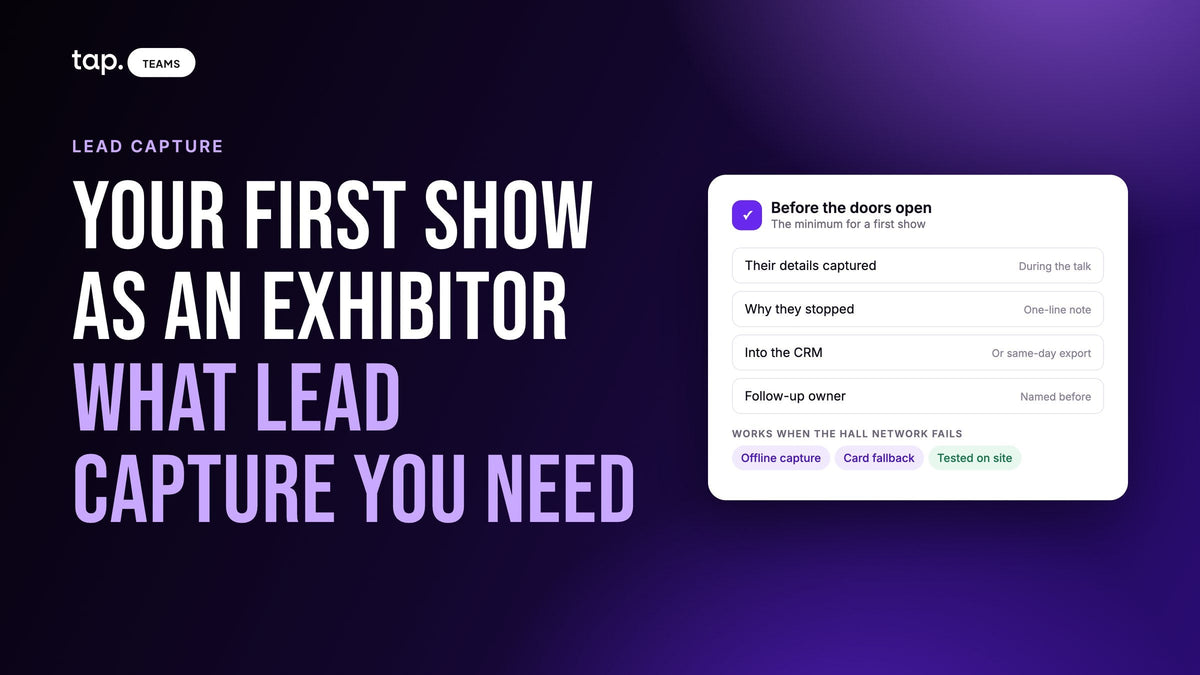
For your first show as an exhibitor, you need four things: a way to get each visitor's details onto a lead while you're still talking, a place to note why they stopped, a path from that lead into your CRM, and a person who owns the follow-up. A digital business card app covers this only if it captures their details, not just shares yours.
Most first-time exhibitors spend their energy on the booth, the banner and the giveaways, then work out lead capture the week before. That's when the organizer's lead retrieval add-on looks like the only option, and when somebody on the team says "we already have digital cards, isn't that enough?" This guide answers both, and keeps to what a small team needs for a first show.
A few things live in other guides. How the organizer's badge scanning works is in our piece on event lead retrieval. If you want a list of named tools, see the best lead capture apps for trade shows. And who to call first once you're back is covered in trade show lead follow-up.
What you actually need for your first show
Strip away the feature lists and lead capture at a booth comes down to a few jobs. Somebody walks up, you talk, and when they leave you should have a record of who they are and why they mattered. If any of the jobs below has no answer, that's where your leads will leak.
- A way to capture their details during the conversation. Their name, email and company, typed by them or read from a badge or card, saved before they walk away.
- A note on why they stopped. One line is enough: what they asked about, what you promised.
- A path into your CRM, or at minimum a clean export. Leads that live on four booth phones aren't a list yet.
- An owner. Each lead needs a named person who will follow up, decided before the show.
- A fallback for when the network fails. Exhibition halls are bad places for mobile data, and capture that only works online loses leads at the busiest moment.
That's the minimum. Plenty of things are useful later and safe to skip the first time.

Lead scoring, enrichment, meeting recordings and dashboards all earn their place once you're exhibiting regularly. For a first show they can wait, and a clean, owned list with a note on every lead beats a clever setup nobody on the stand has used before.
Do you need a separate lead capture tool if you already use a digital business card app?
Sometimes yes, sometimes no. It depends on what your card app does when a visitor receives your card, and most teams have never checked.
A digital business card was built to send your details to someone else. That's half of a trade show conversation. The other half, the half you care about as an exhibitor, is getting their details back. Some card apps only do the first half: the visitor taps or scans, sees your profile, maybe saves you to their contacts, and you have no record they were ever there. Others ask the visitor to fill in a short form at that moment, and the answer becomes a lead on your side. We cover that second kind in more detail in digital business cards with lead capture built in.
Ask three questions of the app you already have.
Does it capture their details, or only share yours?
Share your card with a colleague's phone and look at what lands on your side. If nothing does, or you only get a view count, it's a sharing tool. You'll need something else to capture leads, even if that something is a form on a tablet.
Do those leads reach your CRM, with the note attached?
A lead that sits inside the card app until someone exports it on Friday is a lead that waits a week. Check whether captured leads sync to the CRM your sales team uses, who they're assigned to when they arrive, and whether the note you typed at the booth goes with them. If the answer is "we'd export a spreadsheet," that can work for a first show, as long as someone owns the export and does it the same day.
Can it read badges and paper cards?
Not everyone will tap your card or fill in a form. Some visitors are in a hurry, some hand you a paper card, and at many shows the badge carries the most reliable data. If your app can scan a business card or a badge into a lead, you're covered. If not, the organizer's lead retrieval may still be worth renting, or you collect paper cards and accept that someone has to type them up.

If you answered yes to all three, you probably don't need a second tool. If the first answer was no, you do. The other two decide how much manual work you're signing up for.
This is the gap that shows up on the Monday after a first show: a stack of paper cards, a few hundred profile views and no idea which visitors asked for a call. If that sounds like your last event, we can show you how Tap closes it in half an hour.
What to ask the organizer before you pay for lead retrieval
Many shows offer exhibitors a lead retrieval service: an app or a rented device that scans attendee badges. It's often sold as an add-on to the booth package, and first-time exhibitors tend to find it late, in the exhibitor manual or an email from the organizer's tech partner. Before you buy it, get answers to a handful of questions.
- What does a scan give you? Some badges carry name, company, title and email; some carry only a name and an ID you can look up later.
- When do you get the data? During the show, at the end of each day, or in one file after it closes.
- Does it run on your own phones, or do you rent devices? And how many people on your stand can use it?
- Can you add your own questions and notes to a scan, or only record that a scan happened?
- Can you bring your own capture tool? Most shows allow it, but some have rules about scanning badges.
A badge scan tells you someone stopped at your stand. It doesn't tell you what they wanted, so whatever you use, plan a note for every real conversation. The lead retrieval guide linked above goes into renting versus bringing your own.
Set it up before the doors open
Most first-show capture problems are setup problems, discovered on the stand in front of a visitor. A small amount of preparation over the two weeks before the show avoids nearly all of them.

Two weeks out: the form, the owner and the CRM
Decide what you'll ask each visitor. Four to six fields is plenty: name, email, company, phone if you'll call, and one question about what they came for. Anything you could look up later from an email address doesn't belong on a form someone fills in standing up. Our guide to lead capture form design covers the wording.
Agree who follows up which leads, and write it down. Then check that the people capturing leads have CRM access, or that someone owns the export. Don't trust that check to the first morning of the show.
The week before: one tag and one test
Pick the event tag name now, such as first-show-2027, so the team doesn't invent four spellings. Don't ask visitors to type the event name on the form; tag the leads afterward. Then have every person working the stand capture one test lead on their own phone and check that it arrives where it should.
Setup day: test in the hall
Capture one more lead on the venue's network. Find your app's offline mode, if it has one, before you need it. Turn screen brightness up so QR codes scan under hall lighting, and bring battery packs, because a dead phone captures nothing.
Each evening: close the day
Spend twenty minutes with the team going through the day's leads. Fill in notes that got skipped during the rush, type up any paper cards, and flag the visitors who asked for something specific. If you need a method for sorting them, see how to qualify trade show leads.
On the stand: capture during the conversation
The best moment to capture a lead is while the visitor is still in front of you and interested. Ask them to tap or scan and fill in the form on their own phone, so the details are typed by the person who knows them. If they hand you a paper card, take it and scan it then, rather than adding it to a pile.
Then take the minute after they leave to write the note. Two or three phrases: what they're working on, the date that matters, what you promised. By the end of the day you'll have had dozens of conversations, and the one about the renewal in March will blur into the rest.
If two of you are on the stand, take turns. One talks to the next visitor while the other writes up the last one. That small habit is the difference between a list with context and a list of names.
Mistakes first-time exhibitors make with lead capture
Collecting paper cards as the plan. Paper cards are fine as a backup. As the main method they mean a typing job after the show, missed emails from misread handwriting, and no notes.
Using the giveaway as the qualifier. A bowl of sweets or a prize draw fills the list with people who wanted the prize. If you run one, keep those entries tagged separately from the people you actually spoke to.
Buying the organizer's scanner and assuming that's lead capture. It records visits. You still need the note and the owner.
Leaving the follow-up for when you're back. Everyone you met is also hearing from the other exhibitors. The leads who asked for a call should hear from you within a day or two, and the rest within the week.
Choosing a tool only for the show. The same reps who staff the booth usually meet customers in the field the following week. A capture tool that works on their own phones, at any event and in a client's office, gets used. One rented for three days gets forgotten until the next show.
How Tap handles this
Tap is a capture app that each person on the stand carries on their own phone. A visitor taps the rep's Tap card with their phone (NFC) or scans a QR code from the rep's screen, the rep's profile opens in their browser with nothing to install, and they fill in the capture form. The lead is created the moment they submit. The collecting leads docs walk through it.
You choose the form fields, and an admin can put them on a template so everyone at the booth collects the same ones. When a visitor would rather hand over a card, the app's scanner has modes for business cards, QR codes and event badges, and it shows you what it read before saving so you can fix a misread email. A share-without-internet mode shows a QR code that works with no connection, and captures made offline sync when the phone reconnects; the sharing docs cover it.
Reps can type a note on a lead or record a voice note that's transcribed and summarized. Leads sync to Salesforce, HubSpot, Zoho, Pipedrive, Veeva Vault or Odoo, or to other tools through Zapier. With a direct connector, the lead is assigned to the rep who captured it, as long as their Tap email matches their CRM login. After the show you tag the event's leads together in bulk instead of asking visitors which show they're at. And because nothing is tied to the organizer, the same app goes with the rep to the next show and to customer meetings in between.
See the Tap lead capture page for the form and the scanner, or book a demo and bring the date of your first show.
FAQ
I already use a digital business card app. Do I also need a separate event lead capture tool?
Only if your card app doesn't capture the visitor's details. Share your card with a colleague's phone and see what you get back. If a lead with their name and email lands on your side and can reach your CRM, you can use the same app at the show. If you only get a view count, add a lead capture tool or a form.
What lead capture do first-time exhibitors actually need?
A way to capture each visitor's details during the conversation, a one-line note on why they stopped, a path into your CRM or a same-day export, a named owner for the follow-up, and something that still works when the venue network doesn't. Scoring, enrichment and dashboards can wait until your second or third show.
Do I need to buy the organizer's lead retrieval for my first trade show?
Not always. It helps when badges carry good data and visitors won't stop long enough to fill in a form. Ask the organizer what a scan gives you and when you get the data, and check whether you're allowed to bring your own capture app. Either way, add a note to every real conversation.
What are the top lead capture tools for trade shows?
They fall into three groups: the organizer's badge scanning service, digital business card apps with a capture form built in, and standalone capture apps that work at any event. Which fits depends on whether you need badge scans, CRM sync and offline capture. Our comparison of lead capture apps for trade shows goes through named options.
How soon should first-time exhibitors follow up on trade show leads?
Visitors who asked for a call or a quote should hear from you within a day or two, ideally while the show is still on. Everyone else within the week. The order matters more than the speed for the middle of the list, which is why it helps to sort leads each evening rather than after you're home.

Leave a comment
This site is protected by hCaptcha and the hCaptcha Privacy Policy and Terms of Service apply.