
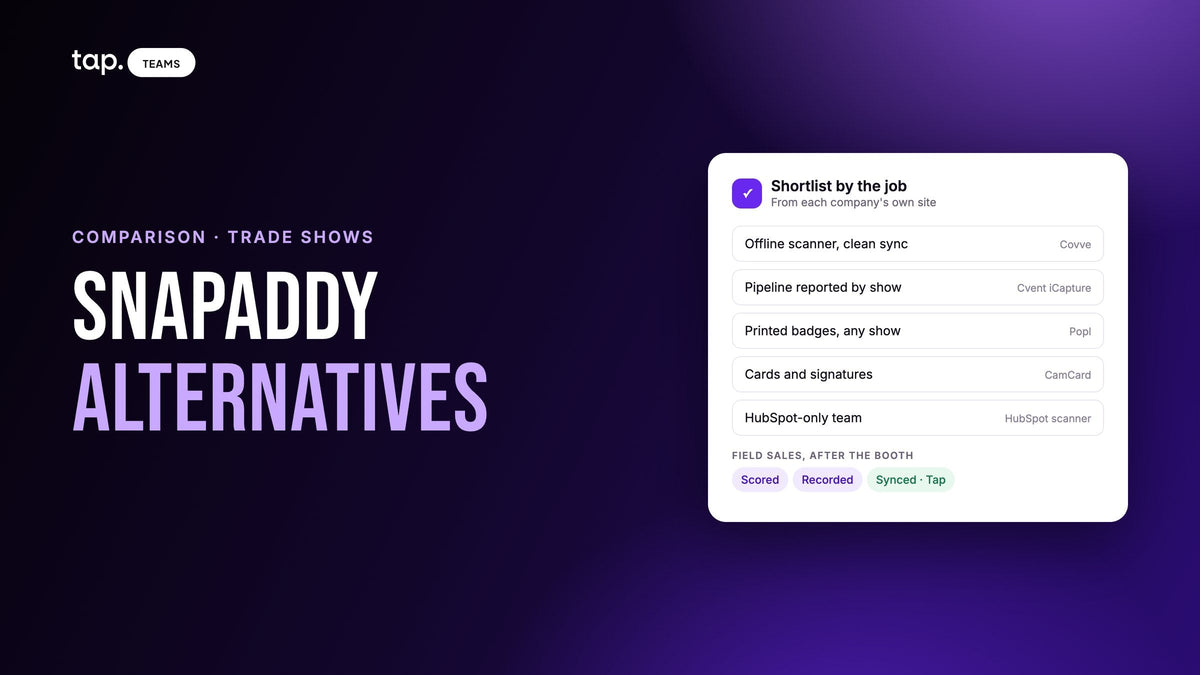
The main snapADDY alternatives for trade show teams are Covve, Cvent iCapture, Popl, CamCard, HubSpot's built-in scanner and Tap. Covve is the focused offline scanner. iCapture works from the show's own badge data. Popl reads printed badges without the organizer's app. CamCard suits individual card scanning. HubSpot's scanner suits HubSpot-only teams. Tap scores each lead and records the meeting.
This page is for teams who use snapADDY at trade shows, or are about to buy it, and want to see what else is out there before they commit. Every description of another company comes from that company's own website, checked on 14 November 2026, and each entry says where that tool fits better and where snapADDY still does. Prices and review scores are left out because they change too quickly to trust in an article. If you want the full snapADDY vs Covve head-to-head, including email-signature capture, our business card scanner apps comparison covers it, and this page doesn't repeat it.
What snapADDY is
snapADDY is a software company in Würzburg, Germany, that describes itself as developing software "for digitalization in sales and marketing." It sells four products. BusinessCards scans other people's cards and doubles as your own digital card. VisitReport is "a lead app for trade shows and field sales." LeadResearch brings contact details from online sources into lead lists. DataAgents is a workflow automation platform for CRM and lead processes. Its home page says its IT security management is ISO 27001 certified and its processes are GDPR compliant.
For a trade show team, VisitReport is the product that matters. Its page lists capture from business cards, badges, NFC, business social profiles and existing CRM data. Custom questionnaires with dynamic dependencies qualify the lead at the booth, and an optional Voice AI add-on turns what a rep says into structured fields. The app works without an internet connection and syncs automatically once it's back online. snapADDY says it checks for duplicates before export and fills missing data from public sources. Its trade show page adds lead scoring and segmentation, thank-you emails sent right after the conversation, and routing into Marketo, Pardot or Evalanche. The integrations page is long: SAP Sales Cloud, Salesforce, Microsoft Dynamics, HubSpot, Pipedrive, Zoho CRM and Odoo sit alongside many CRMs popular in Germany, plus Zapier and an API.
That's a lot of ground, and for plenty of teams it's the right tool. So why do people search for alternatives? Usually for one of a few ordinary reasons. Some want a single app and would rather not work out which snapADDY product covers which job. Some exhibit at shows where badge scanning depends on the organizer's badge provider having an API that snapADDY has connected. Some only need a scanner, and some want the conversation itself recorded and analyzed, beyond a dictated report.
The trade show problem underneath is the same for everyone. A rep comes back from three days on a stand with a few dozen leads, half the context is in their head, and the CRM sees none of it until the following week. If that's the gap you're trying to close, a 30-minute demo with one of your own show lists is a quick way to see how Tap handles it.
What a trade show team should check
Five questions decide most of these choices. We asked each of them of every tool below, using only that company's own pages.
- How does it read a badge? Some tools connect to the organizer's badge system, which only works at shows that are connected. Others read the name and company printed on the badge, which works anywhere but gives you less data to start with.
- What happens when the hall's network drops? Find out whether captures queue on the phone and sync later, and whether the vendor says so on its own page.
- How fast does the lead reach the CRM? "Real time" on a website means different things. Capture one test lead before the show and time it.
- How does the rep qualify at the booth? A questionnaire, a few tags, a voice note, or a score that the system calculates.
- What happens after the show? Who follows up first, what the follow-up says, and whether the manager can see which conversations went well.
Where a site says nothing about a feature, we say so and don't guess. A silent page can be a gap in the website while the product still does it, so treat every "not described" below as a question for the vendor's sales call.

The snapADDY alternatives, one by one
1. Covve
Covve's site is built around the scanner. Its teams page says reps can scan any event badge, business card or LinkedIn QR code, online or offline, and add contacts by voice. The scanner page says it's built for unstable trade show connections, reads many languages and regional formats, maps details into the right fields including custom ones, and keeps up during busy events. Native integrations are Salesforce, HubSpot, Zoho CRM, Pipedrive and Microsoft Dynamics 365, with Zapier, Outlook and Google Contacts, and Excel export. On HubSpot, Covve says new contacts sync instantly. The web portal holds every lead the team captures, shows team activity as it happens, and has admin controls. Covve also lists AI research that qualifies a lead with no manual digging, duplicate management, ISO 27001 certification and GDPR compliance.
Compared to snapADDY, Covve is the narrower product. It does the scanning part of VisitReport's job and does it in one app. What it doesn't describe is the rest of VisitReport: questionnaires with branching logic, a kiosk for a tablet at the stand, dictated visit reports, or lead scoring. Its badge scanning doesn't mention the organizer at all, which is worth asking about if your shows put most of the data in a QR code.
Better fit when the job is scanning everything accurately at the show, offline if needed, and getting it into one of five mainstream CRMs with duplicates managed.
What to check: Covve says scans work offline, but its pages don't spell out how the queued scans sync later. Put a phone in airplane mode during the trial, scan five cards, reconnect and watch them arrive.
2. Cvent iCapture
iCapture is now part of Cvent, and icapture.com redirects to Cvent's site. The page describes "badge, business card, or manual entry, all in one flow on the phone reps already carry." It reads a card or name tag and fills in the details, and when the show supplies an attendee roster, reps can work from that. Leads are scored, segmented and routed into your CRM or marketing automation, with Salesforce, HubSpot and Marketo named, "with qualifying answers attached." Cvent says that happens almost immediately after a scan, often while the show is still running. Around the scan there are rep and team leaderboards, reporting that ties each lead back to the show and booth that produced it, and an emphasis on booking the next meeting while the visitor is still at the stand.
Compared to snapADDY, iCapture is built for the event marketing team that has to prove a show paid off. snapADDY covers field sales visits as well as shows, and has the much longer CRM list. Cvent's page doesn't mention offline capture or a kiosk mode, both of which snapADDY's pages do.
Better fit when marketing owns the trade show calendar, runs on Salesforce, HubSpot or Marketo, and needs show-by-show reporting more than field visit reports.
What to check: ask how capture behaves when the hall loses signal, since the page doesn't say. Our roundup of lead capture apps for trade shows compares iCapture with five other event tools.
3. Popl
Popl calls itself "the event lead capture platform for B2B go-to-market teams." Its badge scanner reads the information printed on the badge and enriches it from there, and Popl says it doesn't depend on decrypting the QR codes some events lock to their own app, so it works independently of the organizer. Reps can also scan business cards and LinkedIn QR codes. Leads are stored offline and sync once the phone reconnects. Event Flows hold the qualifying questions, automatic tags and follow-up emails for each show, and AI Voice listens to booth conversations and meetings, then transcribes and analyzes them. On its integrations page Popl lists Salesforce, HubSpot, Microsoft Dynamics 365, Pipedrive and Zoho, plus Marketo and Pardot, and CRM Sync Logs that show whether each lead was created, updated, matched or failed.
Compared to snapADDY, the main difference is how a badge gets read. snapADDY connects to a show's badge provider through its API, on request, and publishes the list of connected shows for Europe and the Americas. Popl reads the printed badge instead, so it doesn't wait on the organizer. It starts from what's printed and enriches from there. Both qualify with questions at the booth and both work offline.
Better fit when your show calendar keeps changing and you can't count on each organizer's badge provider being connected.
What to check: snapADDY's list of CRMs is far longer. If you run SAP Sales Cloud or a German CRM, confirm Popl has a route before you trial it. For a fuller look at Popl, see Popl alternatives.
4. CamCard
CamCard is a business card scanner for individuals and businesses. Its home page says you can capture contacts from "QR codes, paper business cards, email signatures, contact imports, and scanners," with multilingual support. It integrates with Salesforce, Google Contacts, Outlook and the phone's address book, and sells digital business cards for teams.
Compared to snapADDY, CamCard sits closer to BusinessCards than to VisitReport. It's a scanner and a digital card, and it's one of the few here that also lists email signatures as a contact source, which snapADDY handles with its separate LeadResearch product. Its home page doesn't describe badge scanning, offline capture, questionnaires or trade shows.
Better fit for individual reps, or small teams on Salesforce, who mainly need cards and signatures turned into contacts.
What to check: if you're replacing VisitReport for a busy stand, CamCard's pages don't cover the booth side, so test badge scanning and offline behavior yourself before a show.
5. HubSpot's business card scanner
If your team runs on HubSpot, you may already have a scanner. It lives inside the HubSpot app on iOS and Android. A rep taps "create contact," points the camera at the card, and HubSpot parses it and maps each detail to the right property. The contact is associated with its company automatically, and the rep can send a tracked follow-up email, call or set a task from the same record.
Compared to snapADDY, this is the simplest option and the most limited. The page doesn't mention badge scanning, offline capture, duplicate handling or questionnaires, and it only writes to HubSpot. snapADDY lists HubSpot among its integrations, so a team can use both.
Better fit for a HubSpot-only team that collects cards one at a time and wants nothing else to install.
What to check: try it on a stack of real cards from your last show, and check whether a person already in HubSpot comes through as a second contact.
6. Tap
Tap is our product, so read this one with that in mind. Its docs describe a lead capture platform for teams who meet people in person: conferences, trade shows, field sales calls and events. The usual capture works the other way round from a scanner. The rep shares a profile by NFC, QR code or link, and the visitor fills in your lead capture form on their own phone, with nothing to install. When someone hands over a card anyway, the scanner reads business cards, QR codes and event badges, or a photo from the gallery, and shows what it read before saving. The docs are frank about it: "Scanning is the fallback, not the default."
Compared to snapADDY, Tap does less of the configuration and more after the capture. Every lead gets a quality score out of 100 from published rules, and right after saving, the app asks the rep two quick questions, the relationship and the person's buying role, and the buying role moves the score. Enrichment fills only the fields that are still empty. If a meeting follows, the rep records it with the other person's knowledge and gets a summary, buying signals, objections and action items. The docs say the record reaches the CRM within seconds, owned by the rep who met the person. Native CRMs are Salesforce, HubSpot, Zoho, Pipedrive, Veeva Vault and Odoo, with Zapier for the rest, and Slack can post hot leads to a channel. Captures made offline sync when the phone reconnects, and the app runs in English and Arabic.
Better fit when your reps sell face to face all year, at shows and on customer visits, and the manager needs each lead ranked and the conversation on record as well as the contact. See how Tap's lead capture works.
What to check: Tap's docs don't describe a kiosk mode, email-signature capture, batch scanning or single sign-on, and SAP Sales Cloud and Microsoft Dynamics aren't on the native list. CRM sync, departments and templates need a team plan. If your brief is a tablet kiosk at the stand and a German CRM, snapADDY has more of that written down.
snapADDY alternatives at a glance
| Tool | Fits best | Badges | Offline, per its own pages | Qualify at the booth | Native CRMs listed |
|---|---|---|---|---|---|
| snapADDY VisitReport | Shows and field visits with questionnaires; long or German CRM lists | Organizer badge provider through its API, on request | Yes, syncs when back online | Questionnaires with dependencies; Voice AI add-on; lead scoring | SAP Sales Cloud, Salesforce, Dynamics, HubSpot, Pipedrive, Zoho, Odoo and many more; Zapier; API |
| Covve | An accurate scanner with clean CRM sync | Any event badge | Yes; sync later not described | Custom fields; AI research on the lead; voice capture | Salesforce, HubSpot, Zoho, Pipedrive, Dynamics 365; Zapier |
| Cvent iCapture | Event marketing teams reporting by show | Badge or name tag; the show's roster when supplied | Not described | Qualifying answers; scoring and routing | Salesforce, HubSpot, Marketo and more |
| Popl | Changing show calendars; no organizer dependency | Reads the printed badge | Yes, syncs when back online | Event Flow questions and tags; AI Voice | Salesforce, HubSpot, Dynamics 365, Pipedrive, Zoho; Marketo, Pardot |
| CamCard | Individual reps scanning cards and signatures | Not described | Not described | Not described | Salesforce; Google Contacts, Outlook |
| HubSpot scanner | HubSpot-only teams, one card at a time | Not described | Not described | Not described | HubSpot |
| Tap | Field sales teams selling in person all year | Badge scan with review; the visitor's own form first | Yes, syncs when the phone reconnects | Your form fields; buying role; score out of 100; recorded meeting | Salesforce, HubSpot, Zoho, Pipedrive, Veeva Vault, Odoo; Zapier |
The table uses only what each company publishes. A thin cell may be a gap in the website rather than the product, so ask in the demo.
If your reps work remotely or offline
A lot of searches for business card scanning come from teams whose reps aren't at a stand at all. They're driving between customer sites, working from a hotel, or visiting clinics and factories where the signal is poor. For them, two things matter more than badge support.
The first is what the app does with a capture when there's no connection. snapADDY, Covve, Popl and Tap all say on their own pages that capture works offline. snapADDY, Popl and Tap also say the queued captures sync automatically when the phone reconnects. Tap's docs add a warning worth passing to every rep: don't sign out of the app while captures are still waiting to sync.
The second is where the lead lands and who owns it. A remote rep's lead that arrives in the CRM under a default owner, or as a duplicate of a contact someone else already has, causes more trouble than one that arrives a day late. Our guide to what a business card scanner sends to your CRM covers lead or contact, duplicates and owners in detail.

Which snapADDY alternative should you pick?
Start from the job, then shortlist two.
- You want an accurate scanner that works offline and syncs to a mainstream CRM: Covve.
- Marketing owns the show calendar and needs pipeline reported by show: Cvent iCapture.
- Your shows change every year and you can't rely on the organizer's badge system: Popl.
- A few reps mostly scan cards and email signatures into Salesforce: CamCard.
- You're on HubSpot and collect cards one at a time: HubSpot's own scanner.
- Your reps sell in person all year and the manager needs to know which leads matter and what was said: Tap.
- You need questionnaires with branching logic, a kiosk at the stand, dictated visit reports, or SAP Sales Cloud or a German CRM: stay on snapADDY.
That last line isn't there to be polite. Switching means setting up the CRM mapping again and retraining every rep, so I'd only move if one of the five questions above has an answer snapADDY's pages can't give you.
If you do move, test at a real event, not in a demo room. Take two reps to the same show, one on each tool. On the Monday after, open the CRM and pick five leads from each. Check whether the name is spelled right, who owns the record, and whether the reason the person mattered made it across. That tells you more than any feature list, including this one.
How Tap handles this
Tap starts the capture before anyone reaches for a scanner. The rep shares a profile, and the visitor types their details into your lead capture form on their own phone, so the email arrives the way they spell it. The collecting leads guide covers the three ways to share and how to keep capture reliable at a busy event. When all you get is a card or a badge, the scanner reads it and shows you what it read before it saves.
From there every lead behaves the same. It gets a score out of 100, which managers see as a percentage in Tap Teams and reps see as a Hot, Warm or Cold badge in the app. Enrichment fills only empty fields. If there's a meeting, the rep records it and Tap returns a summary, buying signals, objections and action items. The lead then syncs to Salesforce, HubSpot, Zoho, Pipedrive, Veeva Vault or Odoo under the rep whose email matches a CRM user, and if it matches a record already there, a blank field never erases what the CRM had. The integrations overview shows which record type each CRM creates. After the show, a manager can filter to the show's dates, tag every lead from it in one action, and work the list from the top score down.
If that matches how your team sells, book a 30-minute demo and bring a stack of cards from your last show.
FAQ
What are the best snapADDY alternatives?
It depends on what you'd replace. For a focused offline scanner, Covve. For event marketing teams reporting pipeline by show, Cvent iCapture. For badge scanning that doesn't depend on the organizer, Popl. For individual card and signature scanning, CamCard. For HubSpot-only teams, HubSpot's built-in scanner. For field sales teams that need each lead scored and the meeting recorded, Tap. For questionnaires, a kiosk or a German CRM, snapADDY itself is hard to replace.
snapADDY vs Covve: which suits a sales team?
Covve if you want one scanner app that reads cards and badges, works offline and syncs to Salesforce, HubSpot, Zoho, Pipedrive or Dynamics 365 with duplicate management. snapADDY if scanning is one part of a wider process with questionnaires, dictated visit reports, email-signature capture or an enterprise CRM such as SAP Sales Cloud. Our business card scanner comparison puts the two side by side on scanning, signatures, enrichment and duplicates.
Can snapADDY scan business cards at trade shows and sync them into Salesforce or HubSpot in real time?
Yes, going by snapADDY's own pages. VisitReport scans business cards, badges and QR codes at trade shows, and both Salesforce and HubSpot are on its integrations page. Its trade show page says real-time synchronization makes contact data immediately available in your CRM, and the app works offline, syncing automatically once a connection is back. Badge scanning connects through the show's badge provider, so check your events against snapADDY's connected list.
Can exhibitors rely on Covve to capture leads at trade shows?
Covve's pages say it can. They describe scanning any event badge, business card or LinkedIn QR code online or offline, a scanner built for unstable trade show connections that keeps up during busy events, and a team portal showing every lead as it's captured. What Covve doesn't describe is the booth workflow around the scan: questionnaires, a kiosk, follow-up emails or lead scoring. Test offline sync on a real phone before your first show.
Which business card scanner works offline for remote sales teams?
snapADDY, Covve, Popl and Tap all say on their own pages that capture works without a connection. snapADDY, Popl and Tap also say queued captures sync automatically when the phone reconnects. Cvent iCapture, CamCard and HubSpot's scanner don't mention offline capture on the pages we checked. Whichever you pick, scan a few cards in airplane mode during the trial and watch them reach the CRM.


Leave a comment
This site is protected by hCaptcha and the hCaptcha Privacy Policy and Terms of Service apply.