
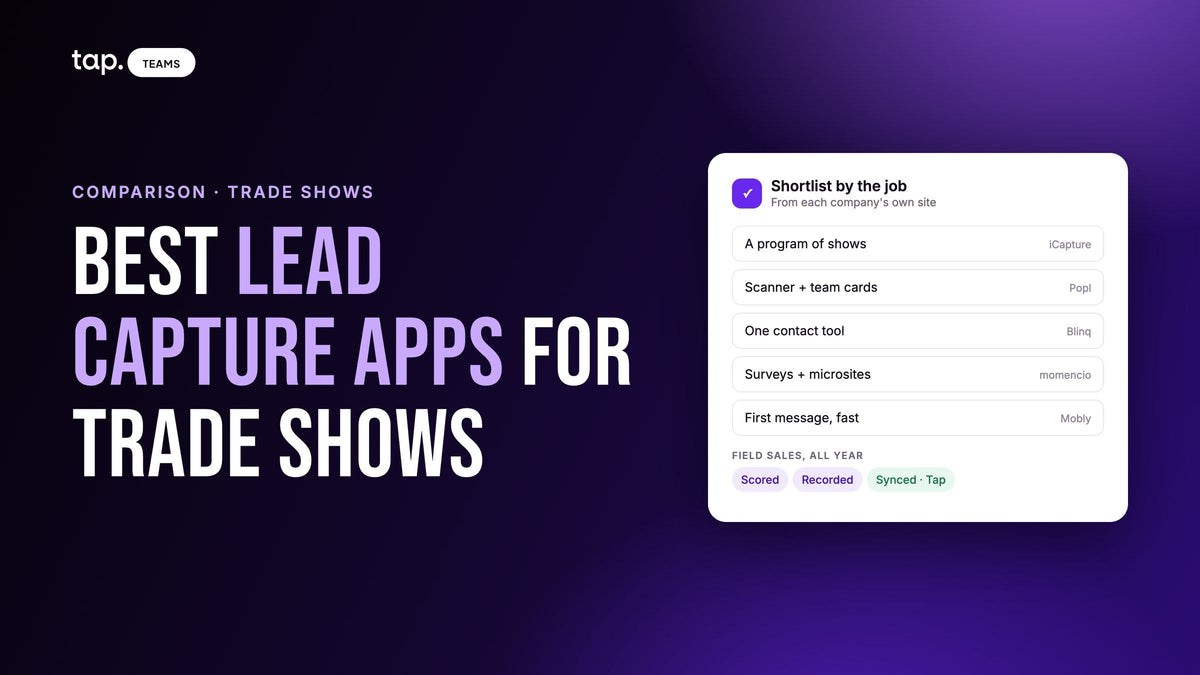
The best lead capture apps for trade shows are Cvent iCapture, Popl, Blinq, momencio, Mobly and Tap. All six run on your reps' phones and work offline. iCapture and momencio suit show-heavy event teams, Popl and Blinq pair scanning with cards, Mobly speeds first contact, and Tap suits field sales.
A disclosure first: we make Tap, and Tap's lead capture is one of the six. Nearly every list on this topic comes from a vendor that ranks itself first, so we've done it differently. Tap goes last, the order is not a ranking, and every claim about another company comes from that company's own website, read on 2 November 2026. Where a site doesn't mention a feature, we say so. That can be a gap in the website and not the product, so ask.
If you're still working out what a trade show needs from you beyond the app, start with our guide to trade show lead capture. This page is for the moment you've got a show booked and need a shortlist.
The six apps at a glance
| App | Fits best | Badge scanning and offline | CRMs its site names | After the scan |
|---|---|---|---|---|
| Cvent iCapture | Event teams running a program of shows and reporting pipeline per show | Connects to badge providers for the registration data behind the badge; cards, photos and manual entry too. Captures offline | Salesforce, HubSpot, Marketo, Eloqua, and more | Routing rules, same-day outreach, meetings booked in the capture flow |
| Popl | Booth teams who want the scanner and team cards together | Works independently of the organizer; reads printed text when a badge QR is encrypted. Captures offline | Salesforce, HubSpot, Marketo, Dynamics, Zoho, monday.com | Qualifying questions, auto tags and follow-up emails per event; AI voice recording |
| Blinq | Companies wanting one contact tool for events and everyday networking | Any badge, card or QR with no organizer integration. Captures offline | Salesforce, HubSpot, Dynamics 365, Pipedrive, Zoho, GoHighLevel | AI notes on the CRM contact; each event tracked as a campaign |
| momencio | Event marketers who want surveys and content-led follow-up | Printed, QR or NFC badges, with or without an event API. All capture methods work offline | Salesforce, HubSpot, Dynamics, Marketo, Pardot; also lists Pipedrive and Zoho | Branching surveys feed a score; personalized email linked to a microsite |
| Mobly | Teams who want the first message out while still on the floor | Any badge with a name and company; handwritten name tags too. Reads on the device with no signal | Salesforce, HubSpot, Marketo, Pardot, Zoho, Pipedrive, Eloqua; webhooks | Automatic scoring against your criteria; email or text sequences |
| Tap | Field sales teams meeting people at shows and on visits all year | Camera scan of badges, cards and QR codes, plus a form on the visitor's phone. Offline captures sync on reconnect | Salesforce, HubSpot, Zoho, Pipedrive, Veeva Vault, Odoo; Zapier | Score out of 100; recorded meetings become summaries and CRM tasks |
How to choose a trade show lead capture app
All six will demo well at your desk. The differences show up in four places, and you can test every one of them before you sign anything.
Offline capture
Exhibition halls are bad places to rely on a signal. Every app here says it captures offline, so the useful question has moved on to what offline actually covers. Does scanning work, or only saving a contact you typed? Can the rep still see qualifying questions? What happens when the app updates or the phone restarts before it has synced? Mobly addresses that last one directly, saying offline scans survive app updates. Ask the others the same thing.
Also ask what's delayed. Enrichment and CRM sync need a connection in any tool, so a lead scanned in a dead zone at ten in the morning may not reach anyone's queue until the rep walks outside at lunch.
Badge scanning
This is the part most lists blur, and it's the one that decides what your data looks like. There are two different routes.
On the first, the app connects to the show's badge or registration provider and pulls the record the attendee filled in when they registered. iCapture describes this, and momencio can do it through event APIs. You get the organizer's data, including fields never printed on the badge, but it depends on that provider being connected for your show.
On the second, the app reads what it can see on the badge, usually a name and company, then looks up the rest. Popl, Mobly and momencio all describe this, and Blinq says it needs no organizer integration. It works at nearly any event, including ones with paper name tags. The record is then only as good as the lookup, and a common name at a big company is where I'd expect it to need checking. Popl says this route is how it handles encrypted QR codes.

Don't forget the people without a badge you can use. Someone hands your rep a card at a dinner, or stops by the booth wearing a lanyard turned backwards. Our comparison of business card scanner apps goes deeper on that side.
CRM sync
Start by checking your CRM is on the list as a native connection. Then ask the questions the feature grid won't answer. Does a stranger from the booth arrive as a Lead or a Contact? Who owns the record when it lands? Do qualifying answers go into your own fields, or into one note nobody reads? What happens if that person is already in your CRM?
Also decide what you need from the record later. If marketing must report pipeline by show, the event has to travel with the lead as a campaign or a tag. If sales routes by territory, the fields your routing rules read have to be filled at capture. Short forms help with both, and our guide to lead capture form design covers how few questions you can get away with.
Follow-up
Here's where these tools split most. Mobly and Popl will send something for you. momencio builds an email around a microsite. iCapture leans on routing rules and on booking a meeting before the visitor leaves. Blinq and Tap put the conversation on the record so the rep's own message can refer to it.
None of those is the right answer for everyone. An automatic email suits high volume and a simple offer. A rep's personal message suits a long sale where a canned note would look careless. Either way, someone has to decide who gets called first, which is what our piece on trade show lead follow-up is about.

The six apps, one by one
Same format for each: what its own site says, when it's the better pick, and what to ask.
1. Cvent iCapture
Older lists describe iCapture as an independent vendor. Today icapture.com redirects to a product page on Cvent's site, and Cvent sells it as one app every rep uses the same way at every show, on their own phone or tablet. Reps can capture by badge scan, business card, photo or manual entry. Cvent says iCapture connects to a long list of badge providers to pull the official registration data, has reps validate what comes through, and then enriches from data sources you choose, including subscriptions you already pay for. Qualifying answers drive rules for routing, and reps can book a meeting through Calendly or HubSpot without leaving the capture flow, with individual, round-robin or multi-host routing.
Better fit when marketing owns a program of shows and has to defend next year's budget. The reporting is pitched exactly at that: which shows and which reps created pipeline.
What to ask: send your show list and ask which badge providers are covered. The page talks about conversation notes but doesn't describe recording or analyzing conversations, so if that matters, ask.
2. Popl
Popl calls itself an AI go-to-market platform for in-person events, and its universal badge scanner is the center of the product. Popl says the scanner works independently of event organizers and that where a QR code is encrypted, it reads the printed text and enriches from there. If connectivity drops, the app stores leads on the device and syncs later. Event Flows set up qualifying questions, auto tags and follow-up emails for each event. Around that sit list enrichment, AI voice recording of in-person meetings, calendar booking on the floor, attribution reporting and digital business cards for the team.
Better fit when your booth team also needs cards, and you'd like one tool for both, with a different capture setup per show.
What to ask: the pages I read say recording exists without going into what you get back. Ask to see the output from a real recorded conversation. Our guide to digital business cards with lead capture helps if you're unsure whether you need a card, a scanner or both.
3. Blinq
Blinq's event page promises one scanner for every event: any badge, business card or QR code, with no organizer integration, offline, plus custom lead forms and a card the visitor can get in return. Scanning someone already in your CRM surfaces their deal context on the spot. Its AI Notetaker transcribes and summarizes conversations from a phone, Bluetooth mic or smartwatch, reminds reps to ask permission before recording, and attaches the notes to the CRM contact. Each event runs as a campaign with goals, budget and assigned reps, and Blinq says existing contacts get updated without being overwritten. It also connects your data to AI assistants including Claude, ChatGPT and Copilot.
Better fit when you want a single contact tool the whole company uses, from the event floor to everyday networking, and you care about the recorded conversation as well as the scan.
What to ask: the event page describes qualifying with tags and custom fields, and I didn't see an automatic lead score there. If you want the list ranked for you, ask how that's done.
4. momencio
momencio covers the longest stretch of the event, from planning to pipeline. Its site says it scans printed, QR or NFC badges at any show with or without the organizer's API, and adds cards, kiosk mode and manual entry, all of which work offline. Surveys with branching logic feed each lead's qualification score, voice notes are transcribed onto the record, and AI features cover enrichment and scoring against your ideal customer. Follow-up is where it stands apart: each lead gets a personalized email linked to a microsite built around what they were interested in, and you can see how they engage with it. It also says it can sync to more than one CRM at once.
Better fit when event marketing runs the show and wants the follow-up content and the engagement signals inside the same tool.
What to ask: its FAQ says the app currently runs in English, with other languages in development, so check this if your reps work in another language. Its site is written around events, so ask how it would suit a rep who spends most weeks outside them.
5. Mobly
Mobly's pitch is to replace the rented scanner with one app for any event. It needs only a name and company from a badge, reads QR codes, barcodes, business cards and handwritten name tags, and can take a photo of a LinkedIn profile. Reading happens on the device, so it works with no signal. Every capture is enriched and scored against your own criteria, then reaches the CRM with its tags and notes. A separate product called Pulse sends email or text sequences the moment a lead is captured, with no CRM integration needed. Reps can also book meetings through Calendly or Chili Piper, and Mobly says its people can join you on site.
Better fit when speed to first contact is what you're buying, especially for a small team that won't get to a list until after the show.
What to ask: if you plan to text people you met at a booth, check the consent rules in the countries you sell into. Mobly's pages mention a transcript on the record but don't describe meeting analysis, so ask what you get.
6. Tap
Tap is the odd one out, because it's built for teams that meet people at conferences, trade shows and on field sales calls alike. The visitor taps or scans a rep's profile and fills in the form on their own phone, or the rep scans a badge, card or QR code. Each lead gets a score out of 100 from published rules. Recorded meetings come back with a summary, buying signals, objections and action items, and the lead syncs to the CRM under the rep whose email matches. The full picture is in the section below.
Better fit when your reps sell in person all year and the show is one stop among many, or when you run on Veeva Vault or Odoo.
Where it isn't the right pick: if your program is mainly booths and marketing owns it, the tools above are built around that. Tap's docs say plainly that it's not a marketing automation tool and doesn't run nurture sequences, so there's no equivalent of Pulse or a microsite. The docs describe labeling an event's leads with tags, and they don't mention campaign budgets or cost per lead. Dynamics, Marketo, Eloqua and Pardot aren't among its native connections; Zapier is the route to other tools. The docs also don't say how the scanner treats encrypted badge codes, so test a real badge from your show.
Do you still need the organizer's scanner?
Sometimes, yes. Popl, Blinq, momencio and Mobly all say they work without the organizer's system, and for many shows that's enough. But the organizer's lead retrieval is the most direct route to that show's own registration fields. If your team needs job function or company size exactly as attendees entered them, renting one license alongside your app is a reasonable call. We walk through that decision in our guide to event lead retrieval.
Which one should you pick?
- If you run a calendar of shows and have to report pipeline per show, shortlist iCapture and momencio, and add Popl if you want cards in the same tool.
- If the card matters as much as the scan, look at Popl and Blinq.
- If you're a small team that wants the first message sent before you've packed up the booth, try Mobly.
- If you care most about remembering what was said, compare Blinq's Notetaker with Tap's meeting analysis on one real conversation.
- If most of your selling happens away from booths, and the show is one week in a year of visits, I'd start with Tap and then test it hard at the booth.
Pick two, not six, and run the same real day through both. You'll have a preference by the time you've opened the CRM.
How Tap handles this
On the floor, the rep shares a profile by NFC tap or QR code and the visitor fills in your lead capture form in their browser, with no app to install. For anyone who won't, the scanner reads a business card, QR code or event badge. Captures made with no connection queue up and sync when the phone is back online, and there's a share-without-internet mode that shows a QR code working with no connection at all. One thing to brief your team on: don't sign out while captures are still waiting.
Every lead gets a quality score out of 100, shown as Hot, Warm or Cold in the app, so reps can see who to call first without building a model. A rep marking someone a decision maker raises the score. Enrichment fills empty fields only, and can run automatically on leads above a score you set.
When there's a real conversation, the rep records it with the other person's knowledge. Tap returns a summary, buying signals, objections and action items, and the action items become follow-ups that sync to the CRM as tasks. Ask AI can draft a follow-up email from what was said, which the rep edits and sends from their own mail. The lead syncs under the CRM user whose email matches the rep, as a Lead in Salesforce and Zoho and a Contact in HubSpot; the integrations overview has the full table. Existing records are merged so a blank field doesn't erase anything. CRM sync needs a team plan, and departments need CRM access granted before an event, because it's denied by default.
If that sounds like your team, see how lead capture works in Tap, or book a 30-minute demo and bring a badge from your last show.
FAQ
What is the best lead capture app for trade shows?
It depends on who owns the program. For an event team reporting pipeline by show, Cvent iCapture or momencio. For scanning plus team cards, Popl or Blinq. For the fastest automatic first message, Mobly. For field sales teams who meet people at shows and on visits all year, Tap. Test two on real badges before you decide.
Can a lead capture app scan any event badge?
Popl, Blinq, momencio and Mobly all say they scan badges at any event without the organizer's system. Popl and Mobly describe working from the name and company on the badge, then enriching it. That route doesn't return the organizer's registration record, and accuracy depends on the lookup. Scan a badge from a recent show during your trial.
Do trade show lead capture apps work without Wi-Fi?
All six in this guide say captures can be made offline and sync later. The differences are in what's available while offline and how long the wait is. Enrichment and CRM sync wait for a connection, so test in airplane mode, reconnect, and check that every lead arrived once.
What's the difference between lead retrieval and lead capture?
Lead retrieval usually means the organizer's system: you scan a badge and get that attendee's registration record for that show. Lead capture is the broader job, and an independent app does it the same way at every event, including places with no badges at all. Plenty of exhibitors use both.
Can I record conversations at a trade show booth?
Often, with care. Popl, Blinq and Tap describe recording in-person conversations, and momencio and Mobly offer voice notes or transcripts. Laws differ by country and by state, and some places require everyone to agree, so tell the person before you start. Blinq's app prompts reps to ask, and Tap's docs say consent is your responsibility.

Leave a comment
This site is protected by hCaptcha and the hCaptcha Privacy Policy and Terms of Service apply.