
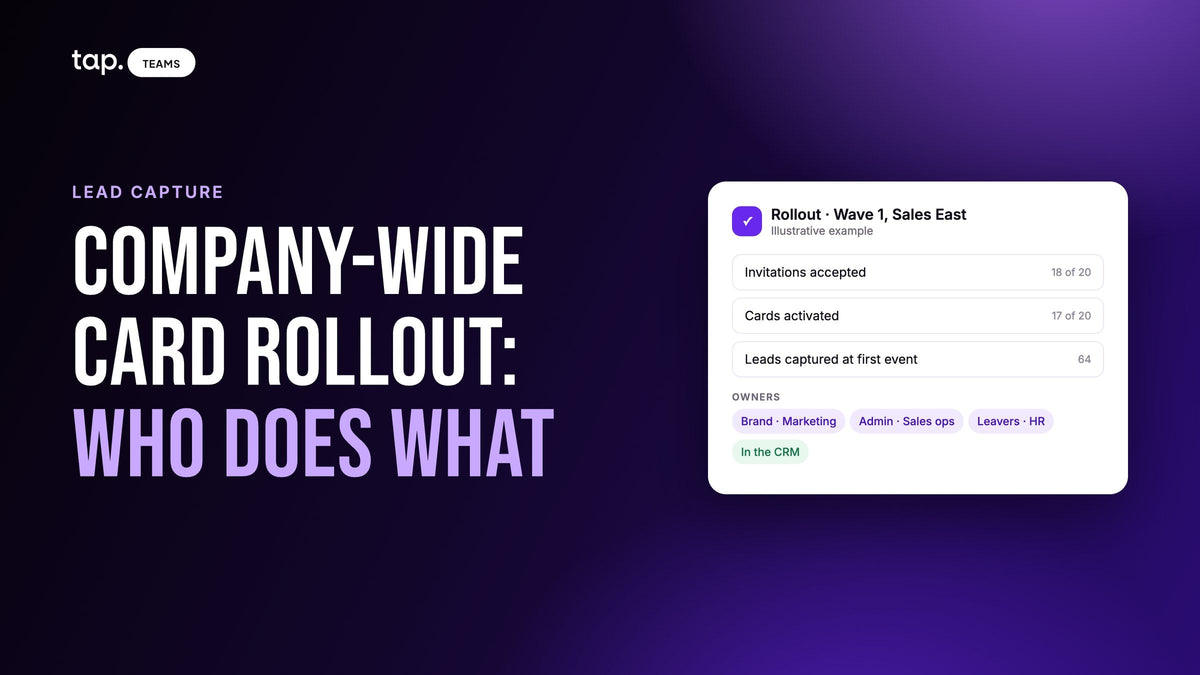
A company-wide digital business card rollout works when one person owns it and every other job has a name next to it. The sales leader decides and sets the date, marketing owns the brand, sales ops runs the admin side, IT reviews data and access, HR reports joiners and leavers, and managers get their reps live before the first event.
The software is the easy part. What goes wrong is a job nobody claimed: the cards that ship a week after the conference, the template nobody updates when the logo changes, the leaver whose contacts vanish because nobody told the admin. This guide covers who does what, how to order and issue cards, and how to tell whether the rollout worked.
If you're still setting the system up (templates, departments, the import), that's in our guide to digital business cards for teams. This one assumes you've picked a tool and now have to get two hundred people using it.
Who decides, and who does the work
Start with the owner. In a company that sells in the field, it should be the sales leader, because the point of the program is the contacts reps capture, and only sales can make reps use it. Marketing usually wants to own it because it looks like a brand project. Let them own the brand. If marketing owns the whole thing, you get a beautiful card that nobody uses to capture a lead.
Then give every job a name. This is the split I'd start from:
| Who | Owns |
|---|---|
| Sales leader | The decision, the launch date, the first event it's used at, and using a card themselves from day one |
| Marketing | Templates, the physical card design, and every later brand change |
| Sales ops or the admin | Departments, the member import, CRM connection, tags, the weekly adoption check |
| IT and security | Where captured personal data is stored, who can export or delete it, and the CRM permissions |
| HR | Telling the admin about every joiner, mover and leaver, on the day it happens |
| Regional or team managers | Getting their own reps activated and capturing, and chasing anyone who isn't |
| Reps | Activating the card, finishing the profile, sharing it, and capturing the people they meet |
Two of these get skipped. HR's job sounds trivial until a rep leaves on a Friday and their access lives on for a month. And the sales leader using a card matters more than any training session, because reps copy what their manager does at the stand.

Roll it out in waves, starting with a team that has an event coming up
Don't launch to everyone on the same Monday. Say you have 120 people across three regions. Start with the one team that has a trade show or a busy month of customer visits in the next three weeks. They have a reason to care, and you'll learn what breaks while it's still twenty people.
Give that first group two weeks. Watch who activates, who captures and whether leads reach the CRM under the right owner, fix what you find, then move to the next region. Pick a first manager who'll work the booth with a card in hand. Teams with no event coming up go last, because a card with nothing to do gets forgotten.
Ordering and issuing the physical cards
A digital profile reaches a rep the day they accept the invitation. A physical NFC card has to be designed, printed and shipped, and that's where rollouts slip. The chip carries no personal details, only a link to a profile, so a promotion or a new number is a profile edit and the card keeps working.
Keep the design short
The card's job is to be tapped. Name, title and logo are enough; everything else lives on the profile it opens. Use high contrast for badly lit halls, and remember printers work in CMYK, so a bright brand color can shift on card stock. Order one card and hold it before you order for everyone.
Order for the event after next
Work backwards from the first event the cards are for. Order the week before a conference and they arrive for the one after it. Reps without a card yet can share by QR code from their phone in the meantime.
Hand them out where people can activate them
A card left in an envelope on a desk tends to stay there. Hand cards out at a team meeting or the event briefing and have everyone activate on the spot: open the app, link the card to their profile, tap it on the person next to them. Ten minutes, and every card works before anyone meets a customer.
Afterwards, watch for cards bought but never linked to anyone. That usually means a new starter was never shown how to activate.

Templates and brand control: who changes what, and when
Marketing owns the templates. Keep it to two or three, say one for sales with a booking link and one for an event you retire afterwards; each extra one is another thing to update when the logo changes.
Agree before the import what reps can edit. Lock company name, logo and brand colors, and leave name, title, photo and direct phone open so the card still feels like theirs. (How templates and locks interact is in the teams guide.) Then decide who approves and applies a brand change later. If nobody owns that, the first rebrand leaves half the team on the old colors.
Departments: mirror permissions, not the org chart
Departments carry the rules: which fields members can edit, which links they can add, which CRM their leads go to. Build them around groups that need different rules, usually by trust (executives open, field reps with the brand locked, event staff fully locked) or by region when regions run separate CRM instances.
For a large rollout the real gain is delegation. If regional managers can be admins of their own department, they onboard and chase their own reps and see their own region's leads, while company-wide settings stay with the central admin. Sales ops sets the rules once and stops being the bottleneck.
Onboarding reps: what the first week should look like
The invitation email is the first thing a rep sees, so write it yourself. One line on why ("this is how we're capturing leads at the Riyadh show next month") gets more acceptances than "you've been invited." Then give the first week a fixed shape:
- Accept the invitation and finish the profile: photo and whichever personal fields you left open.
- Activate the physical card at the handout session.
- Add the profile to Apple Wallet or Google Wallet, so it opens from the lock screen.
- Add the email signature that carries the card, so every email they send shares it too.
- Capture one test lead: share to a colleague's phone, fill in the form, and check it appears with the rep's name on it and in the CRM.
The last step sells the program. A rep who sees a lead land in the CRM under their own name, untyped, stops treating the card as a branding exercise. For what that form should ask, see our lead capture form design guide.
Joiners after launch go through the same five steps. Put them in the new-starter checklist HR already runs, with a card ordered the day the offer is signed.
Leavers and movers: the handoff between HR and the admin
This job most often has no owner, and it's where companies lose contacts. Every leaver should trigger the same sequence:
- HR tells the admin as soon as the leaving date is known. The last day is too late.
- The admin checks whether the rep was syncing through a personal CRM connection, and exports their leads if there's any doubt.
- The admin removes the member. Access ends at once; the leads they captured stay with the company.
- The manager reassigns those leads to whoever takes over the accounts, so follow-ups don't stall.
- The rep's physical card is unlinked and handed to the replacement, who links it to their own profile.
If a card is lost instead, deactivate it straight away. An active card is a working link to that rep's profile in a stranger's hand.
Movers need less. A rep moving to key accounts may change department, which can mean different permissions and a different CRM destination, so the admin moves them and checks their next lead lands where it should.
Change management: why reps ignore new cards, and what fixes it
Reps don't resist a card because it's digital. They resist another app and another login with no visible payoff. So tie the launch to something real: a card introduced at a kickoff with no event attached is a novelty, and one introduced as "this is how we're capturing leads at the show in three weeks" is a tool.
Sell reps their own benefit. Their leads arrive in the CRM under their name, and nobody types a stack of paper cards on Sunday night. Brand consistency is marketing's benefit; reps don't care about it. You don't have to ban paper either. Just stop reordering it for teams that have their NFC cards.
Then ask about it. The manager who asks on Monday "how many people did you capture at the show?" gets a team that captures. The one who never asks gets a dashboard of views.
Measuring adoption: what to check, and when
Views and taps show cards being shared. Adoption means people capturing contacts that reach the CRM, and you can check it in stages.
| When | What to check | What a gap usually means |
|---|---|---|
| End of week one | Invitations accepted, cards activated | A typo in the email, an invitation in spam, or a card still in its envelope |
| After the first event | Leads captured per rep, leads with an owner in the CRM | A department with no CRM access, or a rep whose email doesn't match their CRM user |
| After 30 days | Last mobile session, notes written on leads | Someone has quietly stopped opening the app; worth a conversation |
| After 90 days | Leads per event tag, how many got a follow-up | The card works, but the follow-up process doesn't |
Read these as diagnostics, never as a leaderboard. A rep at a flagship conference will out-capture one covering regional clinics regardless of effort, and ranking people by capture count gets you junk captures that inflate the number. A member with zero of everything a month in is almost always a setup problem: no CRM access, an unfinished profile, a card never activated. Agree the event tag names before the first show so the 90-day numbers mean something.
How team systems differ from individual card apps
An individual app gives one person a card and a private contact list. A team system adds the admin side: locked brand fields, departments, bulk import, a view of every lead the team captures, and contacts that stay when someone leaves. The visitor sees the same thing either way. If you can't see what your reps capture or keep it when they go, you've bought two hundred personal apps with your logo on them. What a card needs to actually collect leads is in digital business card with lead capture built in.
How Tap handles this
Tap Teams is the admin side on the web; reps live in the mobile app, and visitors install nothing. A CSV or XLSX import creates members, assigns each a department and a template, and sends every invitation in one pass; you write the invitation's subject, message and button. Use the email each rep uses in your CRM, because lead owner assignment matches on it.
Physical Tap products (cards, keychains, stickers, displays, wearables) hold no data; each points at a profile, and members activate one by NFC or QR code. The card designer lays out both sides of a card in the app, saves drafts so someone can approve the layout first, and orders the card. In Tap Teams, Products shows total, assigned and unassigned products, which member holds which, and a Buy Products tab for ordering more. A lost product can be deactivated, and a leaver's can be unlinked so a colleague can claim it.
A template sets what a profile starts as; a department sets what members may change afterwards. Department permissions default to full access until you save restrictions, and CRM access is deny-by-default. With Department Admin Management on, a sub-team admin manages the people in the department they run and sees that department's leads. Bulk adjustments lock profiles, turn lead capture on or off or move people between departments in one pass. Members can add their profile to Apple Wallet or Google Wallet and use an email signature carrying their card.
For adoption, Team Insights shows Active Members and a Members Activity table (leads, views, taps, notes, last mobile and dashboard session per person), filterable by department. Removing a member revokes access immediately and their leads stay with the team to reassign, and an admin can export every rep's leads to one spreadsheet. Leads sync to HubSpot, Salesforce, Zoho, Pipedrive, Veeva Vault and Odoo, with Zapier for other tools (more in digital business cards with CRM integration).
To plan a rollout around your own regions and events, book a free 30-minute demo or see how Tap works for sales teams.
FAQ
What's the best option for a company-wide NFC business card rollout when team management matters most?
The one whose admin side passes a trial with your own data: bulk import with a department and template each, locked brand fields, regional managers running their own people, every lead visible with the rep who met them, and a leaver's leads reassigned and exported to one file. Then check the physical side: one view of every card the company owns, who holds it, and which were never activated.
How do you choose a digital business card solution for a large team?
Start from the jobs in the rollout. The card design can wait. Marketing needs locked brand fields, sales ops needs bulk import and departments, IT needs to know where personal data lives and who can export it, managers need to see what reps capture, and HR needs to remove leavers without losing contacts. Native sync to the CRM you already run matters more than anything printed on the card.
How do you issue business cards to team members?
Import the team so each person gets an invitation and a branded profile, and order physical cards early enough to arrive before the first event. Hand them out at a short session where everyone links their card to their profile on the spot. When someone leaves, unlink their card and give it to the replacement.
As a sales manager, how do digital business cards for teams work compared to individual apps?
With an individual app each rep owns their card and their contacts, and you see neither. With a team system an admin sets the brand and permissions centrally, you see every lead your reps capture with the rep and the time, and the contacts stay with the company when a rep leaves. The person receiving the card sees the same thing either way.
How do you distribute digital business cards across a company?
The digital card goes out with the invitation email; each person accepts, finishes their profile and can share by QR code or link straight away, plus a wallet pass and an email signature. Physical NFC cards are the slower part, so roll out team by team, starting with the one that has an event coming up.

Leave a comment
This site is protected by hCaptcha and the hCaptcha Privacy Policy and Terms of Service apply.