
To track your team's digital business card activity, look at four numbers per rep: contacts captured, follow-ups completed, leads that reached the CRM, and meetings held. Card views and taps show the card is being used, but they don't tell you whether it produced pipeline. Review the four together every week, per rep, against the same period last time.
Most tools will happily show you a dashboard full of views. That's the easy number to count, so it's the one every vendor leads with. It's also the one a sales manager can do the least with. This guide is about the other numbers: what's worth tracking per rep, what to ignore, how to run a weekly review in fifteen minutes, and what to check before you buy a tool that promises "team analytics".
If you're still choosing or setting up cards for the team, start with our guide to digital business cards for teams. This one assumes your reps already carry them.
What a manager actually needs to know
Picture a field team of eight. They hand out digital cards in client offices, at a regional trade show, at a dinner the distributor hosted. At the end of the month you want to answer three questions. Did the people they met end up as records we can sell to? Did the reps do what they promised in those conversations? And is anyone quietly not using the system at all?
None of those is answered by how many times a card was opened. A card view means someone looked. A captured contact means you now own a name, a company and a way to reach them. A completed follow-up means the conversation went somewhere. Those are different events, and a tool that blends them into one "engagement" score hides exactly what you need.
The activity worth tracking per rep
Contacts captured
This is the count of people who gave the rep their details, usually through a short form on the rep's card or a scanned paper card. It's the closest thing to an exchange you can measure, because the other person did something on purpose. If you track one number, track this one. The design of the form itself matters a lot here; our pillar on lead capture form design covers how to build one people finish.
Follow-ups completed
Every good conversation ends with a promise: send the proposal, book the demo, introduce the technical lead. Track how many of those promises were marked done. Read it next to the capture count. A rep who captured sixty contacts at a show and completed a third of the follow-ups is overloaded, which is a different problem from a rep who captured six and did nothing.
Leads that reached the CRM
A contact sitting in a card app isn't in your pipeline. You want every captured lead to land in the CRM under the right owner, and you want to know when it doesn't. The common failure is silent: the capture works fine on the rep's phone, but a permission or a field mapping stops the record from syncing. How the sync works, and which record type each CRM creates, is in our piece on digital business cards with CRM integration.
Meetings held
For teams that sell in person, the meeting is the work. If your tool records or logs meetings, meetings per rep tells you who is getting in front of buyers. It also gives context to the other numbers: a rep with few captures but many meetings may be working existing accounts, which is fine.
Last time they used it
The least glamorous column and the most useful one for adoption. If a rep hasn't opened the app in three weeks, every other number for them is zero for a reason that has nothing to do with selling. Usually it's setup: they never finished onboarding, or their phone changed, or their department can't reach the CRM.

The numbers that look good and tell you little
Card views, taps and shares aren't useless. They're just inputs. A view count goes up when a rep shares their card more, and it goes up when the card is printed on a booth banner and a hundred strangers scan it out of curiosity. You can't tell the two apart from the number.
Here's what I'd do with each:
- Views and taps per rep: use them as an adoption check. Zero means the rep isn't sharing the card at all. Beyond that, don't compare reps on them.
- Contact saves (someone added the rep to their phone): a nice signal for the rep, but you don't get the person's details from it, so it's not a lead.
- Link clicks on the card: useful to the rep for tidying their profile. Move the link people want to the top and drop the ones nobody opens.
- Points, badges, leaderboards: fine as momentum during an event. Turn them into a target and you'll get a pile of junk captures from reps chasing the count.
That last point applies to captures too. Capture counts depend on territory, role and which events a rep was sent to far more than on effort. Someone working a flagship conference will out-capture someone covering regional meetups, however good either of them is. Rank people on raw counts and you'll reward the calendar.
How to run a weekly per-rep review
Weekly is the right rhythm. Monthly is too late to fix a follow-up that's gone cold, and daily is noise. Block fifteen minutes on the same day each week and go through it in this order:
- Set the period to the last seven days and compare it with the seven before. Direction matters more than the size of any one number.
- Scan the "last used" column first. Anyone who hasn't opened the app this week gets a message today, before you look at anything else.
- Look at captures and follow-ups side by side for each rep. High captures with low completion means redistribute or protect time for follow-up. Low on both means a conversation.
- Spot-check the CRM. Pick two or three leads each rep captured this week and find them in the CRM under the right owner. If one is missing, fix the sync before the next event, not after.
- Note one thing per rep, good or bad, for your next one-to-one. Then close the dashboard.
Two adjustments for event weeks. Compare an event with the last event, not with a quiet week, or every show will look like a triumph. And schedule the review for the second day after the event closes, when captures are in but follow-ups are still warm.

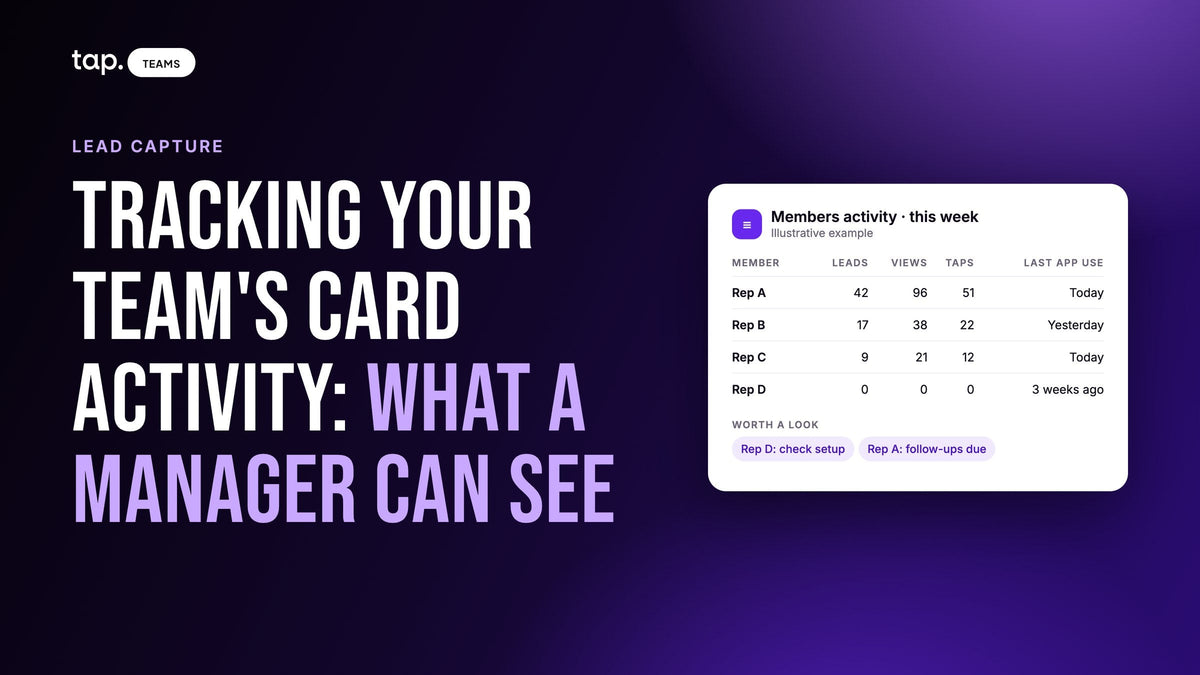
Look at the example above. Rep A has the biggest capture count and the worst completion, so the answer is help, not praise. Rep C captured little but closed every loop. Rep D's numbers are all zero, and the last-used date explains why. Nobody in that table needs a leaderboard.
How to check a tool before you buy it
"Team analytics" on a pricing page can mean anything from a per-rep table to a single total for the whole account. In a demo, ask to see these things on real-looking data, not slides:
| Ask to see | Why it matters |
|---|---|
| A per-rep view with captures, not only views | You manage people, so a team total can't tell you who needs help |
| Filters by date range and by team or department | Regional managers need their own slice, and events need their own period |
| Export of every rep's captured contacts to one CSV | For tools you don't integrate, leavers, and leads captured before the CRM was connected |
| Native sync to your CRM, with the right owner | A lead that only lives in the card app isn't in your pipeline |
| Follow-up or task tracking per rep | Capture without follow-through is a contact list, not pipeline |
| Roles: who sees which leads | Reps should see their own, managers their team's, admins everyone's |
| When each rep last used the app | The fastest adoption check there is |
If you're rolling cards out to the whole company rather than one sales team, the departments and permissions question gets bigger. Our guide to a company-wide digital business card rollout covers who owns what.
What tracking can't tell you
Activity data shows what happened. It doesn't show why. A rep with low numbers might be covering a territory that's dead this quarter, or sitting on a stand alone while colleagues work the floor, or dealing with something outside work. The numbers tell you which conversation to have. They don't replace it.
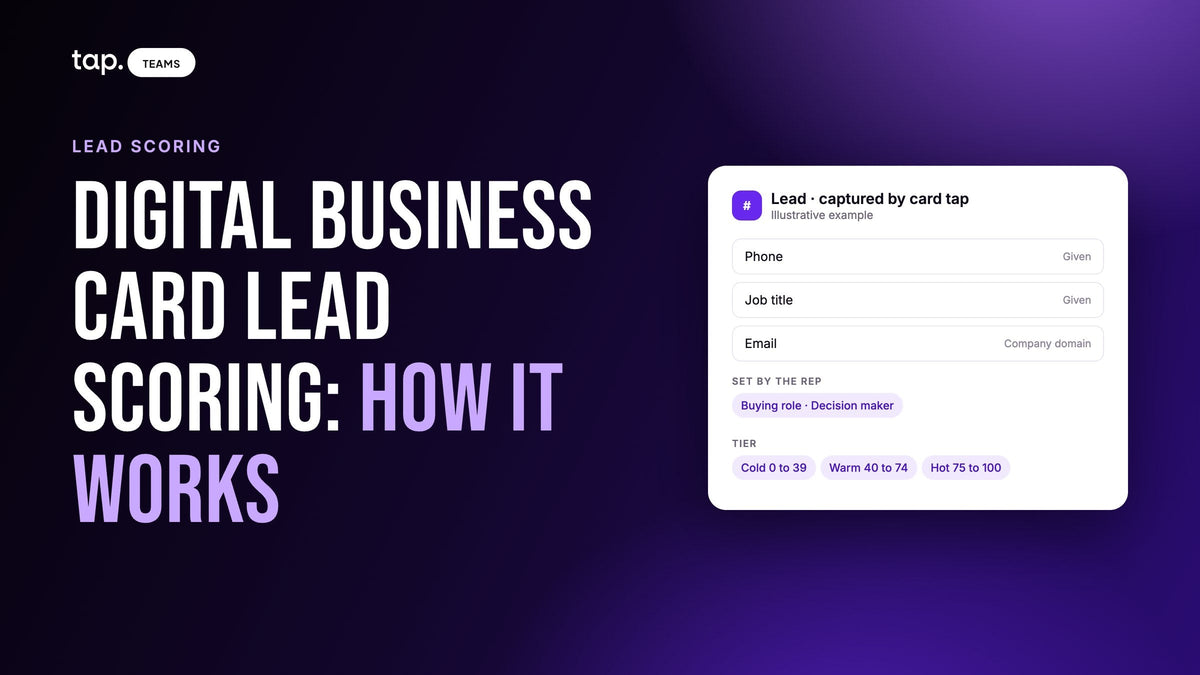
Tracking also can't judge quality on its own. Thirty captures of students at a careers fair and thirty captures of buyers look the same in a count. You need something about the lead itself, such as a score, the buyer's role, or what was said in the meeting, to tell them apart.
And it only measures what gets recorded. If reps complete follow-ups in the CRM but never tick them off in the card tool, completion will read near zero for a team that's doing the work. Pick one place where completion is recorded and stick to it.
How Tap handles this
In Tap Teams, the web dashboard admins use, Team Insights opens with four headline numbers for the period: Leads, Views, Downloaded Contacts and Active Members. Each is compared against the preceding period. Below them, Members Activity has one row per member: leads captured, views, taps, notes, last mobile session and last dashboard session. You can filter by department or member and export the result. Meetings per member sit on the Meeting intelligence tab, and a profile activity view shows views and taps per member profile.
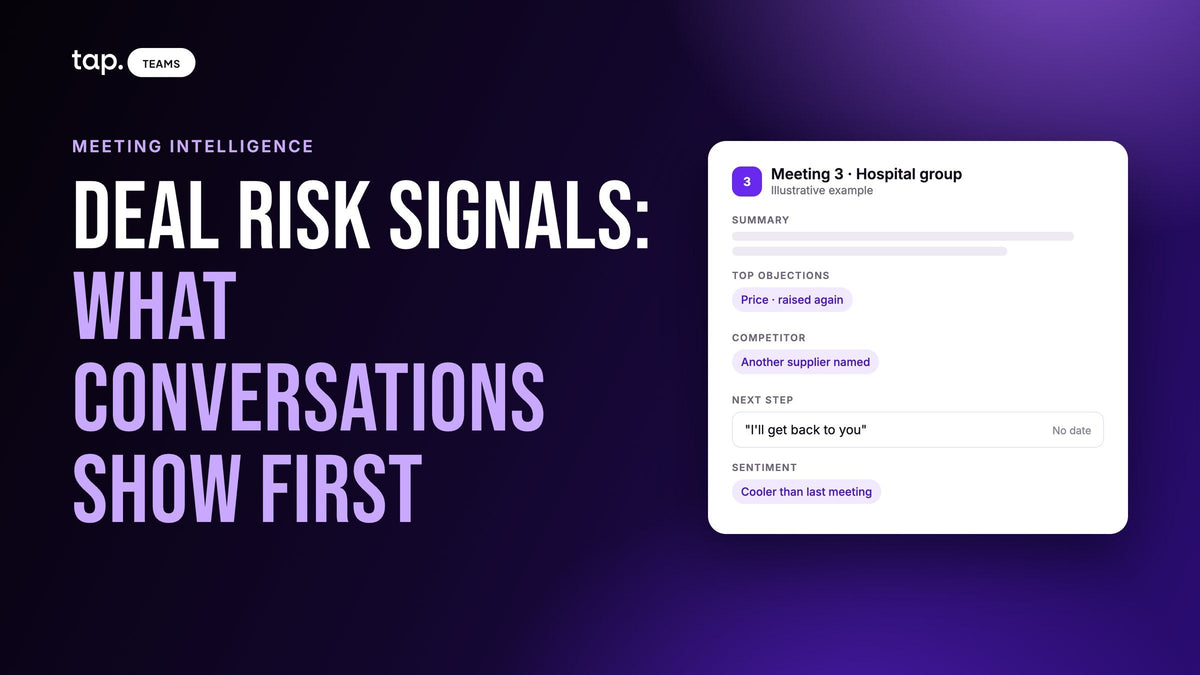
Follow-through has its own view. Meeting analysis turns commitments made in a recorded conversation into follow-ups, and action completion shows per person how many of them were marked done. Action items also sync to the CRM as tasks on the lead's record.
Every captured contact appears under Leads with who on the team met them and when. Members see their own leads, admins see the whole team's, and department admins see their department's when department admin management is on. An admin can export all the contacts reps captured to a single CSV, and the export follows whatever filters are set, so filtering to an event's dates first gives you just that event's leads. Leads sync to HubSpot, Salesforce, Zoho, Pipedrive, Veeva Vault and Odoo, with Zapier for other tools.
Tap's own docs say the same thing this article does: Members Activity is an activity view, not a performance ranking. To see it on your own team's setup, book a free 30-minute demo or read how Tap works for sales teams.
FAQ
Are there digital business cards for teams that show per-rep analytics on card shares and contact captures?
Yes. Look for a per-member table rather than a team total, with contacts captured shown separately from views and shares. Tap Teams has one: Members Activity lists leads, views, taps, notes and last app use for each member, filterable by department.
Can administrators export all contacts captured by reps into a single CSV?
In some tools, yes, and it's worth checking before you buy. In Tap Teams an admin can export every contact the team captured into one CSV, and if you only want one event's leads, filter to its dates first. Fields that aren't mapped to the CRM still appear in the export.
How do you track NFC business card views?
The card itself stores nothing; it opens a profile, and the profile counts the visits. Your card app's analytics will show views and taps for each profile. Treat them as a sign the card is being shared, and track captured contacts to see whether it's producing leads.
What's the best way to track business card exchanges and follow-up for a sales team?
Count an exchange when the other person gives their details, not when they open a card. Then track whether each captured lead reached the CRM and whether the follow-up promised in the meeting was done. Review all three per rep weekly.
Should I rank reps on a leaderboard of card activity?
Not as a performance measure. Capture and share counts depend on territory and event size, and a ranking invites low-quality captures. Use activity to spot adoption problems and follow-up completion to judge follow-through.

Leave a comment
This site is protected by hCaptcha and the hCaptcha Privacy Policy and Terms of Service apply.