
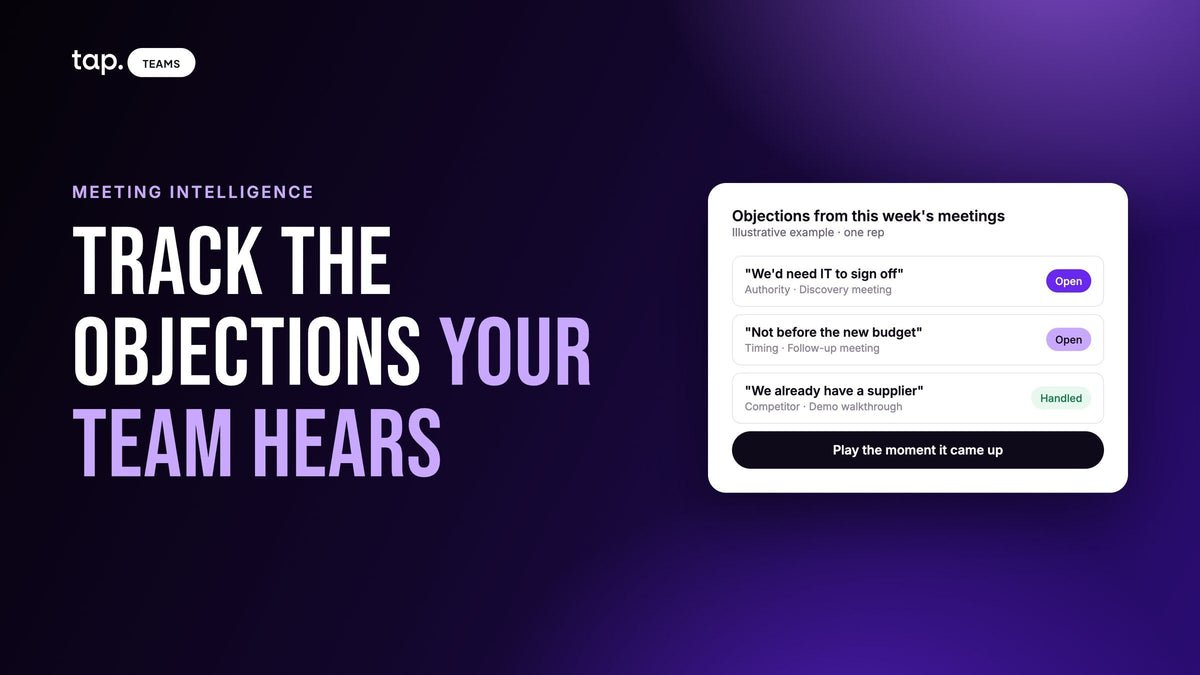
To track sales objections, log each one the same way: the buyer's own words, a category, who raised it, the meeting stage, the rep, and whether it was handled. Capture them from recordings or a note straight after the meeting, review the log weekly, and act on the objections that recur across several reps.
For a team on the phone all day, that's mostly simple: the calls are recorded and searchable. Field teams have a harder version of the problem. The objection was raised in a customer's office or at a trade show stand, the only person who heard it was the rep, and by the time it reaches the CRM it has become a picklist value.
Why objections go missing in field sales
Most CRMs record the outcome of a deal and very little about the conversation behind it. A lost deal gets a loss reason, usually "price" or "timing", chosen weeks after the meeting where the deal turned. That field tells you how the rep summarized the loss. It doesn't tell you what the buyer said, when they said it, or what the rep said back.
Field sales makes this worse in a few specific ways. The rep writes up the meeting later, from memory, often between two other visits. They remember the objections they struggled with and forget the ones they answered well. Objections raised in deals that were won never get logged at all, because nobody fills in a loss reason for a win. And the manager, who might spot that three reps are hearing the same concern in three different cities, sees none of it until it shows up as a dip in the pipeline.
What to record for each objection
A log is only useful if every entry has the same fields. Keep it short enough that a rep will fill it in while sitting in the car after a meeting. These are the fields worth having:
| Field | What goes in it | Why it matters |
|---|---|---|
| Buyer's words | What they actually said, as close to verbatim as possible | "We'd need IT to sign off" and "it's too expensive" both get filed as price; the wording shows which it really was |
| Category | One of a short, fixed list (see below) | Lets you count and compare across reps |
| Who raised it | Their role: the decision maker, a user, procurement, IT | The same concern from a CFO and from an end user needs different answers |
| Meeting type or stage | Discovery, demo, negotiation, follow-up | A price objection in a first meeting means something different from one at contract stage |
| Rep | Who heard it | Separates one rep's problem from the team's |
| Handled or open | Did the rep answer it in the meeting, and did the buyer accept the answer? | An objection answered well is information too, and usually the best training material you have |
| What happened next | The deal moved forward, stalled, or was lost | Tells you which objections cost deals |
The buyer's words are the field most logs skip. A category tells you how often something comes up; the wording tells you what to do about it.

Sort objections into categories that point to a fix
Categories should be few enough that reps pick the right one without thinking. Around seven usually covers it. A list like this works for most B2B teams:
- Price or budget: too expensive, no budget this year, needs approval above the buyer's limit.
- Timing: not now, after the next quarter, once a current project ends.
- No need or status quo: what they have works well enough.
- Authority: someone else decides, or more people need to be involved.
- Trust or risk: haven't heard of you, worried about switching, need references.
- Competitor or current supplier: already using someone, or comparing you with someone.
- Missing capability: the product doesn't do something they need.
Add "Other" and read it every week. If the same thing keeps landing there, it deserves its own category.
File each objection under the concern underneath the words. "Send me something by email" is often a timing or a no-need objection said politely. "Price" is frequently an authority problem: the person in front of you likes it but can't approve the spend. When a rep isn't sure, the buyer's words in the log let a manager re-file it later.
Three ways to capture objections from in-person meetings
On a phone team, recordings do most of the capturing. A field team usually ends up with a mix, and each source has gaps.
The rep logs it straight after the meeting
The cheapest method, and the one that decays fastest. Ten minutes after a meeting, a rep can tell you what the buyer said almost word for word. By the end of the day, it's a summary. By the end of the week, it's a category. If reps log objections themselves, make it something they can do from the phone before they start the car: a short voice note or three fields in a form. Our piece on AI notes for in-person sales meetings covers building that habit.
Record the meeting and pull objections out
A recorded meeting keeps the buyer's actual words, separates who said what, and catches the objections the rep handled smoothly and forgot. Meeting intelligence tools can extract objections from the transcript automatically, so nobody has to log anything. The trade-off is that you need the buyer's agreement to record, a phone close enough to both people to get usable audio, and a decision about which meetings are worth it. The meeting intelligence guide for field sales covers consent and recording in noisy rooms. Record the conversations worth reviewing, like discovery meetings, demos and negotiations, and skip the quick card swap at a stand.
The CRM loss reason
Keep it, but treat it as the weakest source. It only exists for lost deals, it's filled in late, and it records the rep's view of why the deal died. Use it as a cross-check: if the log says reps mostly hear authority objections and the loss reasons say price, look closer at a few of those deals.
In practice, most field teams do best recording their important meetings and asking reps for a quick note on the rest.
Reading the log: a pattern or one bad meeting?
A log full of entries isn't insight yet. A few habits keep you from overreacting to it.
Wait for volume. An objection in three conversations is noise. Before you change the pitch, look for the same concern across many meetings and, more importantly, many reps. One rep hearing it constantly may just be working a territory or segment where it comes up.
Separate the rep from the team. If one rep keeps leaving the same objection open while colleagues handle it, that's a coaching conversation, and our guide to field sales coaching covers how to run it from recordings. If the whole team struggles with it, coaching individuals one by one won't fix it.
Then work out which kind of team objection it is. A product objection means the buyer wants something you don't have; it needs roadmap attention, and it should reach the product team with the buyer's words attached. A positioning objection means the answer exists and isn't landing. The two look the same in a count and need completely different responses.
Count won deals too. Objections that came up in deals you won tell you what your reps already answer well, and which concerns you're winning in spite of. A rep who handles a common objection better than anyone else is your best source for the team's answer.
Read competitor mentions next to objections. If a competitor starts coming up at the same time as a particular objection, they've usually changed their pitch. And pay attention to what's missing: an objection you expected and never see may already be handled, or it may mean reps aren't getting far enough into conversations to hear it.

Turning the log into a fix
For a positioning objection, write the answer once, centrally. Base it on how your best reps already handle it, put it in your enablement material, and make sure every rep has it. If you have a recording of a rep handling it well, play that at a team meeting. Hearing a colleague do it in a real meeting is more convincing than a slide with the approved wording.
For a product objection, send it to product with the evidence: how often it came up, in which deals, from which kind of buyer, and what they said. A count with the buyer's words attached gets taken far more seriously than "sales says customers want X".
Then check it moved. Come back a period later and look at the same objection. If it's handled more often, or stops showing up in stalled deals, the answer is working. If it's still climbing, it isn't, and the answer needs another pass. Skip this step and the log turns into a list of complaints nobody acts on.
A short weekly objection review
The review doesn't need a meeting of its own. Twenty minutes inside an existing sales meeting is enough. Look at which objections came up most this week and whether anything new appeared. Pick one objection to discuss. Play or read one example of it handled well and one left open. Agree what changes, if anything, and who writes it down.
Say a team of eight reps comes back from a week of site visits and the log shows "needs IT security review" in meetings from five of them, mostly left open. That's one objection, one answer to write, and one check in a few weeks' time. It's more useful than a long discussion of every entry.
Objections are half of what buyers tell you. The other half is buying signals, and the same log habit works for those.
How Tap handles this
In Tap, reps record a meeting in person against the lead they're talking to, or upload a recording they already have. Tap transcribes it and pulls out the top objections, pushback raised in the conversation that the rep can mark as handled, alongside a summary, buying signals and any competitors named. Ask AI on a meeting answers questions like "Which objections did I leave unhandled?" and points to the moment in the recording so you can play it. For shorter thoughts after a meeting, reps can record a voice note, which is transcribed and summarized; a note that names a rival gets a Competitor chip.
For managers, Team Insights rolls topics and objections up across the team's recorded meetings, so you can see which concerns prospects raised most often. The Competitors view counts the rivals named in notes and meetings, with the change against the previous period, and note themes group what reps write by meaning. On Enterprise plans, Ask AI can search across all meetings you can see, so you can ask which objection keeps coming up. Insights are built from recorded meetings, so a team that doesn't record will see little here. Recordings and transcripts are visible to the rep who captured them and to admins.
You can see how it works on the meeting intelligence page, or book a demo and we'll walk through it with the objections your team hears.
FAQ
How do you track sales objections?
Log every objection with the same fields: the buyer's words, a category, who raised it, the meeting stage, the rep, whether it was handled and what happened next. Capture it from a recording or a note right after the meeting, then review the log weekly for objections that recur across several reps.
What should a sales objection log include?
At minimum: what the buyer said, close to verbatim; a category from a short fixed list; their role; the meeting type or stage; the rep; handled or open; and the deal outcome. The buyer's words matter most, because the same category can hide very different concerns.
What are the most common sales objections?
Most B2B objections fall into a handful of groups: price or budget, timing, no need or happy with the status quo, someone else decides, trust or switching risk, a competitor or current supplier, and a missing capability. Which ones dominate depends on your market, which is why logging your own beats a generic list.
How do you know if an objection is a product problem or a sales problem?
If buyers want something the product doesn't do, it's a product gap and belongs with the roadmap. If the answer exists and reps can't land it, it's a positioning problem: write one answer, give it to every rep, and check a period later whether the objection is handled more often.
How often should you review sales objections?
Weekly works for most teams, in a short slot inside an existing sales meeting. Look at what came up most, pick one objection, agree a change, and check it a few weeks later. A quarterly review is too slow to catch an objection while it's still growing.

Leave a comment
This site is protected by hCaptcha and the hCaptcha Privacy Policy and Terms of Service apply.