
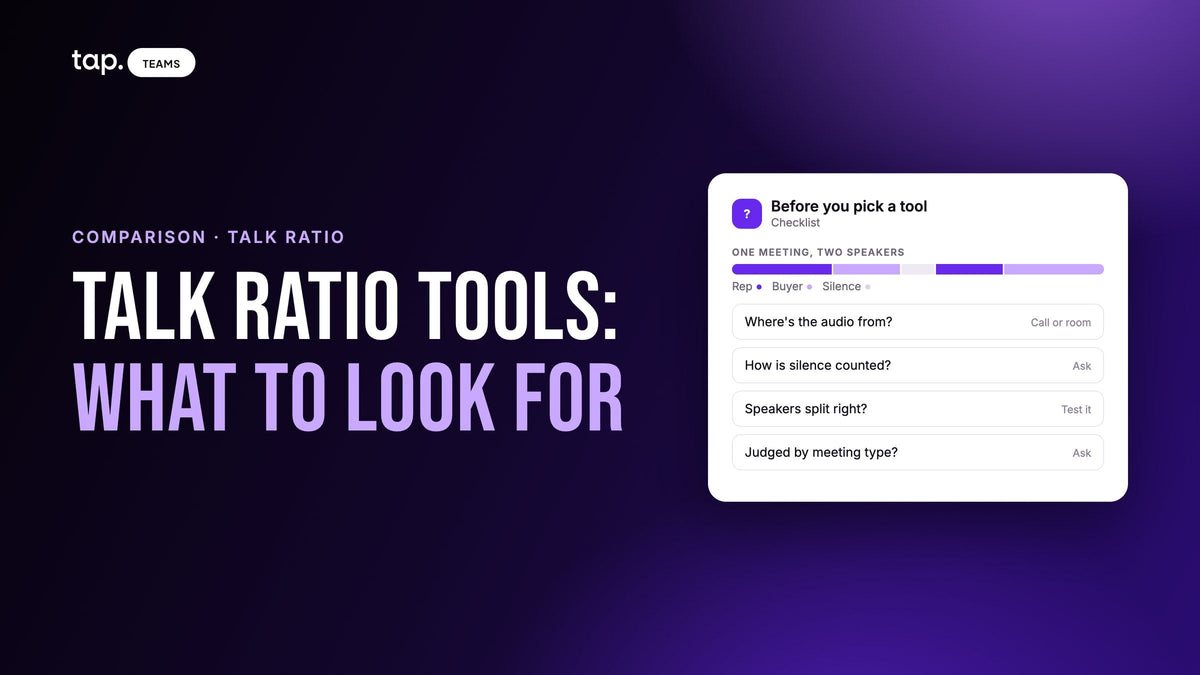
Gong, Avoma, Zoom Revenue Accelerator, tl;dv, Sybill and CloudTalk all measure talk-to-listen ratio on sales calls, and so does Tap. Most of them take the audio from video meetings or a phone system; Tap records meetings held in person. Before choosing, check how each tool counts silence, separates speakers and handles different meeting types.
A disclosure first: we make Tap, and its meeting intelligence is one of the seven tools here. Tap goes last, and the order isn't a ranking. Every claim about another company comes from that company's own website or help center. Where a page doesn't say something, we don't guess, so ask the vendor.
Checked against each vendor's own site on 11 November 2026.
For what a good ratio looks like and how to coach it, see our guide to the talk-to-listen ratio. This page is about the software.
How talk-to-listen ratio tools get the number
Every tool on this list does the same four things. It gets the audio, works out who was speaking when, adds up each side's speaking time, and shows you the rep's share. Most add other speaking stats too, such as the longest monologue.
The differences sit inside those steps. Two tools can give the same meeting different numbers because they divide by different things or hear the room differently.

What to look for in a talk-to-listen ratio tool
Where the audio comes from
This decides more than anything else. On a video call, a tool joins as a recorder or connects to the meeting platform, and each person usually speaks into their own microphone. On a phone system, the call already passes through the software. Both give speaker separation plenty to work with.
An in-person meeting is different. There's usually one phone on a table picking up everyone in the room, so the tool has a single recording and has to tell the voices apart from it. If your reps sell across a desk, test any tool on a real in-person recording before you trust its ratio. And if that's most of your team's meetings, book a demo of Tap and see the ratio on those conversations.

How it counts silence, and who counts as "them"
Read the definition in the help center before you compare numbers. tl;dv defines talk time as the share of the meeting's duration you spent talking, so pauses shrink your share. CloudTalk works out listening time as the recording length minus the rep's talk time, so a pause counts as listening. A tool that leaves silence out altogether gives the same meeting a higher share again.
Check who's grouped together, too. With two reps and three buyers in the room, the useful split is your side against theirs.
Whether it knows what kind of meeting it was
A rep should talk much less in discovery than in a product demo. A tool that compares every meeting to one band will flag good demos and miss over-talking in discovery. Look for a way to judge each meeting against its type, or at least to filter by type before you read the numbers.
Whether one click takes you to the recording
The ratio tells you where to look. The recording tells you what happened. A tool that shows a number without a quick path to the moment behind it will get you arguing about percentages. Avoma, for example, lets you open any call straight from its talk time graph.
One call versus the whole team
Reps need the number for one meeting, soon after it. Managers need patterns across many meetings and reps. Ask to see both views on your own data. The other speaking stats worth tracking alongside the ratio are covered in our guide to sales conversation metrics.

The tools, one by one
1. Gong
Gong's help center describes talk ratio as the share of the call a rep spends talking, and shows it next to longest monologue, longest customer story, interactivity, patience and question rate. Those stats cover recorded calls only. Gong says it records and transcribes calls, meetings and email. For face-to-face meetings, its mobile app records audio, and Gong advises putting the phone as close to the speakers as possible. Its help page also notes that contacts associated from the mobile app aren't assigned to a specific speaker track.
2. Avoma
Avoma's Interaction tab shows talk time for teams and individual reps, with each call plotted as a point you can open. It also reports longest monologue, longest customer story, questions from customers and team members, and filler words with a leaderboard. Avoma says it records Zoom, Google Meet and Microsoft Teams, and connects to dialers including Aircall, Dialpad, RingCentral and Zoom Phone.
3. Zoom Revenue Accelerator
Zoom lists talk-to-listen ratio among its Revenue Accelerator insights, with filler words, talking speed and patience. It analyzes transcripts of meetings and phone calls, works across Zoom Meetings and Zoom Phone, and shows dashboards after the call.
4. tl;dv
tl;dv's speaker insights show talk time, questions per hour, longest monologue, filler words per minute and words per minute, calculated for your own team's members. It works with Google Meet, Zoom and Microsoft Teams, and its homepage says no bot is required.
5. Sybill
Sybill lists talk time percentage among the per-rep stats it shows for everyone on the team, and its coaching page suggests asking it which rep has improved their talk-to-listen ratio the most. It draws on calls, CRM, email and calendar. The pages we read don't say how calls are recorded, so ask.
6. CloudTalk
CloudTalk is a phone system with dialers and AI voice agents, and its conversation intelligence scores talk ratios on calls. It adds up each speaker's segments, works out listening time from the recording length, and shows the ratio on the call's Call Details page next to the summary.
7. Tap
Tap records meetings in person, from the rep's phone, rather than with a bot joining a video call. It transcribes the recording, separates speakers, and measures the rep's share against a target for the meeting type you choose, such as Discovery, Demo walkthrough or Follow-up. The result reads On target, Above target, Well above target, Below target or Not enough data. If your team's calls happen on video, the tools above are built for that and will serve you better.
Talk-to-listen ratio tools compared
| Tool | Where the conversations come from | What it reports about talk time | Fits best |
|---|---|---|---|
| Gong | Recorded calls, meetings and email; a mobile app for face-to-face meetings | Talk ratio, longest monologue, longest customer story, interactivity, patience, question rate | Revenue teams selling mostly on calls and video |
| Avoma | Zoom, Google Meet, Microsoft Teams; dialers such as Aircall and Dialpad | Talk time per team and rep, monologues, questions, filler words | Teams mixing video meetings and a dialer |
| Zoom Revenue Accelerator | Zoom Meetings and Zoom Phone | Talk-to-listen ratio, filler words, talking speed, patience | Companies already selling on Zoom |
| tl;dv | Google Meet, Zoom, Microsoft Teams | Talk time, questions per hour, longest monologue, filler words, words per minute | Smaller teams on video meetings |
| Sybill | Calls, CRM, email and calendar (recording method not stated on the pages read) | Talk time percentage per rep | Managers who want to ask questions of the data |
| CloudTalk | Calls on its own phone system | Talk and listen time per call | Phone-based sales teams |
| Tap | In-person meetings recorded on the rep's phone | Rep's share against a target for the meeting type | Field sales teams meeting buyers face to face |
Which one fits your team
If most of your selling happens on video calls, start with Gong, Avoma, Zoom Revenue Accelerator or tl;dv, and pick by how much else you want around the ratio. If you already run meetings and phones on Zoom, its own add-on saves you an integration.
If your reps live on the phone, a phone system that measures the ratio itself, like CloudTalk, means there's nothing extra to capture. If managers mainly want to ask questions of their team's calls, look at Sybill.
If your reps meet buyers in person, the question is less which dashboard you like and more which tool was built to hear a room. Ask every vendor to run one of your real in-person recordings, then check whether the speakers came out right before you look at the ratio at all.
How Tap handles this
Tap's meeting intelligence is built for conversations that happen in person. Reps record from the mobile app, against the lead they're meeting, or upload a recording they already have. As the docs put it, Tap is not a meeting bot: the member who's there records the meeting.
Each recorded meeting has a type, and the type decides which talk-ratio target the analysis uses. Discovery has a low target, because the rep should be listening, while a demo walkthrough legitimately has the rep talking more. If a meeting was tagged wrong, the type can be changed afterwards. When the recording is too short or unclear to judge, the result says Not enough data rather than guessing.
The transcript separates speakers so you can see who said what, and the same analysis gives a summary, key topics, buying signals, objections and action items, so the ratio sits next to the moments that explain it. In a noisy room, put the phone on the table between you, say the other person's name early, and record the whole conversation. Talk ratio measures airtime, not quality, so treat a result as a reason to go and listen. For how it fits with the rest of a field team's coaching, see our guide to meeting intelligence for field sales, or book a demo to try it on your own meetings.
FAQ
Which tools measure the talk-to-listen ratio in sales calls?
Conversation intelligence tools such as Gong, Avoma, Zoom Revenue Accelerator, tl;dv and Sybill measure it on recorded calls and meetings. Phone systems such as CloudTalk measure it on their own calls. Tap measures it on meetings recorded in person. Each defines the number slightly differently, so read the definition before comparing.
How do you use AI to measure talk-to-listen ratio on sales calls?
Record the call with a tool that transcribes it and separates the speakers. The software adds up how long each side spoke and shows the rep's share. Your job is to tag meetings by type, check the speakers were split correctly, and listen to the recording behind any number that looks off.
Which coaching tools analyze talk-listen ratios?
Most conversation intelligence tools pair the ratio with coaching features. Gong, Avoma and tl;dv show it next to monologues and questions, and Sybill lets managers ask questions about it across the team. For in-person field teams, Tap compares each meeting to a target for its type.
How do you track talk-to-listen ratio on in-person sales meetings?
Record the meeting on a phone placed between you and the buyer, not in a pocket, and record from the start. Use a tool that separates speakers from a single recording, and check the transcript attributes lines correctly before reading the ratio. Group everyone from the buyer's side together.
Can you measure talk-to-listen ratio without software?
Yes, on a few meetings. Take a timestamped transcript, add up each side's speaking time, leave the silence out, and divide the rep's time by the total. It's worth doing once, but it doesn't scale.

Leave a comment
This site is protected by hCaptcha and the hCaptcha Privacy Policy and Terms of Service apply.