
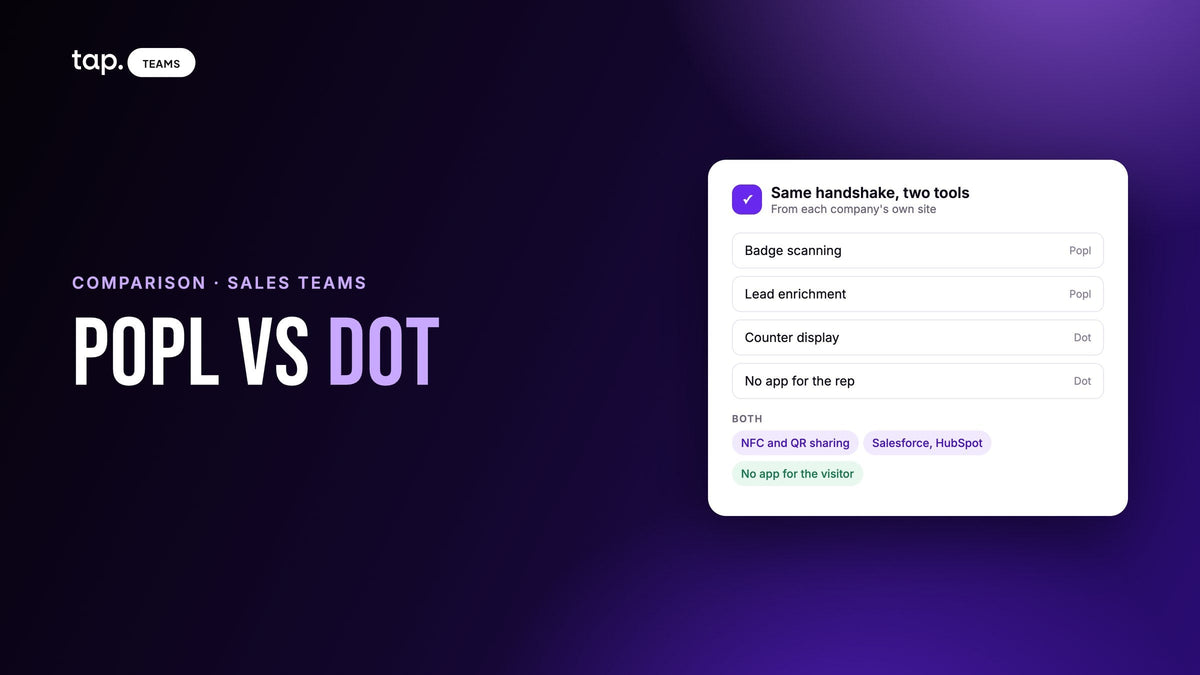
Popl fits sales and event teams who need badges and cards scanned, enriched and synced to the CRM at every show. Dot fits individuals and smaller teams who want a well-made NFC card or wearable that shares a profile with no app. If your reps mostly hand over their own details, Dot may be enough.
We make Tap, which competes with both, so read this with that in mind. Everything below about Popl and Dot comes from their own sites and help centers, checked on November 2, 2026. Where a site doesn't describe a feature, we say so and don't guess. We've left out prices because they change; check each vendor for current ones.
What each company sells today
Popl started out as a card, and several of the comparison pages ranking for this search still describe it that way. Its homepage now reads "Your AI GTM platform for in-person events." The product is a badge scanner that works at any show, enrichment, event campaigns with qualifying questions, native CRM sync and in-person AI recording. Digital business cards are still there, as one of two team plans. The other is Event Lead Capture, and that's the plan the badge scanner and qualifiers sit on. So when you compare Popl with anything, check which of the two plans you're pricing.
Dot is built around hardware. You buy a dot.device, which is a card, a metal card, a sticker for your phone, a wristband or a counter display, and it opens your dot.Profile in the other person's browser. A one-time purchase includes the free profile for life. dot.Profile+ is an optional subscription for individuals, and dot.Teams comes in two plans, Essential and Growth, with devices included for every member. Dot's pitch to companies is turning "your business card into a lead magnet," and the Growth plan is where most of that lives.
That gap shapes everything below. Popl's site talks to the person who has to prove pipeline from an event. Dot's talks to the person who wants a good first impression, and then to the manager ordering for the team.
Popl vs Dot at a glance
| Feature | Popl | Dot |
|---|---|---|
| Built around | In-person events: scanning, enrichment, CRM sync, plus team digital cards | NFC devices and the profile they open, plus team plans |
| Physical products | Optional NFC cards, tags and wristbands, sold through Amazon | Card, metal card, two phone stickers, wristband, counter display; custom designs with your logo |
| Sharing | QR, link, text, email, wallet, widgets, NFC accessory; opens in the recipient's browser | NFC tap, QR, username link, Apple and Android Wallet; opens in the recipient's browser |
| App for the rep | Popl mobile app on iOS and Android | None needed; everything runs in the browser |
| Collecting their details | Custom lead forms and a scanner for badges, paper cards and QR codes | dot.Exchange form: name and email, optional phone and note |
| Paper card scanning | Yes | AI scanner on dot.Profile+ and Teams Growth |
| Badge scanning | Yes, on Event Lead Capture, without the organizer's kit | Not listed on their site |
| Qualifying leads | Custom questions per Event Flow, answered by the rep | Notes and follow-up reminders; qualifying questions not listed |
| Enrichment | Verified email, phone, title, LinkedIn, company data | Not listed on their site |
| Conversation recording | AI Voice: transcript, key insights, next steps, rep coaching | Not listed on their site |
| Working offline | Saves leads on the device, syncs when back online | Not listed on their site |
| CRM | Salesforce, HubSpot, Dynamics 365, Pipedrive, Zoho; Marketo, Pardot; Zapier, API | Salesforce and HubSpot on Teams Growth; Zapier; contact export |
| Team admin | Templates, subteams, restrictions, SSO, HR directory sync | Templates, full or partial profile locks, bulk setup, device controls |
The card itself: this is Dot's ground
If the job is handing someone your details, Dot has thought about it harder. All its devices do the same thing, so you pick by where you'll carry it. The dot.card goes in a wallet. The dot.thin sits under a phone case. The dot.band is a silicone wristband with a QR code on the strap, which suits anyone whose hands are full. The dot.display stands on a counter, and Dot lists events, offices, salons, showrooms and trade shows as places to use it. Teams can order custom devices with their logo and ask for a free mockup first.
Neither side needs an app. You set up the profile in a browser, and the person you meet opens it in theirs and saves your contact. For a small team that doesn't want to roll out or support another app, that's a real advantage.
Popl comes at this from the software side. Its help center lists QR code, card link, text, email, social apps, wallet and lock-screen options in the app's Share tab, and its NFC cards, tags and wristbands are optional accessories. It also goes further than Dot past the handshake, with QR-code email signatures and branded virtual backgrounds. The recipient doesn't need an app here either, though your reps will use Popl's.
Getting the other person's details: this is Popl's
A sales team needs the contact to flow the other way, and this is where the two products separate.
Dot's answer is dot.Exchange. A visitor presses a button on your profile and fills in a short contact card with their name and email, plus a phone number and a note if they choose. It lands in your Dot contact book, and you can set a reminder to follow up. Quick Capture Mode prompts them without the button. It's simple and it works when the other person wants to give you their details. dot.Profile+ and Teams Growth add an AI scanner that turns an uploaded image of a paper card into a contact.
Popl assumes the other person is busy and the rep is doing the capturing. Its scanner reads conference badges, paper cards, QR codes and LinkedIn QR codes, and Popl says it doesn't depend on the organizer's badge kit, because it reads the printed name and company and enriches from there. Reps then answer your qualifying questions, such as Hot, Warm or Cold, and if the signal drops, leads are stored on the phone and sync when it reconnects. An automatic lead score isn't described on the pages we checked.

One thing to watch if you're reading vendor pages. Popl's own Popl vs Dot page, last updated October 20, 2026, marks Dot as having no direct CRM integration and no paper card scanner. Dot's Teams page lists native Salesforce and HubSpot, Zapier and an AI card scanner on its Growth plan. Popl's table has a single Dot column with no split by plan, so read Dot's page before you rule it out.
CRM sync and team control
Dot's Growth plan lists real-time contact sync with Salesforce and HubSpot, plus Zapier. If those are your systems and a contact is all you need to move, that may cover it. CRM integrations aren't on the Essential plan's feature list, so the plan matters here.
Popl's list is longer: Salesforce, HubSpot, Microsoft Dynamics 365, Pipedrive and Zoho, Marketo and Pardot, then Zapier and an API. It also lists unlimited custom field mappings, sync to leads, contacts, accounts, campaigns, notes and activities, deduplication, and logs showing what happened to each sync. CRM Insights shows a rep the account owner and open opportunities when they scan a badge. If your RevOps team will ask how records get matched, Popl has more written down.
On admin, both handle templates and locked profiles. Dot adds device controls and team networking insights that track top connectors. Popl adds subteams with their own CRM setup and admins, SSO, HR directory sync and SOC 2 Type 2. Dot's Teams page doesn't mention SSO or SOC 2. If IT signs off on your tools, ask Dot directly before you assume either way.
Recording what was said
Popl's AI Voice records booth conversations and in-person meetings through the app, identifies speakers, and returns a transcript, key insights, next steps and rep coaching. A Qualifier Agent can fill in your qualifying questions from what was said, and a rep can speak a recap in place of recording the other person. Popl's FAQ says reps should get consent first, and that's right.
Dot's plan table lists meeting notes on a contact. Recording a conversation isn't described on Dot's site.
How you buy each one
The two are bought very differently, and that often decides it for a small team. Dot sells devices in an online store, one-time, and the free profile comes with them. Upgrades are optional, and dot.Teams goes through its sales team. For individuals, Popl has a free plan plus Pro and Pro+. For teams, its FAQ says pricing is a custom quote given over a meeting.
Which one should you pick?

Dot is the better fit for a solo seller, a small business or a team whose reps meet people one at a time and mainly need to look good and be easy to save. It's also the one to pick if you want the wristband or counter display. Popl is the better fit when events are a line in your budget and someone has to show what they returned. For a team in between, Dot's Growth plan is worth a look before you sign up for something bigger than you'll use.
A test worth running before you choose
Popl's pages are organized around events and Dot's around the device. If your reps also sell in clinics, on job sites and across a table the day after a show, a demo won't tell you much. Popl's qualifiers attach to an Event Flow, so ask how you'd set one up for everyday visits. Then take one real contact through each tool:
- Capture them somewhere with weak signal, the way it'll actually happen.
- Open the CRM and look at what arrived: which record type, who owns it, and whether the context came through.
- Ask a manager who wasn't there what the buyer objected to. See if they can answer without calling the rep.
- Count how much the rep typed.
If the fourth answer is "a lot," adoption will suffer whichever tool you pick. Our guide to a digital business card with lead capture built in covers when a card is enough and when you need more.
How Tap handles this
Tap is the option for teams whose work carries on after the capture, wherever it happens. The visitor fills in your form on their own phone, with no app, or the rep scans a card, QR code or badge and checks what was read. Each lead gets a quality score out of 100, and enrichment fills only the empty fields. When there's a real meeting, the rep tells the buyer and records it. Tap returns the summary, buying signals, objections and talk ratio.
The lead syncs to Salesforce, HubSpot, Zoho, Pipedrive, Veeva Vault or Odoo, owned by the rep, and managers see objections and topics across the team in Team Insights. CRM sync and Team Insights need a team plan. Tap isn't a marketing automation tool, and if you need Marketo or Pardot sync, Popl lists both and Tap's docs don't. See how Tap works for sales teams, or book a 30-minute demo and bring a meeting your reps run every week.
Related reading
- Popl vs Tap: which fits a field sales team?
- Dot business cards vs Tap: what a Dot card is and which fits your team
- Popl alternatives: 6 options for sales and event teams
FAQ
Popl vs Dot: which is better for a sales team?
Popl, if your reps capture leads at events and you need enrichment, qualifying questions and CRM sync across several systems. Dot, if they mainly share their own details and you want simple hardware with no app. Dot's Growth plan does add Salesforce, HubSpot and a card scanner, so it can work for a team with lighter needs.
Are Dot cards worth it?
For one person who wants an easy way to share contact details, they're a fair buy: you pay once for the device, the basic profile is free for life, and Dot's FAQ says there's no monthly fee to use it. For a sales team it depends on what you need after the tap. Badge scanning, enrichment and recording aren't listed on Dot's site.
Does Popl make NFC cards?
Yes, though they're optional. Popl's site describes NFC cards, tags and wristbands as accessories sold through Amazon, and a tap opens your card in the other person's browser. You can also share by QR code, link or wallet from the Popl app without any hardware.
What are the best Dot card alternatives?
It depends on why you're leaving. For event capture with a badge scanner, Popl or Cvent's iCapture, a trade show lead capture app. For a team that needs each lead scored and each in-person meeting analyzed, Tap is built for that.
Do Popl and Dot need an app?
The person you meet doesn't need one with either product, because both open in a browser. On your side, Dot needs no app at all. Popl's capture features run through its iOS and Android app, so your reps will install that.

Leave a comment
This site is protected by hCaptcha and the hCaptcha Privacy Policy and Terms of Service apply.